 RobertRoss_VFX


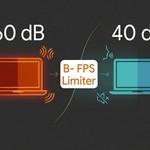
B- FPS Limiter — Keep Your Laptop Cool & Silent in Blender 🚀
Working on a laptop? Tired of your fans screaming like a jet engine the moment you rotate the 3D viewport? Or maybe you're rocking a passively cooled ultrabook and watching your battery melt away during a basic modeling session?
Blender is incredibly powerful, but it has one bad habit: its viewport runs completely unthrottled. If you connect your laptop to a high-refresh-rate external monitor (like 144Hz or 240Hz), Blender will ruthlessly try to render every single viewport rotation at maximum FPS. The result? Instant overheating, thermal throttling, and a drained battery.
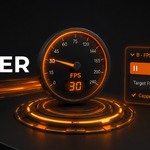
B- FPS Limiter changes the game. It injects a precise throttle directly into Blender's draw loop, giving your hardware a micro-rest between frames without disrupting your creative flow.
🔋 Why you need this addon:
- Silence Your Device: By capping the viewport to a cinematic 25 FPS (or any custom limit), you drastically reduce the load on your GPU and CPU. No more noisy fans while doing simple layout or modeling work.
- Massively Extend Battery Life: Perfect for mobile workflows. The addon uses a smart thread-sleeping mechanism, meaning your laptop stops pulling maximum wattage when it doesn't need to. Work longer on trains, in cafes, or on the couch.
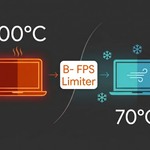
- Protect Your Hardware: High temperatures (90°C–100°C) degrade your laptop’s lithium-ion battery and stress internal components. Keep your machine running at a safer and lower temperature even during complex scenes.
-
Zero File Clutter: Built entirely on Blender’s
WindowManager. The addon doesn’t save any junk data inside your.blendproject files, keeping your production assets completely clean.
🛠️ Key Features:
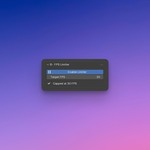
- Dedicated N-Panel Tab: Easily toggle the limiter on/off and adjust your target FPS directly from the 3D Viewport sidebar (FPS Limiter tab).
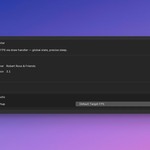
- Global Startup Preferences: Set your preferred default state and target frame rate inside Blender Preferences once, and it will persist across restarts.
- Smart Frame Capping: Unlike simple timers, this draw-handler solution calculates the exact time elapsed per frame and throttles only what is necessary.
-
Built-in Safety Catch: Includes a hard safety clamp (
_MAX_SLEEP_S) to ensure Blender's UI stays responsive and never locks up, no matter how low you set the frame rate.
💡 Perfect for:
- Passively cooled ultrabooks (like MacBook Air) that rely on thermal management.
- Gaming laptops prone to extreme fan noise under light workloads.
- Artists using external 144Hz+ monitors who want to save precious computing power for rendering, not viewport navigation.