B- FPS Limiter
 RobertRoss_VFX



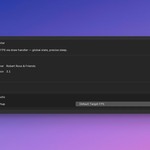
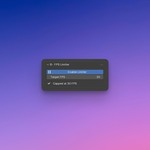
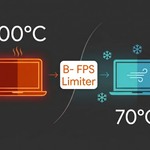
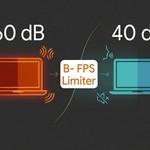
B- FPS Limiter is a simple yet powerful tool for Blender that allows you to manually cap the number of frames per second (FPS) displayed in the 3D Viewport. This gives you control over your computer's resource usage, ensuring quieter operation and longer laptop battery life.
🌟 Main Features
Viewport FPS Limitation: Cap the 3D Viewport FPS regardless of monitor refresh rate.
Cooler & Quieter Computer: Drastically reduces CPU and GPU load, leading to lower temperatures and reduced fan noise.
Battery Savings: Ideal for artists on the go — less power consumption enables longer work sessions on a single charge.
No File Clutter: Saves settings globally in Blender (
WindowManager), not in individual.blendfiles. Projects stay clean.Intuitive Interface: Quick access to toggle on/off and change the limit directly from the side panel (N-panel) in the 3D Viewport.
🛠️ Installation
Download the addon file (
.pyor.zip).In Blender, go to: Edit > Preferences.
Select the Add-ons tab.
Click the Install... button in the top right corner.
Select the downloaded addon file.
After installation, check the checkbox next to B- FPS Limiter to activate it.
Make sure preferences are saved (Menu > Save Preferences).
🚀 Usage
In the 3D Viewport, press N to open the side panel.
Select the FPS Limiter tab.
You will see the B- FPS Limiter panel.
Click the Enable Limiter button (with the Play icon) to activate it. The button changes to Enable Limiter with a Pause icon.
Use the Target FPS slider to set the desired frame rate (default 25).
Below the slider, you'll find information about the current state ("Capped at X FPS" or "Limiter off").
⚙️ Configuration
You can set the default state and FPS the addon starts with:
Go to: Edit > Preferences > Add-ons.
Find B- FPS Limiter in the list and expand its details.
-
In the Startup Defaults section, you can:
Enable on Startup: Check to have the limiter always active when Blender starts.
Default Target FPS: Set the default FPS value (default 25).
Remember to save preferences!
Have questions about this product?
Login to message
| Blender Extension Compatible | Yes |
| Published | 5 months ago |
| Blender Version | 4.2 - 5.1 |
| Extension Type | Add-on |
| Render Engine Used | Cycles |
| License | GPL |