B- Working Pivot
 RobertRoss_VFX



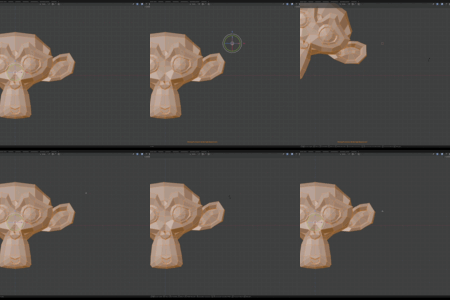
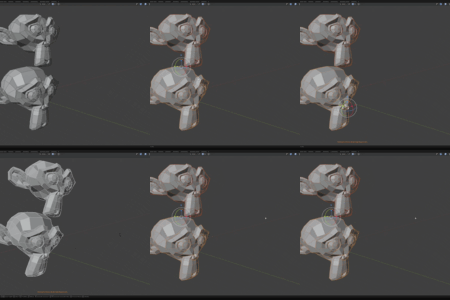
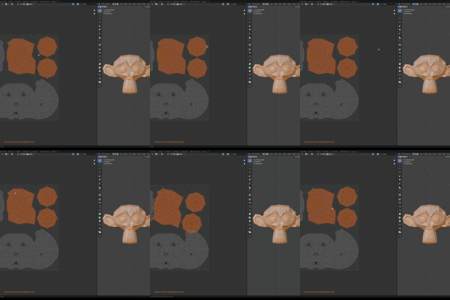
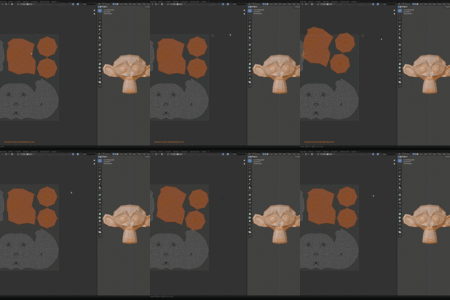
INSTALLATION
Download the provided .zip file.
Open Blender and go to Edit > Preferences > Add-ons.
Click the Install button in the top right corner.
Select the downloaded .zip file and click Install Add-on.
Check the box next to "B-Tools: B- Working Pivot" to enable it.
HOW TO USE
The add-on is designed to be invisible until you need it. There are no extra panels or menus to clutter your workspace.
Placing the Pivot:
Press and hold Alt + Right Mouse Button (RMB) in the 3D Viewport or UV Editor. Drag your mouse to position the pivot. The pivot will follow your cursor in real-time. Release the button to lock the pivot in place. A small, unobtrusive text HUD will appear at the bottom of your screen confirming the tool is active.
Restoring the Original State:
When you are done with your edits, simply press Alt + Double Right Mouse Button (RMB). The working pivot will be deactivated, and your previous Transform Pivot Point and 3D Cursor location will be perfectly restored.
SNAPPING
B- Working Pivot natively respects your current Blender snapping settings (the magnet icon).
Vertex Snapping: Turn on snapping and set it to Vertex. When you drag the working pivot over a mesh, it will automatically snap to the nearest vertex. This works in both Object Mode and Edit Mode.
Grid Snapping: Set your snapping to Increment. The working pivot will now snap to your scene's fine grid scale, allowing for precise mathematical placement.
UV Snapping: The tool fully supports the UV Editor. It respects the UV snapping settings, allowing you to easily snap your pivot to UV islands and vertices using BMesh data.
CHANGING SHORTCUTS
If you do not like the default Alt + RMB setup, you can easily change it.
Go to Edit > Preferences > Add-ons.
Expand the B- Working Pivot add-on menu.
Under the Shortcut Configuration section, you will see the inputs for placing and clearing the pivot.
Click on the shortcut and press your desired key combination.
Save your Blender preferences. The new shortcuts will work globally in both the 3D Viewport and UV Editor.
Have questions about this product?
Login to message
| Published | 6 months ago |
| Blender Version | 4.2 - 5.1 |
| Extension Type | N/A |
| License | GPL |
Discover more products like this
b-tools Workflow working pivot uv editor snapping pivot 3d-cursor speed modeling modo modeling 3d_hard_surface