Will the addon damage or permanently change my original materials?
No. Your original materials are never modified permanently.
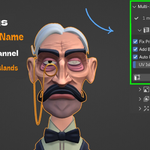
The addon creates a new secondary UV channel (BakeUV) on your meshes and adds temporary helper nodes (MMB_BakeTarget) to your materials during baking. Both are cleaned up automatically — the helper nodes are removed from every material when baking finishes.
For Metallic and Height maps, the addon uses an Emission trick that temporarily rewires part of the node graph. It saves the original connections before modifying anything and fully restores them after baking, even if an error occurs (using a finally block to guarantee cleanup).
The only permanent changes are: the new BakeUV UV channel added to your meshes (harmless, and can be deleted manually if needed), and the replacement of all material slots with the new MMB_Baked material at the very end. If you want to keep your original materials, duplicate your objects before running Generate, or save a copy of your .blend file first.
Can I bake multiple separate objects into one shared texture, or does each object get its own?
All selected objects share one texture set. This is the core purpose of Multi-Mat Baker.
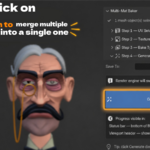
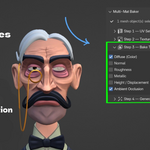
When you select multiple objects and click Generate, all their UV islands are packed together into a single shared BakeUV canvas. Every map (Diffuse, Normal, Roughness, etc.) covers all selected objects in one texture. The final MMB_Baked material is applied to all selected objects and samples from the same packed UV space.
This means a character made of 5 separate mesh objects (body, head, eyes, hair, clothes) — each with their own materials — will result in one material and one texture set covering the entire character.
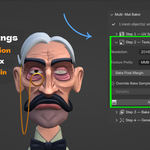
For this to work cleanly, make sure your island margin (Step 1) is set high enough to prevent bleeding between objects, especially where different objects sit close together in UV space.
My bake finished but the textures look black or empty. What went wrong?
Most common causes:
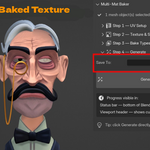
No output folder set. If you did not set a Save To folder, images are stored only inside Blender's data block. They are not lost yet — open the Image Editor and check if your baked images (e.g. MMB_Diffuse_2048) appear in the dropdown. Save your .blend file immediately, or set an output folder and re-bake.
Missing map data. If Metallic or Height shows as black, your materials may not have a Metallic value connected or a Displacement node present. The addon will show a warning dialog before baking if it detects this — confirming the dialog auto-unchecks those maps. If you dismissed the dialog and baked anyway, those maps will be empty.
Wrong render engine. The addon requires Cycles. It switches automatically, but if you cancelled the bake mid-process and your engine reverted, make sure Cycles is set and try again.
UV packing failed silently. Open the UV Editor, select your objects in Edit Mode, and check if the BakeUV channel has packed islands. If it is empty, go to Step 1 and click Run UV Setup manually before generating.