 Dongvp
I'm on macOS/Linux. Will it work?
Yes. The add-on is written entirely in pure Python and runs
identically on Windows, macOS (Apple Silicon and Intel), and
Linux, with no platform-specific dependencies. Just install
the same .zip file on any platform.
My PSD has wrong colors.
Make sure you're opening it in a proper PSD editor. Browser previews don't render PSD correctly.
Does the layered bake work with more than 2 layers?
Currently only 2 layers (Opaque + Transparent). Multi-layer support may be added in a future update.
Why is BaseColor auto-enabled when I enable Opacity?
Question: How do I bake opacity maps?
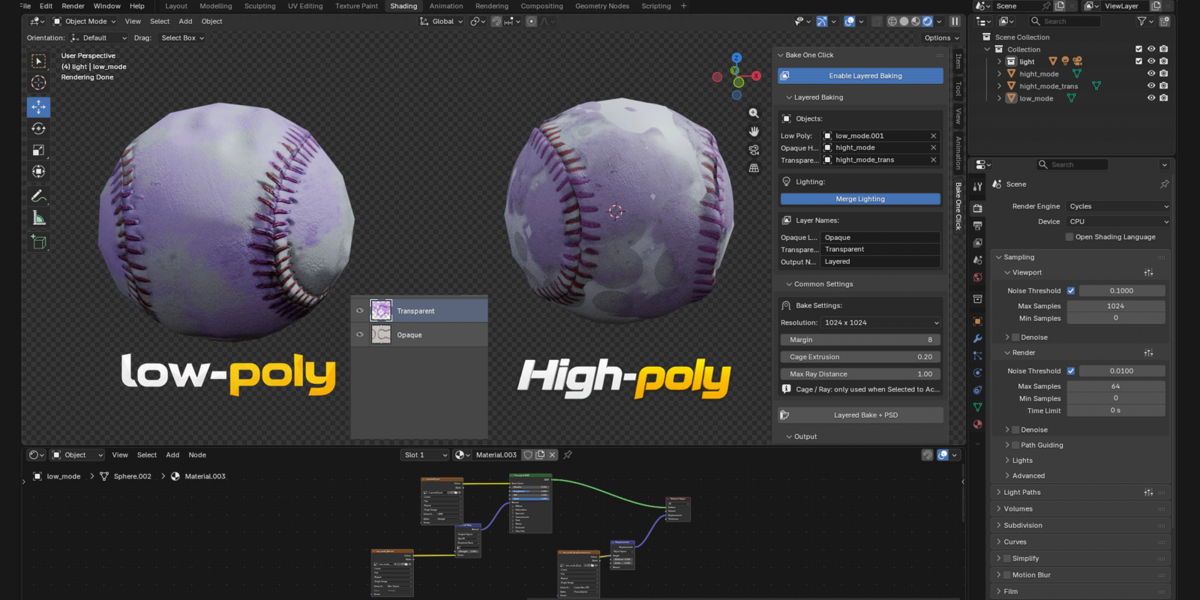
Answer: Opacity is handled through Layered Baking. Assign your
opaque and translucent high-poly meshes separately; the add-on
bakes the translucent layer's alpha into the merged PSD. There is
no standalone Opacity bake in the current release.
Can I bake multiple objects at once?
Yes, in standard baking mode, select multiple meshes and click "Bake All." Each object gets its own texture set.
What's the max resolution?
4096 x 4096. Higher resolutions can be added on request.
Does it work with EEVEE?
No. The add-on uses Cycles for baking. It switches the render engine automatically
Does it support Blender 4.x?
No. Blender 5.1+ is required (due to the extension system and Python 3.13).
 Included
Includes 12 months of
- Support from Dongvp
- Product updates
Extend this product’s Support Period +12 months: 50% of product price
Have questions before purchasing?
Login to message
| Blender Extension Compatible | Yes |
| Published | about 4 hours ago |
| Blender Version | 5.1 - 5.2 |
| Extension Type | Add-on |
| Render Engine Used | Cycles |
| License | GPL |
Discover more products like this
baking texture Workflow bake psd ao translucent roughness opacity Game asset normal map metallic