 NoiseBee


BakeFlow
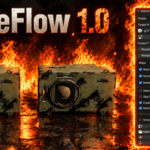
Streamline Blender’s native baking workflow and create complete material texture sets with less repetitive setup.
Blender already provides powerful texture baking tools. BakeFlow does not replace them:it organizes the repetitive preparation, map generation, image saving and cleanup steps into one focused panel.
Select your mesh objects, choose the maps and resolution you need, then start the process.BakeFlow uses Blender’s native Cycles baker while keeping your original objects and materials safe.
What BakeFlow can do
Complete texture sets
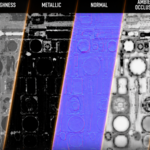
Generate Base Color, Roughness, Normal, Metallic, Ambient Occlusion, Height, Alpha and Emission maps.
glTF / ORM workflow
Prepare game-ready textures and pack Ambient Occlusion, Roughness and Metallic into a single ORM image.
Non-destructive duplicates
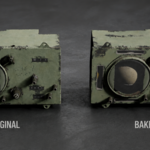
Create a separate baked object with a clean Principled BSDF material,while leaving the original mesh, object and material slots untouched.
Automatic preparation
BakeFlow prepares temporary bake targets, runs the bake and restores the original material nodes after the operation.
Production features
512px, 1K, 2K and 4K resolution presets.
PNG and common image output formats.
Optional Smart UV Project for meshes without UV maps.
Support for Alpha maps when the material uses transparency.
Optional automatic connection of baked maps.
Match compatible Principled BSDF values on baked duplicates.
Skip existing files or overwrite them when required.
Per-map reports showing successful, skipped and failed operations.
Optional GLB export for portable game-ready assets.
No external dependencies required.
How it works
1. Select
Select one or more mesh objects.
2. Configure
Choose a preset, output folder, resolution, format and required maps.
3. Bake
Press Bake Selected Objects.
Using BakeFlow
Preset:
Choose a ready-made setup for 512px, 1K, 2K or 4K baking.
Apply:
Applies the selected preset settings to the current panel.
Target Preset:
Select the target workflow, such as glTF / ORM for game-ready assets.
Pack ORM Now:
Combines existing AO, Roughness and Metallic files into one ORM texture without repeating the bake.
Output Folder:
Selects where generated texture files and exported assets will be saved.
Resolution and Format:
Controls the texture size and image format. Higher resolutions require more time and memory.
Margin:
Extends pixels around UV islands to reduce visible seams and texture bleeding.
Map Selection:
Choose which maps to generate: Base Color, Roughness, Normal, AO, Metallic, Height, Alpha and Emission.
Selected to Active:
Bakes detail from a high-poly object onto the selected active low-poly object.
Skip Existing Files:
Prevents BakeFlow from overwriting texture files that already exist.
Create Baked Duplicate:
Creates a separate object with a new baked material while preserving the source.
Match Original Values:
Copies compatible Principled BSDF values such as IOR, Coat and Transmission to the baked material.
Connect Baked Maps:
Automatically connects generated images to the corresponding material inputs.
Smart UV if Missing:
Creates a UV map and runs Smart UV Project when the selected mesh has no UVs.
Bake Selected Objects:
Starts the baking process using the current settings.
Open Output Folder:
Opens the folder containing the generated texture files.
Preview Last Texture:
Displays the latest generated texture directly inside Blender.
Open Last Texture:
Opens the latest texture with the operating system’s default image viewer.
Export Selected as GLB:
Exports the selected objects as a portable GLB asset using the baked materials.
Blender native baking, streamlined
Blender is fully capable of baking textures natively, especially for occasional single-map tasks.BakeFlow is designed for repetitive work: multiple objects, several maps, baked duplicates,automatic file naming, glTF/ORM output and repeated production workflows.
Resolution and baking time
Higher resolutions produce more detailed textures but require more time, memory and processing power.2K and 4K bakes can take considerably longer than 512px or 1K, especially with complex models or many selected maps.Actual baking time depends on the scene, selected maps and computer hardware.
Future updates
BakeFlow is actively being developed. Future updates are planned with workflow improvements,additional export options and further tools to make material baking faster and easier.
Compatibility: Blender 4.2 and newer.
BakeFlow uses Blender’s native Cycles baking system and is released under the GPL-3.0-or-later license.
