 Skava
Skava
Install
- Keep the archive zipped. Do not unpack it.
- In Blender open Edit > Preferences > Add-ons.
- Press the arrow button in the top right corner of that window and choose Install from Disk.
- Pick the archive from your purchase page and tick the checkbox next to BakeProof.
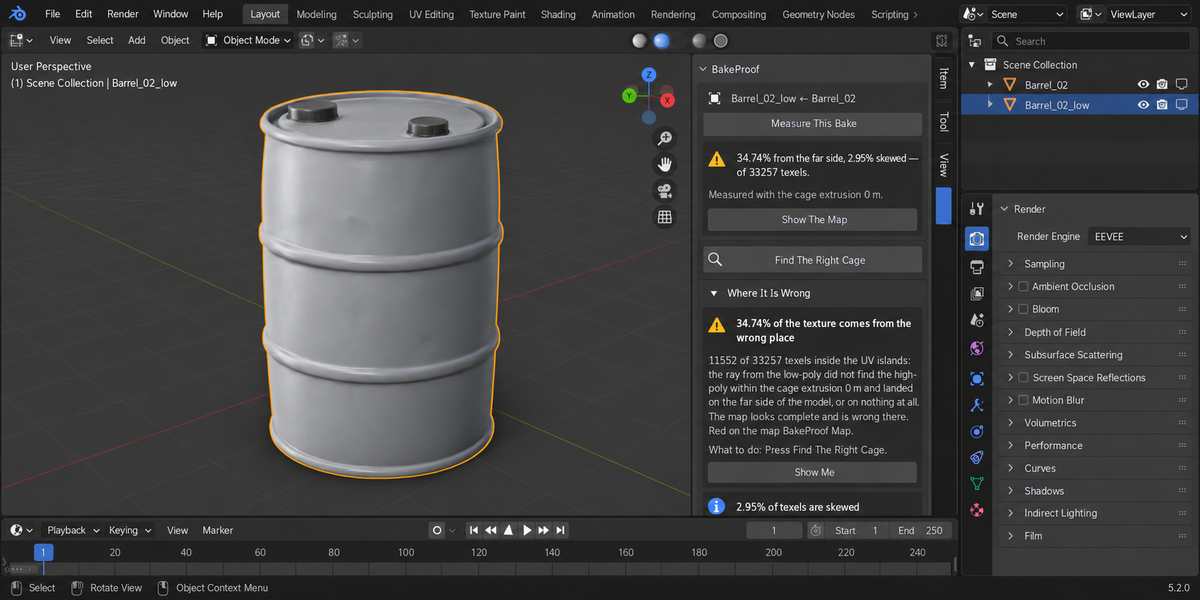
Press N in the 3D Viewport; the sidebar tab is called BakeProof. Nothing is downloaded and no external Python packages are installed.
Measure a bake
- Select the high-poly object(s), then the low-poly last so it is active — the same order Blender bakes in. The low-poly needs a UV map.
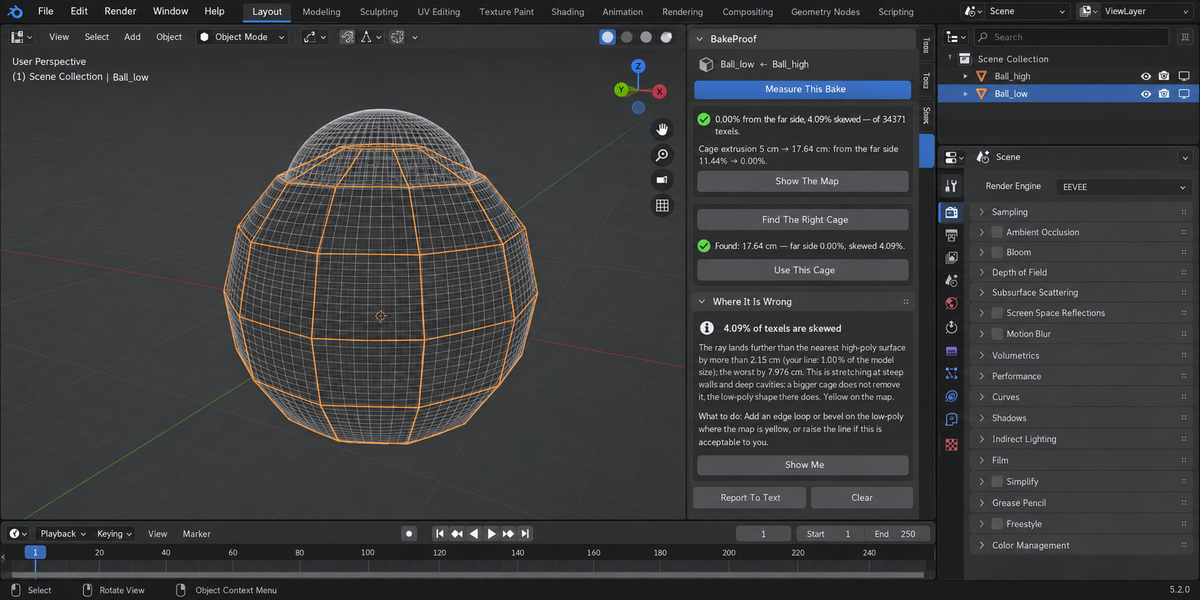
- Press Measure This Bake. Your own settings from Render Properties > Bake are measured: Extrusion, Max Ray Distance, and the cage object if you use one.
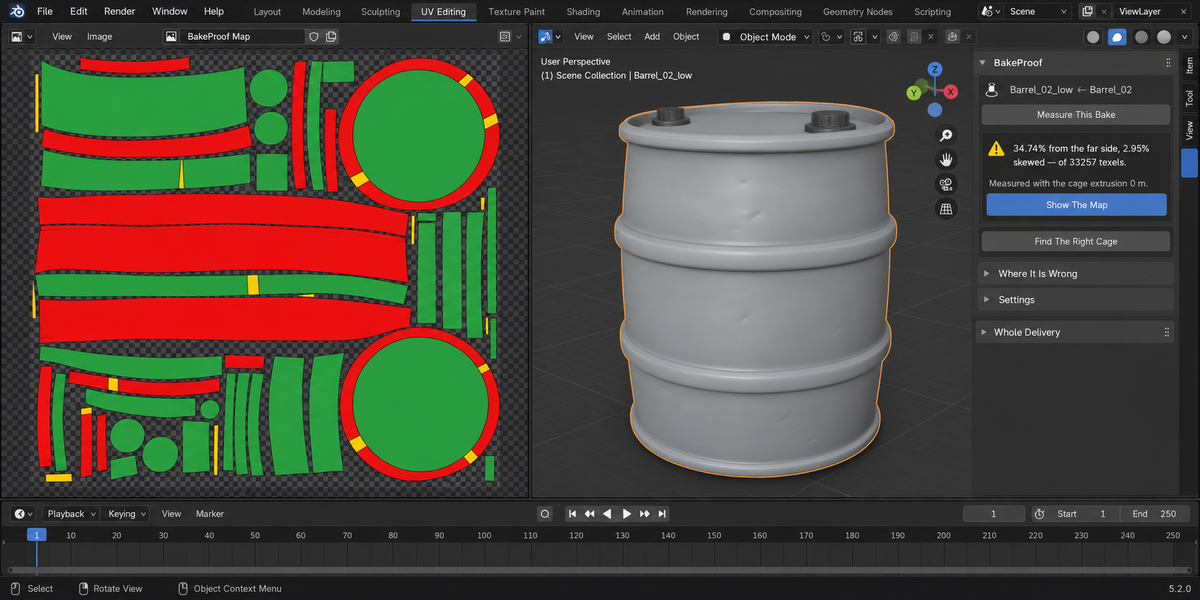
- Read the first line: the share of texels from the far side, the share skewed, and the texel count.
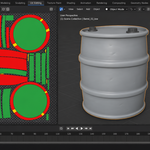
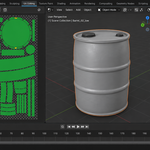
- Press Show The Map to see where: red from the far side, yellow skewed, green right, laid out on the low-poly UVs.
Fix it
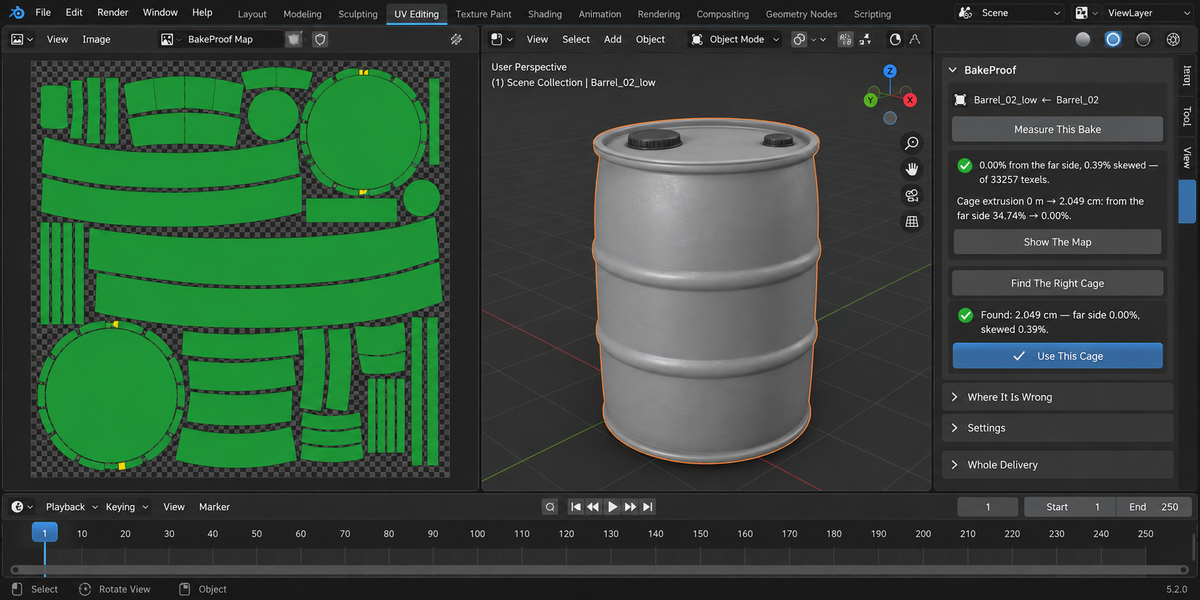
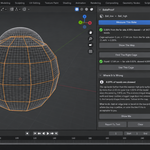
- Press Find The Right Cage. It searches for the smallest extrusion that is as good as any extrusion can be, and measures the bake at it. Your scene is not changed yet.
- Press Use This Cage. The extrusion is set in your bake settings and the bake is measured again. The panel shows the before and after, for example "Cage extrusion 0 m → 2.049 cm: from the far side 34.74% → 0.00%."
If you bake with a cage object, Blender ignores the extrusion while Cage is on; Use This Cage says so instead of changing a value that has no effect.
Reading the findings
- From the wrong place (blocking) — the ray did not find the high-poly within your cage and landed on the far side of the model or on nothing. A bigger cage fixes this, up to a point.
- Skewed (risky) — the ray lands further from the nearest high-poly surface than your line in Settings (Call it skewed above: 1% of the model size by default). This is stretching at steep walls and deep cavities; a bigger cage does not remove it, the low-poly shape does.
- Stays wrong at every extrusion — there the ray finds nothing: a gap in the high-poly, or the low-poly pokes through it. Fix the geometry there, or bake with a cage object.
- UV islands overlap (risky) — texels covered by two islands are baked twice and the last island wins. Mirrored or stacked UVs do this on purpose.
- What was measured (note) — texel count, resolution, the pair, the cage, the time and the model size.
Show Me on a finding selects the object it is about. Report To Text writes the whole result to a text block named BakeProof, for a ticket or a hand-off. Clear forgets the measurement.
Settings
- Measure at — the resolution of the measuring map. Higher is finer and slower.
- Call it skewed above — the distance, as a percentage of the model size, beyond which a hit counts as skewed.
What is changed in your file
Measuring works on temporary copies with their own materials and images, and puts back your bake settings, render engine, selection and active object. The only new datablock is the map image. Only Use This Cage changes your scene, and Ctrl+Z undoes it.
Pipeline mode
BakeProof also runs from the Whole Delivery panel in the same tab and from the command line with the rest of the Proof line. In a file without a selection, pairs are found by name: X_low with X_high.
Limits
- BakeProof measures Blender's own bake with your scene settings. It does not check maps baked in other applications.
- The measurement uses Cycles, as Blender's bake does. Your render engine is put back afterwards.
Requirements
Blender 4.2 or newer. Checked on 4.2.9, 5.1.0, 5.2.0, 5.2.1 and 5.2.2.
Have questions about this product?
Login to message
| Published | 9 days ago |
| Blender Version | 4.2 - 5.2 |
| Extension Type | N/A |
| Render Engine Used | Cycles |
| License | GPL |
Discover more products like this
high poly baking texture cage ray distance Game asset extrusion bake validation normal map proof low poly