Bam Blender Automat
 Alexey HRDesign


Why does Blender Fully Freeze when creating or updating materials in large or medium quantities? Why does it auto switch to Cycles?
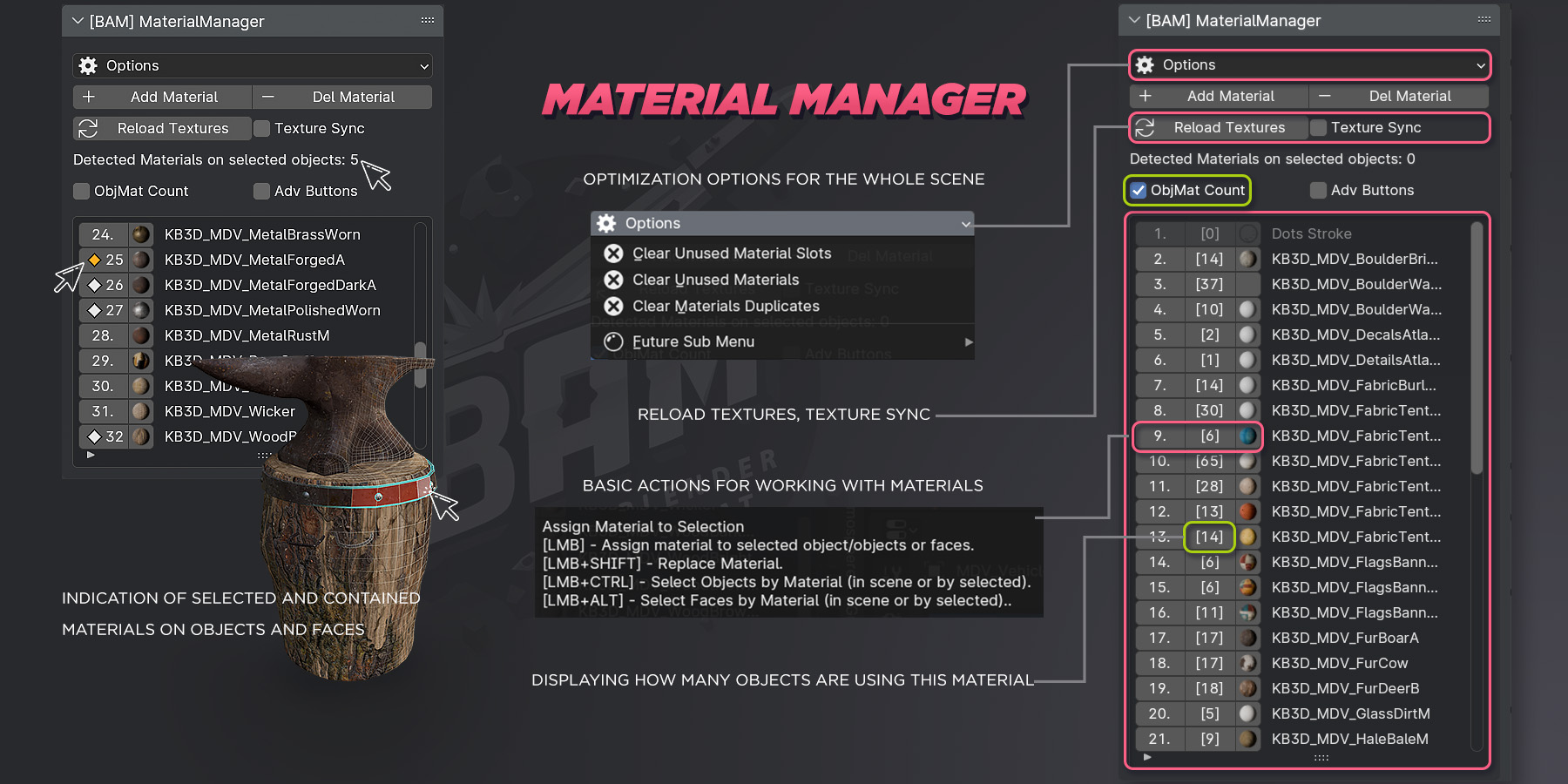
The thing is that during mass processing of materials Blender EEVEE tries to render all thumbnails of new materials, especially if you greatly expand the Material Manager window or it does shader compilation in EEVEE Viewport, which causes even Blender UI to hang.
To avoid long processing you can switch to Cycles, which does it faster.
In the addon settings itself, there is an option Switch to Cycles which switches your scene to Cycles, but you need to manually switch the Viewport to Cycles as well.

With the texture synchronization option, texture updates are too slow.
In the addon settings, you can configure a texture check interval (in seconds) that will check your texture files in the folder and in the Blender scene for an automatic Refresh.

$1
Have questions about this product?
Login to message
| Blender Extension Compatible | Yes |
| Sales | 60+ |
| Dev Fund Contributor | |
| Published | over 2 years ago |
| Blender Version | 3.6 - 5.0 |
| Extension Type | Add-on |
| Render Engine Used | Cycles, Eevee |
| License | GPL |
