 GeceStudio


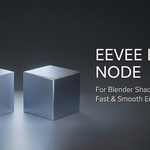
Eevee Bevel – Cycles Bevel Node Alternative for Eevee
Bring realistic edge highlights to your Eevee renders without relying on the Cycles-only Bevel node.
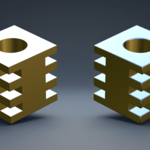
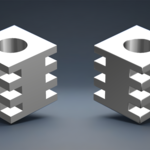
This shader setup recreates the visual effect of Blender's Bevel node while remaining fully compatible with Eevee. It allows you to achieve softer edge transitions and more convincing reflections, making hard-surface models look more realistic without modifying the mesh.
Features
Works in Eevee & Cycles
Mimics the appearance of the Cycles Bevel Node
No geometry modification required
Lightweight and easy to integrate into existing materials
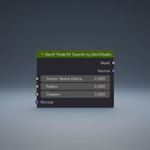
Adjustable bevel radius and intensity
Mask output for use in various fields.
-
Ideal for hard-surface assets, product visualization, architectural scenes, and game-ready previews
Perfect For
Product visualization
Mechanical and industrial models
Furniture and interior renders
Architectural visualization
Real-time look development
-
Artists who prefer Eevee's rendering speed
Compatibility
Tested on Blender versions 4.5 and 5.1. It may also work on versions prior to 4.5, but it has not been tested.
Easy to append into existing projects
-
Simple node setup with customizable controls
Notes
This is not Blender's native Bevel node. Instead, it is a custom shader solution designed to reproduce a similar visual effect inside Eevee, where the original Bevel node is unavailable.
The effect is intended for shading only and does not alter mesh geometry.
If you're looking for Cycles-like edge shading while keeping Eevee's real-time performance, this shader provides a fast and practical solution.
DOCUMENTATION
Install the add-on from Preferences → Add-ons. This will add two node groups to your project.
Open the Shader Editor, press Shift + A, and add the "Bevel Node for Eevee" node.
However, it will not work on its own. Select your object, add a Geometry Nodes modifier, and choose the "CaptureVertexNormals" node group from the list.
FQA
A: My Blender version is older than 4.5. Will it still work?
B: Yes, it should work, but it has not been tested on versions earlier than Blender 4.5. If you encounter an error when enabling the add-on, extract the .blend file from the ZIP archive to your desktop and manually append the two required node groups into your project. You can find the names of these node groups in the documentation.
A: Can I bake bevel normals using this node?
B: Yes, you can. However, since baking requires Cycles, you should use Blender's original Bevel node for the baking process. It produces much more accurate results. The Eevee version is not a true bevel, it only simulates the effect.