Bexar Studio - Professional Color Grading
 BEXAR STUDIO



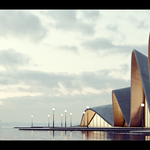
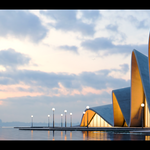
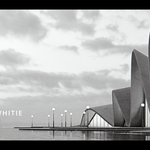
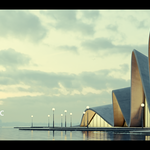
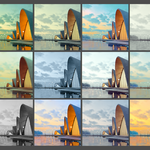
What is BEXAR STUDIO ?
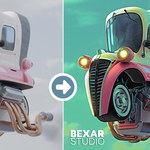
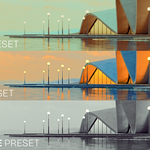
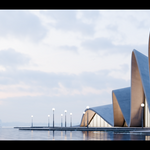
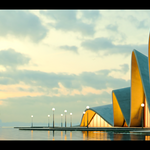
BEXAR STUDIO is a professional color grading and compositing tool inside Blender, designed to simplify complex node setups into an intuitive workflow similar to Lightroom.
Who is this addon for ?
A: It’s perfect for:
- Archviz artists
- 3D designers
- Freelancers working with renders
- Anyone who wants fast, professional color grading without complex nodes
Do I need compositing knowledge to use it ?
No. BEXAR STUDIO is designed to work without any node knowledge. Everything is controlled through a clean UI.
Do I need to render inside Blender to use BEXAR STUDIO ?
No. You can use Photo Mode to import already rendered images and edit them directly, just like Lightroom.
Is it similar to Lightroom or Photoshop Camera Raw ?
Yes. BEXAR STUDIO is inspired by those tools but built specifically for Blender’s compositor
Why should I choose BEXAR STUDIO ?
Because it turns Blender into a professional color grading tool — without the complexity of nodes.
What if it conflicts with another addon ?
In rare cases, conflicts may happen. Usually, refreshing or reinstalling resolves the issue
What if something stops working or nodes break ?
You can use the Refresh / Repair BEXAR STUDIO button to automatically fix missing nodes or broken connections (built-in recovery system).
Is it real-time ?
Yes. All adjustments are applied in real-time directly in the viewport
Will it slow down Blender ?
No. BEXAR STUDIO is optimized to work efficiently and only activates when needed
Does it include preset libraries ?
Yes. It comes with a ready-to-use preset library, and you can expand it anytime
Can I save my own presets ?
Yes. You can create, save, and reuse your own presets easily, with full control over export and library management
What makes BEXAR STUDIO different ?
- No node complexity
- Real-time adjustments
- Preset system with thumbnails
- Lightroom-style workflow
- Built-in tools like Auto Tone, Glare, Effects, and more
Is this suitable for professionals?
Yes – it’s designed for both professionals and beginners who want fast and consistent results.
Can I adjust color grading manually?
Absolutely – you can tweak Color, Light, Vintage, Lens, and Color Balance for full creative control.
Do presets overwrite my current scene or render settings?
No – presets are non-destructive and won’t affect your original setup.
Can I create and export my own presets?
Yes – you can import, export, save, and share presets with thumbnails.
Will I get future updates ?
Yes. Updates are included, and you can check/install them directly inside the addon
Which Blender versions are supported ?
Fully compatible with Blender 4.x and Blender 5.x, including the new compositing system
Is this a one-time purchase ?
Yes. You pay once and get lifetime access (including updates)