 AUER
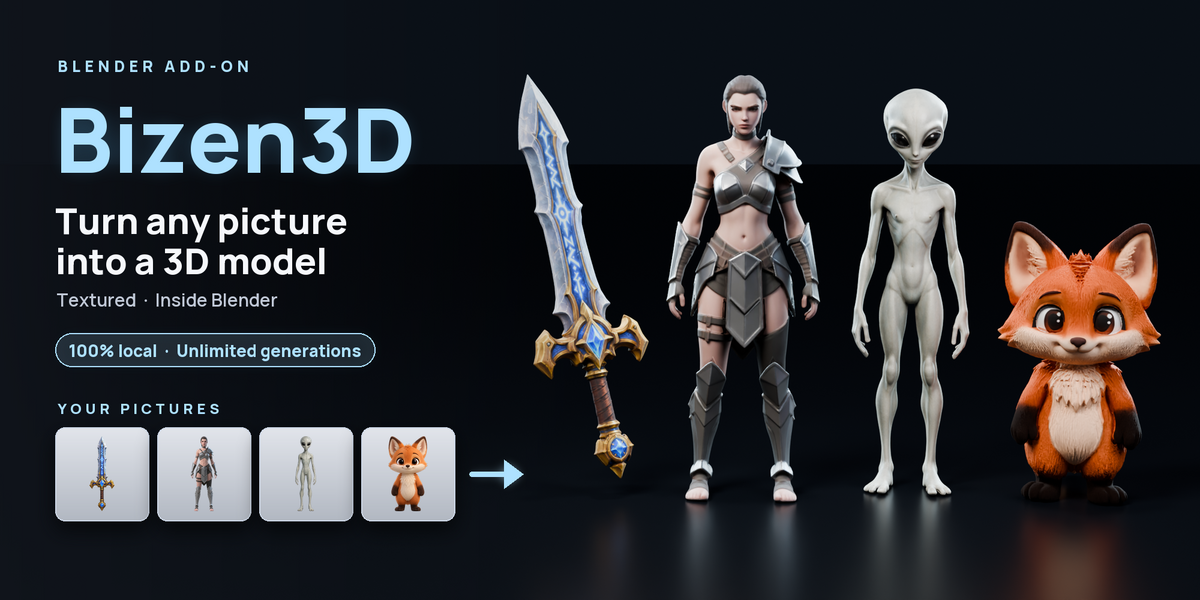
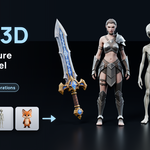
Always the best models of the moment: Bizen3D follows every new image-to-3D model and brings the best ones into Blender, free for every buyer.
Drop a picture on the panel, click Generate, and about a minute later a textured 3D model stands in your scene. Everything runs on your own graphics card: no account, no cloud, no credits, nothing leaves your computer.
01 |
ONE PICTURE → ONE MODEL |
Drop, Generate, Done
Drag a picture onto the Image card, choose a file or paste it, pick an engine and click Generate. The background is removed for you, and the textured model is placed on the 3D cursor.
Two Engines, Plus Hi3D
Pick the engine on the panel. Hi3D powers Enhance Detail.
02 |
PIXAL3D · PIXEL MATCH |
Your Picture's Own Pixels
Pixal3D builds the model aligned on your picture, then Pixel Match paints the picture's own pixels onto every surface the picture shows. Faces, logos, lettering and engraved runes stay as sharp as in your image instead of being redrawn.
03 |
TRELLIS.2 |
Fast, Clean Shapes
Switch the engine to TRELLIS.2 for clean, smooth shapes in about a minute. Fast/Smooth for quick tries, High for your final model.
04 |
PIXAL3D · MULTI-VIEW |
Up to Four Pictures of One Object
Give Pixal3D a front, left, back and right picture of the same object, and it builds the model from all of them. Each picture is then painted onto the side it shows, bent onto the model first so that borders line up from one view to the next.
Engine: Pixal3D, Multi-View On · optional download, 5.2 GB · 8 GB of VRAM
05 |
HI3D · ENHANCE DETAIL |
Sharper Shapes in One Click
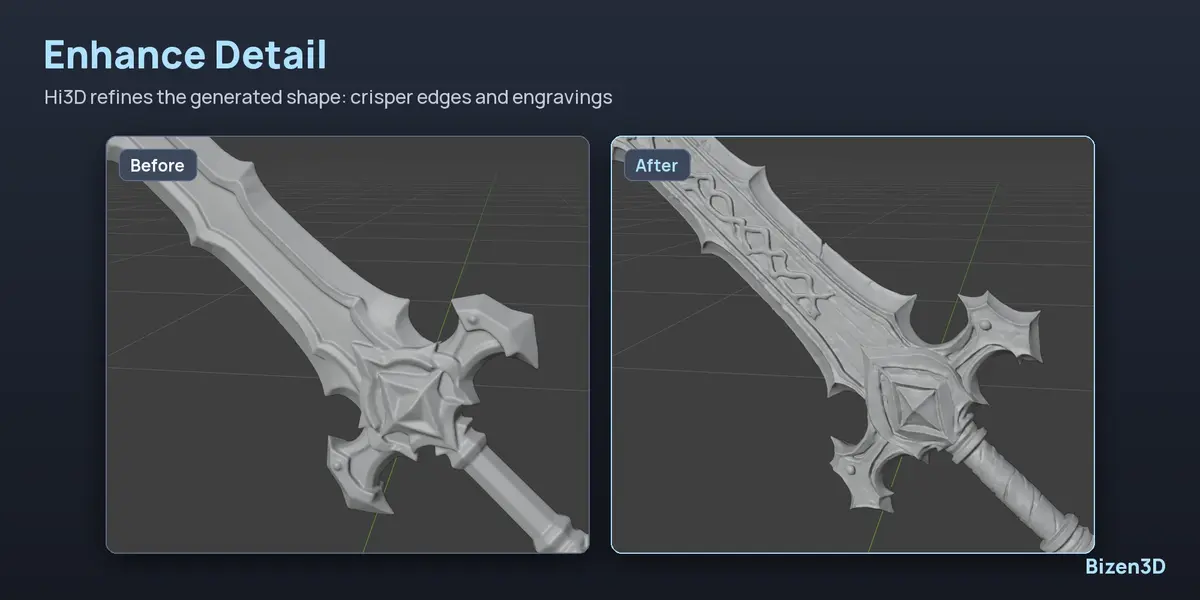
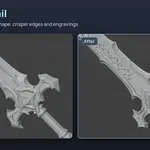
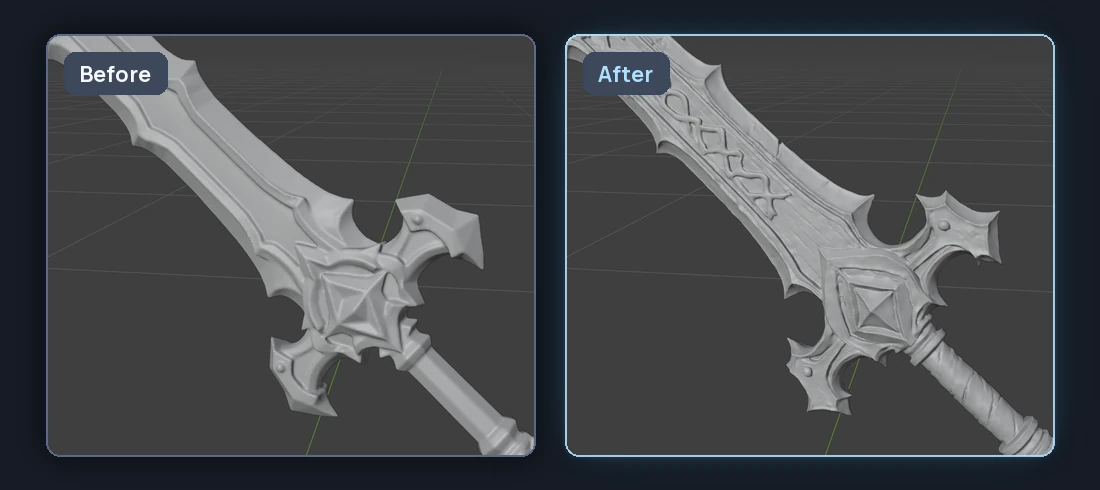
Enhance Detail refines the shape of a generated model with Hi3D: crisper edges, engravings and small forms, close to a million triangles. Keep the shape alone, or let it be repainted from your picture.
06 |
REAL-ESRGAN · UPSCALE TEXTURE |
Textures Twice as Large
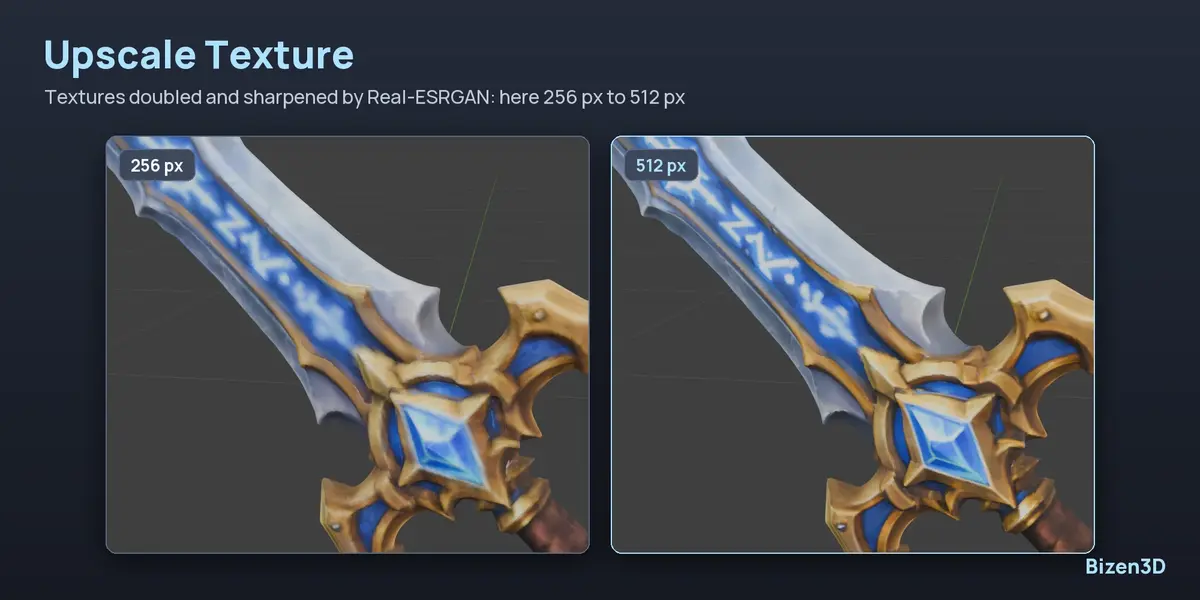
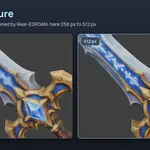
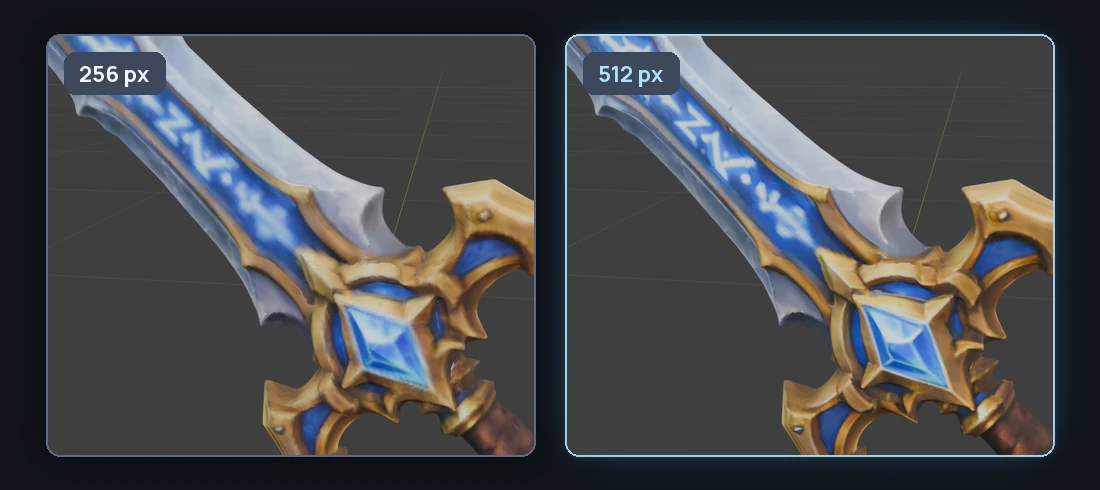
Upscale Texture doubles the model's textures with Real-ESRGAN: color, roughness and metallic come back twice as large and sharper, and the normal map is left as it is. Works on any mesh with an image texture, up to 4096 px. The original is kept, hidden.
07 |
AUTOREMESHER · RETOPOLOGY |
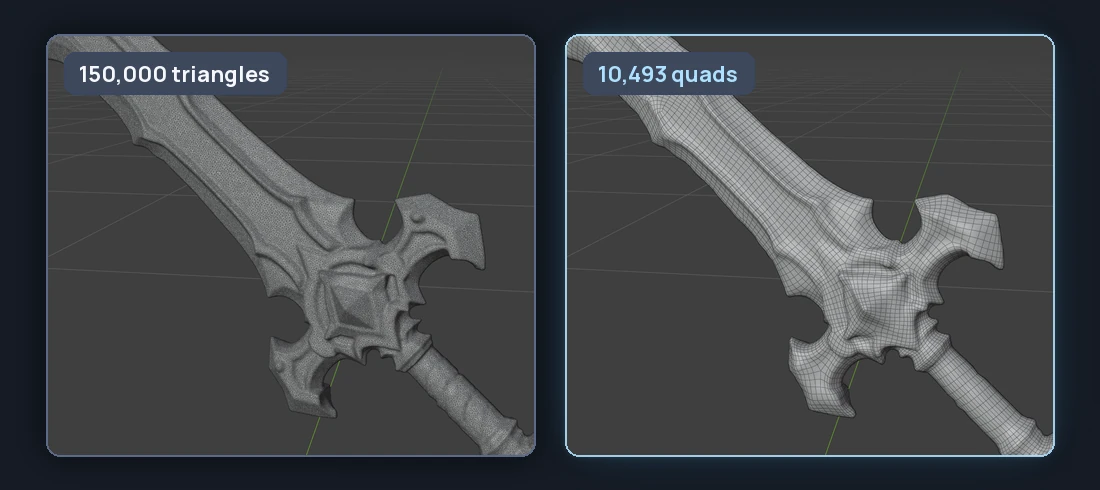
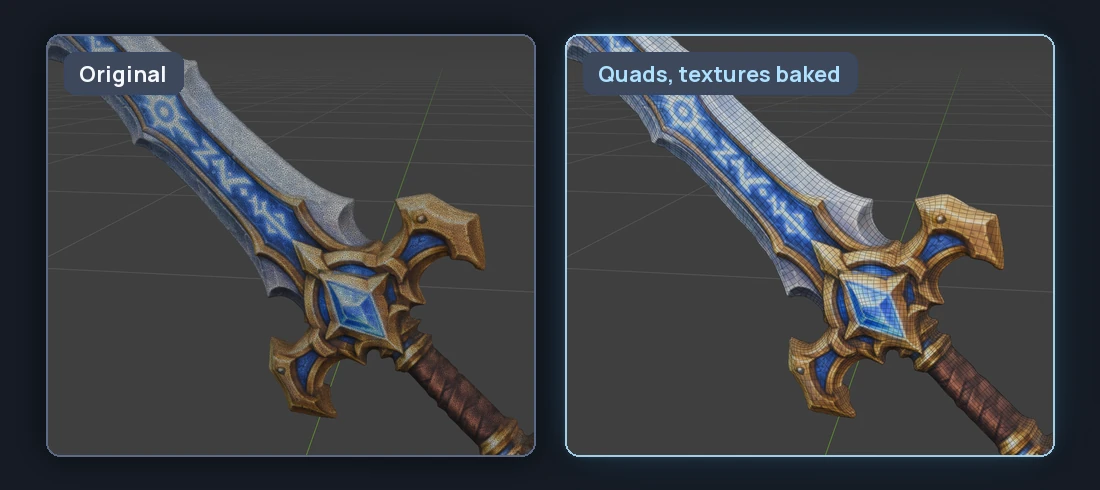
Clean Quads, Textures Baked
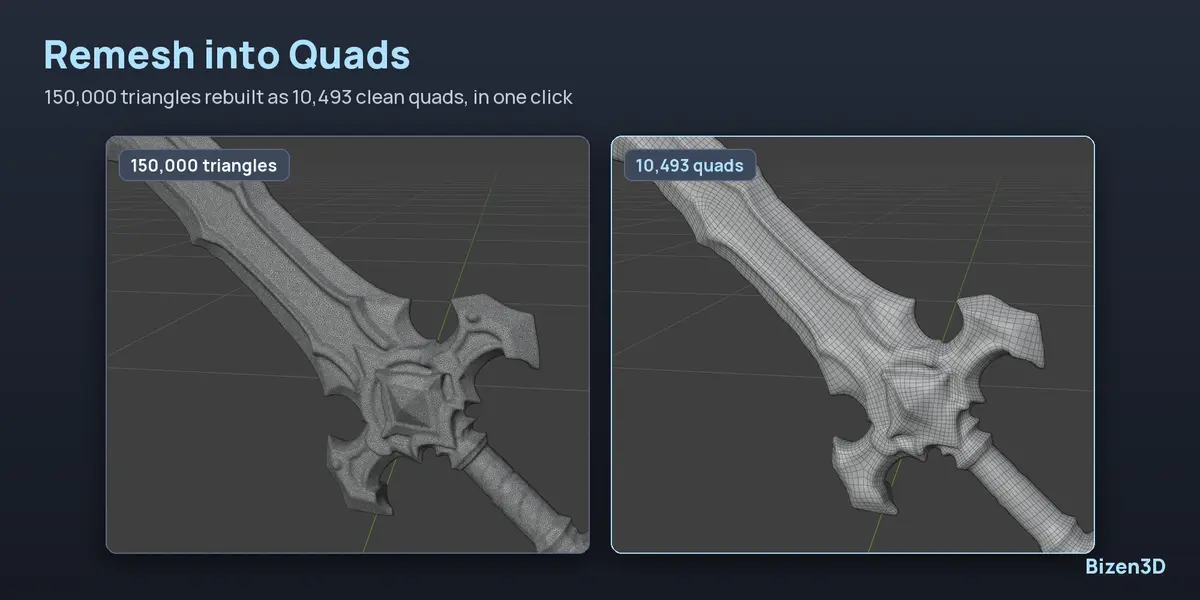
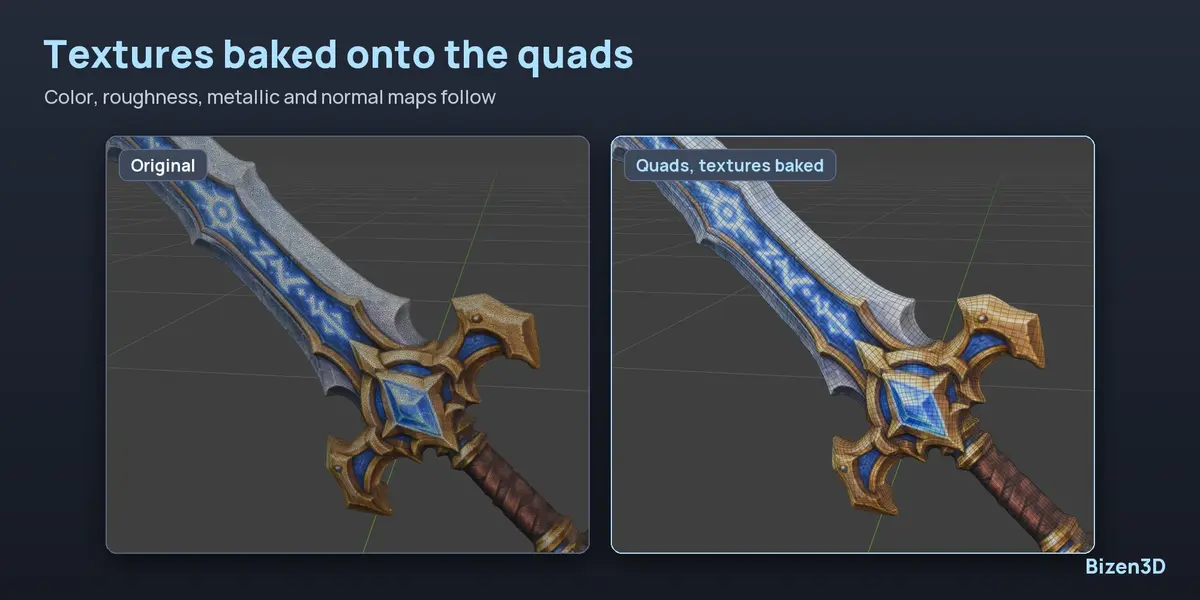
Remesh into Quads rebuilds the generated triangles as clean quads, 10,000 by default or the number you set, and bakes the original's color, roughness, metallic and normal maps onto them. Works on any mesh. The original is kept, hidden.
How Long Does It Take?
Measured on my own machine, with an RTX 4070 Ti SUPER (16 GB). A smaller graphics card takes longer.
| TASK | SETTINGS | TIME |
| Pixal3D | High, 150,000 faces, textures | 78 s |
| TRELLIS.2 | High, textures | 52 – 72 s |
| Multi-View | 4 pictures, Pixal3D High | ≈ 2 min |
| Enhance Detail | Shape only | 112 s |
| Upscale Texture | 256 px → 512 px | 11 s |
| Remesh into Quads | 10,000 quads, textures baked | 20 s |
The first generation after starting Blender takes 20 to 30 s more, while the engine starts.
Download Only What You Use
One click installs the engine. Each option has its own Add button, so you only download what you need, straight from the official sources. Downloads can be paused and resumed, and a cut download picks up where it stopped.
| DOWNLOAD | WHAT FOR | SIZE |
| Engine | Required, once · TRELLIS.2 included | ≈ 14 GB |
| Pixal3D | Optional · Pixal3D and Pixel Match | 5.8 GB |
| Multi-View | Optional · up to four pictures | 5.2 GB |
| Enhance Detail | Optional · Hi3D | 10.6 GB |
The engine frees the graphics card after 10 minutes without use (adjustable in Settings).
Everything Inside
Requirements
Multi-View and Enhance Detail need 8 GB of VRAM. An internet connection is needed for the downloads only. AMD graphics cards and Linux are supported by the code but not tested yet.
The add-on is licensed under the GPL. The engine and the AI models are downloaded from their official sources when you install them, each under its own license (MIT for TRELLIS.2 and Pixal3D); the full list comes with the add-on.
Enhance Detail (optional) uses Hi3D 1.0 — Powered by Hi3D 1.0 (https://hi3d.ai/). Hi3D is licensed under the Hi3D Open License Agreement 1.0; its Acceptable Use Policy applies to the option and to the models made with it, and buyers accept both when they add the option.
Questions, Ideas, Feedback?
Send me a message right here on Superhive, I answer fast.