 auphinity.tools


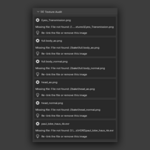
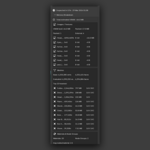
Blend Inspector
One-click diagnostic report for your .blend files
Blend Inspector
Find out what's eating your file size, VRAM, and scene health — before it becomes a problem
The problem
Your .blend file is 800 MB. Viewport is sluggish. You're not sure if those 47 materials are all being used. There are textures you imported three weeks ago that might not be connected to anything. You duplicated that mesh 12 times and now you're not sure which ones share data and which are unique copies.
Blender doesn't have a built-in way to audit a file. You can poke around the Outliner, but there's no summary, no warnings, no actionable list of what to fix.
Blend Inspector gives you that audit with a single click.
What it does
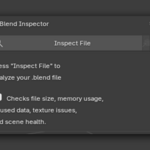
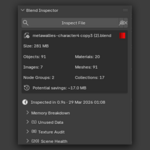
Click Inspect File. In seconds, you get a full diagnostic report broken down into five sections:
| Section | What it checks |
|---|---|
| File Overview | File size with color-coded health indicator (🟢 green / 🟡 yellow / 🔴 red), object counts, potential savings estimate |
| Memory Breakdown | Image VRAM estimates with bit depth, top 10 heaviest meshes with modifier impact (base vs evaluated polycount), material complexity stats |
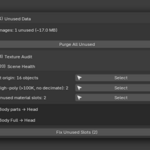
| Unused Data | Orphan materials, images, meshes, node groups, worlds, and empty collections — with size estimates and one-click purge |
| Texture Audit | Oversized textures, missing files, non-power-of-2 resolutions, packed bloat, duplicate textures — each with severity level and actionable suggestion |
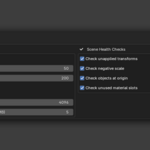
| Scene Health | Unapplied transforms, unapplied rotation, negative scale, objects stuck at origin, high-poly meshes without decimate, missing UV maps, duplicate mesh data, unused material slots |
Key features
| Feature | Description |
|---|---|
| One-click analysis | Hit "Inspect File" and get a complete report. No manual checking required. |
| Potential savings | See exactly how much space you can reclaim by cleaning up unused images, meshes, and data. |
| VRAM estimates | Know how much GPU memory your textures consume. Sorted by size — heaviest first. |
| Modifier-aware polycount | See both base vertex count and evaluated vertex count (after Subdivision, Mirror, etc.). |
| Texture audit with severity | Issues sorted by severity: 🔴 ERROR (missing files) → 🟡 WARNING (oversized, packed, duplicate) → 🔵 INFO (non-power-of-2). Each with a concrete fix suggestion. |
| One-click purge | Remove all unused data blocks with a single button (with confirmation dialog). |
| Quick fix actions | Apply all transforms or remove unused material slots across the entire scene — one click. |
| Select affected objects | Found 15 objects with unapplied scale? Click to select them all instantly. |
| Copy report | Copy a plain-text diagnostic report to your clipboard. Paste it into Slack, Discord, or an email to your lead. |
| Configurable thresholds | Set your own file size limits, texture resolution caps, packed image size warnings, and toggle individual scene health checks on/off. |
Example: what a report looks like
| Check | Result |
|---|---|
| File size |
412 MB 🟡 Warning (threshold: 200 MB) |
| Potential savings |
~85 MB from unused images and meshes |
| Heaviest image |
env_hdri.exr — 8192×4096, Float 32, ~512 MB VRAM |
| Heaviest mesh |
Cliff_Rock — 45,000 verts base → 720,000 after Subdivision |
| Unused materials | 12 orphan materials with 0 users |
| Texture issues | 3 missing files, 2 oversized (4K+), 1 packed 48 MB image |
| Unapplied scale | 23 objects with non-unit scale [Select All] [Fix All] |
Who is this for?
- Game developers who need to keep file sizes and polycounts under control before export.
- Studio TDs and leads reviewing files before they enter the pipeline.
- Archviz artists wondering why their 3-room apartment scene is 2 GB.
- Freelancers delivering clean files to clients.
- Anyone who has ever asked "why is this file so big?" and had no quick way to find out.
Non-destructive by default
Blend Inspector only reads data. It never modifies your file automatically. The only actions that change anything are Purge Unused, Fix Transforms, and Fix Unused Slots — all require explicit user confirmation.
What you get
| Detail | Value |
|---|---|
| Version | 1.0.0 |
| Compatibility | Blender 4.0 and newer |
| License | GPL-3.0-or-later |
| File |
blend_inspector.zip — install directly in Blender |
| Render engine | No dependency — works with any renderer |
| Architecture | 7-module add-on (analyzer, operators, panels, preferences, properties, utils) |
| Documentation | Full user guide (see Documentation tab) |
Tip: After installing, save your .blend file, press N in the 3D Viewport, click the Inspect tab, and hit Inspect File. Your diagnostic report is ready in seconds.