Blend Inspector
 auphinity.tools


Can I customize the warning thresholds?
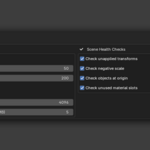
Yes. In Preferences > Add-ons > Blend Inspector, you can set file size warning/critical thresholds, max texture resolution, packed image size limits, and toggle individual scene health checks.
How long does the inspection take?
Under 1 second for most files. Very heavy scenes (1000+ objects with complex modifier stacks) may take a few seconds for the evaluated mesh analysis.
Does it work with linked libraries?
The analysis covers local data only. Linked library data blocks are excluded from the report since they're managed by their source files.
Can I undo after purging unused data?
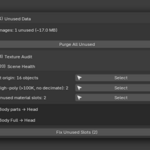
Yes, Ctrl+Z works immediately after purging. However, once you save the file after purging, the removed data is gone permanently.
How accurate are the VRAM estimates?
They show uncompressed GPU memory (width x height x channels x bit depth). Actual VRAM depends on your GPU driver and render engine, but the estimates are reliable for comparing relative impact.
Does the inspection modify my file?
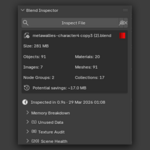
No. The inspection is completely read-only. The only actions that modify data are the explicit fix buttons (Purge, Fix Transforms, Fix Unused Slots), and each requires a deliberate click.
Discover more products like this
blend inspector diagnostics optimize file analyzer texture audit purge scene health cleanup unused data file size vram polycount