 Arcomade


Note: BlendCap is not for absolute beginners. The capture and retargeting work out of the box, and there are presets for the common rigs, but motion capture gives you a starting point, not a finished animation.
To get the most out of it, you should be comfortable animating in Blender and have a good understanding of how rigging and retargeting work. Cleaning up a capture means adjusting curves and keyframes by hand. The presets cover those rigs in their default form, so a heavily modified rig, or anything custom, means mapping the bones yourself.
Pose estimation is not a perfect technology. Good footage gives good results, and difficult footage can degrade the capture or fail outright
What is BlendCap?
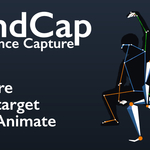
BlendCap is a performance capture add-on for Blender: it tracks the body, the hands, and the face from nothing but a recorded video, then retargets the result onto your character with full support for IK controls. It works entirely inside Blender, all on your own computer, for a one-time payment. No subscription, no markers, no suit, and no internet connection needed after installation.
I started building this for a personal project which required some motion capture and face tracking that would be easy to manually adjust, and I just kept adding more and more features until it expanded into a full-fledged pipeline that felt worth publishing.
Requires Blender 4.2+ on Windows or Linux, and an NVIDIA GPU is strongly recommended. Setup includes a one-time download of about 11 GB, full requirements are listed further down this page.
Full mocap from one video
Body, face, hands and fingers, along with world-space movement, are all tracked together from a single ordinary video clip. Film on a phone, a webcam, or use footage you already have. Captures generally run at roughly a third of a second per frame, depending on your hardware.

Face Tracking
The facial performance can be captured either together with the body, or on its own and mixed with a separate body capture later. From there it can either be retargeted onto a rig with face bones just like any other animation, or it can be used to drive the standard ARKit-style shape keys that are typically used for facial capture, and they both have per-region controls for general expression strength adjustments.


Finger Tracking
BlendCap supports both general hand shape tracking and full finger pose tracking. A dedicated set of controls lets you tune how far the fingers curl, or rebuild the finger motion from the tracked keypoints to recover distinct poses.

Robust retargeting system included
BlendCap includes a full retargeting system so your captured animations are easy to get onto your characters. You can either set them up manually, or use a preset map. BlendCap also comes bundled with ready-made presets for Rigify, Auto-Rig Pro, CloudRig, and Mixamo, along with a visual bone-map editor for custom rigs, or any adjustments you want to make to a preset. Custom maps can be saved as reusable presets. There's also a fast FK → IK conversion tool that puts the finished motion onto your rig's IK arm/leg controls, so you can easily adjust the final animation. The goal is to get you ready to animate a final polish pass as quickly as possible.

Adjustable Post-processing
Single-camera capture always carries some problems, and no two clips are alike, so BlendCap ships with a kit of automated fixes, each with its own controls to tailor to each clip's needs:
- Foot locking and grounding to plant the feet and remove sliding
- Depth-noise filtering for the wobble that's natural to single-camera capture
- Smoothing for body and face, plus per-region expression scaling
- Camera-angle correction to straighten a performance that comes in tilted
- Tracking-failure repair to ride through frames where the subject is briefly lost

Install once, run offline
A built-in installer sets up everything BlendCap needs, no manual Python work. After the one-time download, all captures run entirely on your machine; nothing is uploaded, so you're safe to use it with client footage and NDA work. BlendCap also comes with a ready-made workspace which the capturing system was designed around so you can easily select and trim clips before capturing them when working with multiple clips and animations.

A reusable capture library
Every capture is saved to a temporary folder or to your personal library. You can re-import it onto another character later without re-running the capture, or export it as BVH or FBX for use in other programs. Nothing locks you in at any stage, once the motion is on your character, it's standard Blender animation data, so it carries into game engines or any other program the same way any Blender animation would.

Roadmap
BlendCap is under active development. A few things are in the works, these are directions, not dated promises:
Planned
- Two-camera capture — film the same performance from two angles and combine them into one capture, for better depth accuracy and fewer occlusion problems
- More rig presets — ready-made bone maps for other popular rigs.
- Smarter auto-match — better automatic bone matching in the map editor, so custom rigs won't need as much manual input.
- Multi-person capture — track more than one performer in a shot and split them onto separate armatures, so you can capture fight scenes or other interactions easily.
- Resumable captures — pause and continue a long capture, and recover a crashed run instead of starting it over from scratch.
Exploring
- Remote GPU capture — run capture on your own cloud GPU when you don't have a local card to use.
- Audio-assisted lip-sync — use the clip's audio to sharpen mouth shapes during speech.
- Dedicated hand capture — film the hands up close for finer finger detail and combine it with a wider body shot, the way separate face capture already works.
macOS support — bringing capture to Apple Silicon Macs, which BlendCap doesn't currently run on.
Compatibility
- Blender: 4.2 or newer
- Rigs: Rigify, Auto-Rig Pro, CloudRig, Mixamo, and custom rigs via the bone-map editor
- Face: ARKit-style shape keys and bone-based face rigs
- Export: BVH and FBX, from the raw capture to the retargeted result
- OS: Windows 10/11 (supported), Linux including Flatpak Blender (supported); macOS not currently supported
Requirements
- NVIDIA GPU recommended: RTX 20 / GTX 16 series or newer, 6 GB+ VRAM, for the fully supported experience.
- AMD/Intel GPUs: the GPU path is built and the installer sets it up automatically, but it hasn't been validated on AMD or Intel hardware yet, so results may vary. If the installer's GPU check fails on your card, send me the install log and I'll refund you.
- CPU-only mode: works on almost any machine but is much slower, and not recommended.
- ~32 GB free disk space and an internet connection for the one-time setup download (about 11 GB). Capture itself runs offline.
-
Install details: setup builds a private Python environment inside the add-on's own folder and downloads the AI models from BlendCap's public Hugging Face mirrors. Nothing is installed system-wide except the standard Microsoft VC++ runtime, and only if it's missing (in that case Windows asks for an administrator's permission once during setup in order to install it).
What's included
- The BlendCap add-on for Blender 4.2+
- The one-click dependency installer (Windows + Linux)
- Retargeting presets for Rigify, Auto-Rig Pro, CloudRig, and Mixamo
- Standard T-Pose and A-Pose rest pose presets
- Full documentation and ongoing updates
Support & updates
BlendCap is actively developed. If you hit a snag, message me through the product page here, include your Operating System, GPU, Blender version, and as much information about the error as you can, and I'll help you get capturing.
Latest update: v1.0.5 (August 2026)
Body Grounding (new, on by default): rolls, lying poses, crawls and kneels now rest on the ground more consistently.
Feet Define the Floor is now on by default and better at its job.
New Vertical smoothing slider, to give jumps less smoothing than the rest of the animation, so they don't disappear entirely.
Fixed a bug where floor-heavy performances came out tilted, with the floor level drifting over the clip.
Quality of life: an Enable Smoothing master toggle, a visible Hips bone, a simpler FOV Mode default.
Updating from 1.0.4? Simply open your addon's installation folder, and drag/drop the unzipped contents of BlendCap 1.0.5 to overwrite the old files without losing any of your custom maps or needing to reinstall the dependencies, then reload Blender (there will be a more streamlined process for this after the next update).
Useful links: GitHub · Feature Demo · YouTube Channel · Announcement Video
