 3D Tudor


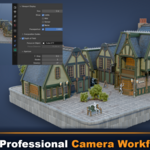
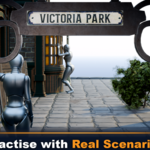
No. The prepared Blender scene is included with the course, so you can start practising the camera tools immediately on a finished environment — there is no modelling required before you begin.
Yes. It is designed as an essentials-level technical foundation. A basic understanding of Blender viewport navigation is helpful, but no camera, photography or composition knowledge is assumed — every tool is demonstrated step by step inside the scene.
The course was created in Blender 4.x, and the camera panels, tools and shortcuts also apply to current Blender releases. Both Cycles and Eevee are covered, so you can follow along with either render engine.
No. Alongside perspective cameras you will learn orthographic and isometric presentation, lens shift, clipping, camera background references, transparent PNG output and camera constraints — a full range of technical and creative camera setups.
Yes. The troubleshooting lesson covers Blender's Emulate Numpad option and the menu alternatives to every essential camera command, so a physical numpad is not required.
Yes. The course combines composition, perspective and focus with the practical side — active-camera management, visibility fixes, GPU and render settings, and troubleshooting for blank or broken renders.
You receive 10 video lessons (1 hour 44 minutes), the prebuilt Victorian street .blend scene with posed characters, props, materials and lighting, and a prepared background PNG reference for practising transparent-render compositing.
Have questions about this product?
Login to message
| Sales | 30+ |
| Dev Fund Contributor | |
| Published | about 2 months ago |
| Blender Version | 5.0 - 5.1 |
| Render Engine Used | Cycles |
| License | Royalty Free |
Discover more products like this
blender lighting Blender Essentials 3d tudor camera angles 3D rendering blender camera blender eevee blender blender presentation Blender course Blender cycles blender tutorial