Blender Mega Course for Absolute Beginners
 Amitkumar3dart


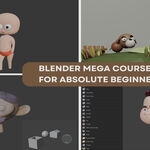
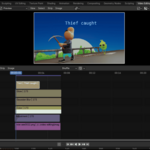
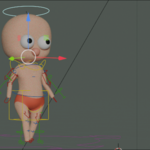
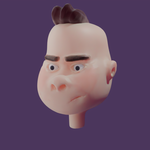
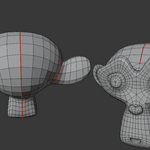
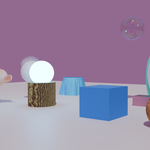
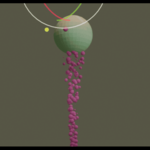
📦 Course Title:
Blender Mega Course for Absolute Beginners
🎓 Instructor:
Amit Kumar Deb
2D/3D Artist, Animator, and Blender Educator
📝 Course Description:
Start your Blender journey with confidence—no experience needed!
The Blender Mega Course for Absolute Beginners is a complete, hands-on guide to learning Blender from the ground up. Whether you're an artist, aspiring animator, indie game developer, or hobbyist, this course is built to help you master Blender step-by-step, without confusion or fluff.
We’ve structured this course to take you from total beginner to confident Blender creator. Everything is explained in simple language with practical examples—designed to build real skills you can use in your own projects.
By the end of this course, you'll know how to create stunning 3D models, animations, scenes, and even 2D illustrations—all within Blender.
📌 What You'll Learn:
✅ How to download and set up Blender correctly
✅ Blender’s interface and navigation basics
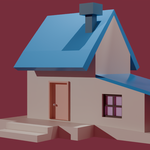
✅ Modeling, sculpting, rigging, and animation workflows
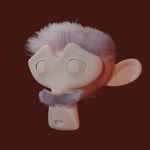
✅ Materials, texturing, vertex painting, and UV mapping
✅ Physics simulations and particle effects
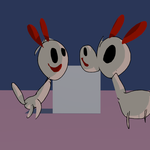
✅ Grease Pencil workflows for 2D + 3D art
✅ Compositing, camera work, and video editing
📚 Course Structure (7 Chapters):
Chapter 1: Blender Basics
Master the interface, object mode, and navigation tools.
Chapter 2: Mesh Editing Mastery
Model like a pro using edit mode, modifiers, and constraints.
Chapter 3: Sculpting Simplified
Create organic and artistic forms using Blender’s sculpting tools.
Chapter 4: Materials, Textures & Painting
Add life to your creations with shaders, vertex paint, and UV maps.
Chapter 5: Animation & Rigging Essentials
Rig characters using Rigify, and create smooth animations with IK/FK.
Chapter 6: Blender Physics & Particles
Simulate motion, gravity, wind, hair, and more with physics systems.
Chapter 7: Grease Pencil, Compositing & Video Editing
Blend 2D and 3D art, enhance renders, and edit animations—all inside Blender.
💡 Why This Course is Unique:
-
Perfect for absolute beginners—no experience required
-
Project-based learning—apply every concept as you learn
-
All major Blender tools covered—in one complete course
-
Clear, jargon-free instruction—learn visually and practically
-
No distractions—advanced VFX topics like Geometry Nodes and Motion Tracking are intentionally excluded
🛠️ Requirements:
-
A computer capable of running Blender
-
A recent version of Blender (installation is covered in Chapter 1)
-
No prior 3D or animation experience required
👨🏫 About the Instructor:
Hi, I’m Amit Kumar Deb, your instructor and fellow artist. I’ve been working in both 2D and 3D for years, and my mission is to make Blender approachable and fun for beginners. This course is the one I wish I had when I first started.
🎯 Who This Course Is For:
-
Total beginners with no 3D experience
-
Artists and illustrators who want to learn Blender
-
Indie game developers, animators, and hobbyists
-
Anyone who wants a solid, practical foundation in Blender
🎉 Let’s Get Started!
Don’t waste time jumping between random tutorials. Follow a proven, structured path and build real skills with confidence. Whether you want to make games, animations, 3D art, or motion graphics—this course is your gateway to the world of Blender.
Join now and start creating inside Blender today!
Have questions about this product?
Login to message
| Dev Fund Contributor | |
| Published | over 1 year ago |
| Blender Version | 2.8 - 4.4 |
| Render Engine Used | Cycles, Eevee |
| License | Royalty Free |
Discover more products like this
3d modeling blender Compositing rigging animation 3D Sculpting Blender Mega Course video editing Texturing rendering blender for beginners 2d animation