 Bevel_3d


Documentation: MPM Solver for Blender
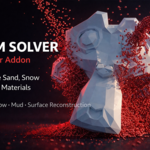
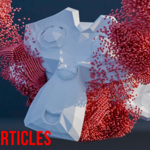
Welcome to the official documentation for MPM Solver, the Blender add-on designed to bring the power of the Material Point Method (MPM) algorithm to your particle simulations. Whether you want to simulate fluid sand, thick mud, or realistic snow, this tool simplifies the process with optimized parameters and an intuitive interface integrated directly into your workspace.
1. Installation and Initial Setup
MPM Solver is designed for a quick and easy setup.
Installation: Simply drag and drop the add-on file into Blender and click OK.
Access: The MPM Solver interface is located in the N-Panel (the right sidebar) of the 3D Viewport.
Export Directory: Before running your first simulation, you must define a cache folder. Click the folder icon in the Setup section and choose a location to store your simulation data.
2. Basics: Emitters and Colliders
Creating a simulation relies on assigning roles (Tags) to your 3D objects.
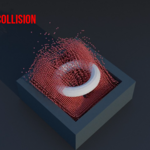
Colliders (Obstacles): Select an object (e.g., a plane or the Suzanne model), go to the Selected Mesh Tag section, and choose Collider. These objects will physically interact with your particles.
Emitters: Add a volume (like a cube), position it above your colliders, and in Selected Mesh Tag, choose Emitter. Your particles will appear inside this volume.
3. Simulation Parameters
While the add-on offers many options, most default settings are already optimized to save you time.
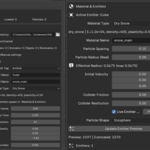
Material Presets
Choose the physical behavior of your particles using the included presets:
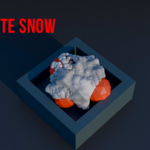
Dry Snow
Wet Snow
Sand
Mud
Jelly / Candy
Resolution and Quality
Grid Resolution: Defines the quality of the invisible calculation grid. For a good balance between performance and quality, a value between 96 and 128 is recommended.
Particle Size & Spacing: For a high-quality simulation, a Spacing of 0.04 to 0.07 is ideal. Be sure to set the Particle Radius by subtracting 0.01 or 0.02 from the spacing value.
Hardware Acceleration
In the simulation tab, choose your processing unit: CPU, GPU, or Automatic.
Note: Using the GPU is highly recommended for fast calculations, but requires an Nvidia (RTX) graphics card.
4. Running and Managing the Simulation
Click Run Simulation. An external terminal will open to show the progress of the frames being calculated in real-time.
Interrupting: To pause, go to the terminal window and use the shortcut
Ctrl + C.Resuming: Use the Resume button in the add-on to restart the calculation exactly where it left off.
Once the calculation is finished, the terminal will close automatically. Press Play in the Blender timeline to see the result!
If you are not satisfied, use the Remove Cache button to clear everything and start over.
5. Surface Reconstruction
For materials like snow or mud, rendering simple particles isn't enough. The reconstruction tool transforms your particles into a solid, texturable mesh.
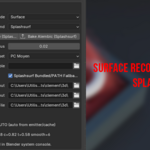
At the bottom of the add-on, change the mode from Granular to Surface.
Method: Choose between Splat Surf or Geometry Nodes. If Splat Surf is not compatible with your machine, switch to Geometry Nodes.
Quality: Use the presets (Fast or Medium). Medium is recommended to avoid overloading the CPU.
Preview: Click Reconstruction Frame to generate a preview of the current frame. If the mesh looks imperfect, slightly increase the Surface Particle Radius (e.g., 0.1) and refresh the preview.
Baking: Ensure the Blender system console is visible (Window > Toggle System Console). Click Bake Alembic and watch the progress.
Warning: Once the Alembic export is finished in the console, do not close the terminal manually, as this will force Blender to close.
Once the operation is finalized, you will have a real animated geometric surface, ready for shaders and rendering!
Have questions about this product?
Login to message
| Blender Extension Compatible | Yes |
| Published | 7 months ago |
| Blender Version | 5.0 - 5.2 |
| Extension Type | Add-on |
| Render Engine Used | Cycles, Eevee |
| License | GPL |
