Blender Pbr Texture Baker
 G42 Studios


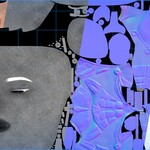
Blender PBR Texture Baker — Documentation & FAQ
Overview
Blender PBR Texture Baker is a utility addon for batch-baking complete PBR texture sets from multiple objects that share a unified UV layout. It uses Blender’s native baking system and is designed for clean, predictable PBR workflows.
Basic Usage
-
Prepare your objects:
-
Objects must share the same UV space (0–1).
-
Materials must use a single Principled BSDF connected to Material Output.
-
-
Select all objects you want to bake.
-
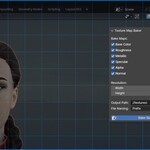
Open the Bake tab in the N-panel.
-
Choose the texture maps to bake and output settings.
-
Click Bake.
-
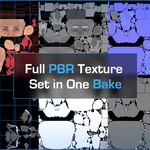
The addon generates a full PBR texture set in the chosen output folder.
Supported Maps
- Base Color
- Roughness
- Metallic
- Alpha
- Specular
- Normal
- Additional maps may be added in future updates.
Requirements & Assumptions
-
Materials must use one Principled BSDF node.
-
Multi-shader or non-PBR material graphs are not supported.
-
Objects must have properly prepared, shared UVs set to active.
-
Blender’s native bake system must be available (no custom render engines).
Common Use Cases
-
Game-ready asset baking
-
Animation look-dev texture baking
-
Asset delivery and archiving
-
Texture atlas workflows
Limitations
-
Does not support complex, shader node-heavy, or multi-shader materials.
-
Does not generate UVs or modify existing UV layouts.
-
Designed for standardized PBR workflows, not experimental shading setups.
Support & Updates
-
GitHub repository: BlenderPBRTextureBaker
-
Issues, bug reports, and feature requests can be submitted on GitHub.
-
Purchases on Superhive help fund continued development and maintenance.
Have questions about this product?
Login to message
| Blender Extension Compatible | Yes |
| Published | 8 months ago |
| Blender Version | 4.2 - 5.0 |
| Extension Type | Add-on |
| Render Engine Used | Cycles |
| License | GPL |

Discover more products like this
Real_Time_Assets texture 3d-game-ready pbr-textures UV Workflow AtlasTextures PBR texture-baking baking material-baking batch-baking