
Blender Render Queue

Stephane Claudon in Import & Export


Item Rating

This item has an average rating of 5 from 66 ratings by the community.

84%
8%
7%
0%
4%

Purchase this item to leave a review!

  • iamu.wav
    about 1 year ago

    Looks and feels so polished, not even first party apps like octane standalone can compete with the easyness of the UI. Can't recommend it enough honestly. im excited to see what's next! if there is ever a paid update to the next version ill gladly pay. this deserves more attention

  • Danny Hollander
    about 1 year ago

    Hello Stephane, first of all, I want to say a big thank you for your work on this add-on. It’s really great and super helpful I truly appreciate the time and effort you’ve put into creating this. The design is wonderfully straightforward and easy to understand, which makes managing multiple renders much simpler, especially for someone like me (Mac user)

    That said, I think there are a few areas where it could become even more powerful. For example, adding the ability to include simple custom Python arguments would really boost its flexibility for more advanced users. Also, it would be awesome if the draft mode currently mainly useful for quick previews could be customized to leverage Eevee’s real-time capabilities? (maybe also a python field?) This could make it more visually accurate for previews. Overall, I see a lot of potential here and look forward to seeing how it evolves. Thanks again for your work on this, in my eyes a great addition to the Blender community!!

    • Stéphane Claudon

      about 1 year ago

      Hi Danny, thanks for this wonderful review!
      I'm working on the next update and draft mode will be discontinued in favor of output presets.
      You will be able to create a preset (let's say "Eevee low samples H264" for example) and apply it to all items in queue in a blink of an eye.
      This way you have full control of render engine and output format directly from BRQ and switching between presets is pretty straight forward.
      Regarding custom Python arguments, not in my plans for now but please contact me through my creator page so we can discuss how you imagine this.

  • Shanky
    about 1 year ago

    Before this I was manually writing the scripts to batch render files, but this has been a game-changer. Can't recommend it enough, works perfectly, is super easy to use, and is full of a bunch of great features. Devs were great too in helping me troubleshoot a problem.

    If I could make one small suggestion, I would love to be able to view the full render preview (for taller aspect ratio images, the bottom half is cutoff in the preview).

    • Stéphane Claudon

      about 1 year ago

      Thanks for the review !
      Sorry for the aspect ratio preview, will be fixed in the next update.

  • Alex
    about 1 year ago

    Great addon! Is there any options to render not just view layers, but also passes from compositing? Couse I`ve got scene with viewLayers that are combined by passes in compositing to File Output node, but Blender Queue does not render them

    • Stéphane Claudon

      about 1 year ago

      If you compose layers in the compositor then you should leave BRQ's "view layer" dropdown to "All".
      Forcing one view layer rendering through BRQ will automatically disable all your other layers in the compositor resulting in wrong output.
      If I misunderstood your issue, feel free to contact me directly from here :
      https://superhivemarket.com/creators/stephaneclaudon

  • Gašper Mlakar
    over 1 year ago

    Love the software. Great, nice looking UI, works better that any other queue I've used.

    A small feature that I would love to have is the option to change sample count straight from the queue. The reason is really specific to my usecase, but I could see multiple useful applications of the feature (eg. testing multiple sample counts overnight). Could be a feature that one could turn on/off in the settings to not fill up an otherwise clean as simple UI

    Or perhaps a button could open up an "advanced render settings" window with more common render settings.

    In anycase, great buy, would recommend.

    • Stéphane Claudon

      over 1 year ago

      Thanks for the review and suggestion.
      Render settings presets is being developed and will be available in the next v5 release.

  • Eric Carlsen
    over 1 year ago

    So great! I used to do batch rendering running .bat files from the command line, with lots of careful typing/copying/pasting, and this saves SOOO much time compared to that method. Awesome.

  • roman
    over 1 year ago

    perfect, working great, maybe you can add small feature, if i load project name abc.blend he can automatically created folder with same name as project file and render pictures or animation into this folder

    • Stéphane Claudon

      over 1 year ago

      Thanks for the review, automatic folder creation is not ideal for everyone.
      You may have a look at "file output wildcards" in the documentation though, it lets you create dynamic folders depending on the scene / camera or view layer you render.
      https://docs.blender-render-queue.com/file-output-wildcards.html

  • hidenori saito
    over 1 year ago

    I was looking for a batch render app that works on mac. Beautiful UI layout
    Perfect.

  • Michelangelo
    almost 2 years ago

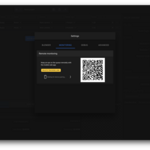
    Wow this is a godsend! The interface is very clean and intuitive, although I haven't set up the mobile monitoring yet, it is going to be extremely useful going forward. I was using a different batch renderer but it was a bit finicky at times and had issues with other addons, so far this has done a great job without interfering with other addons.

    Its worth every penny, I'd definitely recommend this to anyone!

  • David R
    almost 2 years ago

    Huge fan of this addon and it's been working really well for me. Being able to get a bunch of files ready to go and rendering them overnight has been a game changer.

    Being able to quickly set up rendering multiple cameras from a single file is awesome and I'm glad to have a better way to do this now.

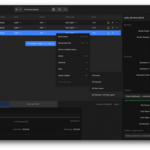
    One small thing I noticed is that the render resolution listed in the render queue panel doesn't show if any scaling has been applied. In my case I've been leaving my comps at 1080p but scaling to 50% and that's not something you can see in the panel. A little note that scaling is being applied in the UI could be nice. I like that it keeps the scaling info but can see how that might lead to issues for folks that render drafts at a lower res and intend to render full scale frames view the addon.

    Thanks for making this!

  • Scene selection

    $7.99
  • Scene | Camera | ViewLayer - Render presets - Remote Monitoring - Multliple Queues import / export

    $19.99
$7.99

Have questions about this product?
Login to message

Details
Sales 2100+
Rating
66 ratings
Dev Fund Contributor
Published about 3 years ago
Blender Version 3.0 - 5.2
Extension Type N/A
Render Engine Used Blender-Internal, Cycles, Eevee, Freestyle, Octane
License Mit