 vlad

Stéphane Claudon
almost 2 years ago
Hi Vlad,
Sorry fo that, would you mind contacting me in private to help me fix those bugs.
I will need more information since it seems to be specific to your setup or blender project.
Thanks.


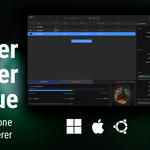
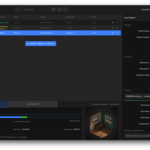
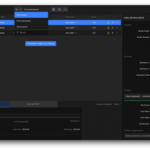
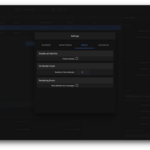


This item has an average rating of 5 from 66 ratings by the community.
Purchase this item to leave a review!
Stéphane Claudon
almost 2 years ago
Hi Vlad,
Sorry fo that, would you mind contacting me in private to help me fix those bugs.
I will need more information since it seems to be specific to your setup or blender project.
Thanks.
Stéphane Claudon
over 2 years ago
Can you please send me a direct message?
We will sort it out.
Stéphane Claudon
over 2 years ago
Hi, what is you OS version?
Some third party add-ons may in fact prevent Blender from running properly when launched in background mode.
Does your project render properly when rendered directly from Blender itself?
Stéphane Claudon
over 2 years ago
Can you send me a screenshot of the error please?
Some third-party add-ons doesn't work properly when blender is used in background mode, which is what I use.
You have to find what add-on throws the error and disable it.
Stéphane Claudon
11 months ago
Hi, please download latest product version from your order page, all issues regarding Blender 5 have been fixed.
Stéphane Claudon
about 1 year ago
Hi, please open a terminal (windows menu, type "cmd" hit "Enter")
Drag & drop the BRQ exe file to that window, hit "Enter"
Send me the text result that appear in that terminal window through the "Contact the creator" page.
Also send me the path to your actual blender.exe file
Thanks
Stéphane
Have questions about this product?
Login to message
| Sales | 2100+ |
| Rating | 66 ratings |
| Dev Fund Contributor | |
| Published | about 3 years ago |
| Blender Version | 3.0 - 5.2 |
| Extension Type | N/A |
| Render Engine Used | Blender-Internal, Cycles, Eevee, Freestyle, Octane |
| License | Mit |
manager render queue command line rendering command line queue management octane GPU Render batch Multiple Cameras viewlayer queue
 Alborz
 roby
 Choi
 TBG
 Maximilian Kremmel