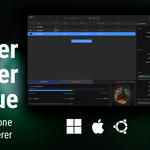
Blender Render Queue

Stephane Claudon in Import & Export


Item Rating

This item has an average rating of 5 from 66 ratings by the community.

84%
8%
7%
0%
4%

Purchase this item to leave a review!

  • Curtis Bathurst
    almost 3 years ago

    No learning curve. Respects project settings re: output directories and stuff, if you have them set up already. Really pleasant to use. Let's me take care of batches overnight. I will use it for everthing, going forward, as long as it is supported.

  • Cidolphus
    almost 3 years ago

    Easy tool and fairly priced.

    Could even go $3 cause it's minimalist, effective, and gets the job done.

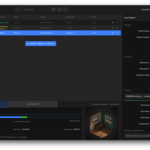
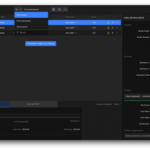
    Only wanted it cause I got tired of having to copy-paste command line rendering and occasionally mistyping or pasting something wrong. With this, you can just drag and drop your scene files in and forget.

    Even gives a nice little render preview as it works its magic.

  • Rayé
    almost 3 years ago

    Very efficient, and really easy to use

  • Bumseok Kim
    almost 3 years ago

    I love this!

  • Halvard Harboe
    almost 3 years ago

    Works perfectly! Lifesaver!

  • bibin
    6 months ago

    Lite version works really well and I Want to give 5 stars, But the pro version has got some bugs. Mentioned it a couple of times to the creator but no replies yes. He used to reply quite fast before.

  • Wilbur Post
    10 months ago

    Pros:
    - Standalone (no need to open Blender)
    - Displays a thumbnail of the current render
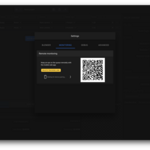
    - Remote monitoring of renders (cool!)
    - Excellent support!

    Cons:
    - If you stop an animation render in progress, there's no way to resume the render without having to specify the start frame. This is problematic for my workflow because I frequently have multiple renders in a queue that need to be paused and reprioritized.
    - Inflexible interface; layout is fixed, and UI font is tiny on my 4k monitor with no option to make it larger.

    • Stéphane Claudon

      10 months ago

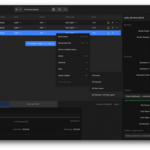
      I added a new "Resume" option in context menu in order to requeue item only for the remaining frames if item has been stopped/failed.
      Available in version 5.1.5

      UI text size adjustment is still in the pipe though.

  • John
    over 2 years ago

    Just downloaded it and am using it with 4.2. The rendering is working fine but it's not showing the progress or a preview in the Progress tab. I thought it wasn't working at all till I checked the log output and the folder I was rendering to. (I'm rendering an EXR DWAA sequence with transparency if that's helpful information

    • Stéphane Claudon

      over 2 years ago

      Hi John, at the moment, preview image is only available for web like output format (png, jpg...)
      I just made a quick test on windows with 4.2 and I have progress information updating.
      Would you mind sending me more information about your setup please?
      Also if you can join the txt log progress file that would help a lot.
      Thanks!

  • ajr88
    over 2 years ago

    I really like the functionality of the ap. It really should be built in to blender. I am having problems with rendering using Octane though. My animated HDRIs is not showing up in the renders done through this app. Hopefully there will be more octane support in the future, keep up the good work!

    • Stéphane Claudon

      over 2 years ago

      Thanks for your feedback.
      I'll try to look into Octane for a future version.

  • Beaumier
    over 2 years ago

    very well done, but it would have been nice to be able to choose which camera you want as active from the software. This would avoid having to create copies of files with multiple cameras!

    • Stéphane Claudon

      over 2 years ago

      Camera and render layer selection is already developed and will be available in the next release. Stay tuned!

  • Scene selection

    $7.99
  • Scene | Camera | ViewLayer - Render presets - Remote Monitoring - Multliple Queues import / export

    $19.99
$7.99

Have questions about this product?
Login to message

Details
Sales 2100+
Rating
66 ratings
Dev Fund Contributor
Published about 3 years ago
Blender Version 3.0 - 5.2
Extension Type N/A
Render Engine Used Blender-Internal, Cycles, Eevee, Freestyle, Octane
License Mit