Blender Texture-Relinker
 Hasan Feroz




Texture Relinker Ultimate - Documentation
Installation
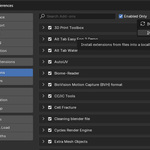
In Blender, go to Edit > Preferences.
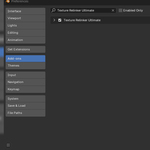
Select the Add-ons tab.
Click Install... at the top right.
Select the
Texture_Relinker_Ultimate.zipfile you downloaded.Search for "Relinker" in the list and check the box to enable it.
How to Use
Open the Sidebar in the 3D Viewport by pressing "N" on your keyboard.
Click the "Relinker" tab.
Target Directory: Paste the folder path where your textures are located.
Selected Only: Check this if you only want to fix specific objects (and their children).
Force Update: Check this if you want to update paths even if the file is missing (useful for network drives/render farms).
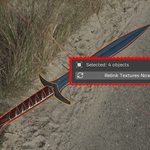
Click "Relink Textures Now".
Feature Guide
Deep Search: The tool automatically searches inside Node Groups to find textures that are hidden deep in your material shading networks.
Force Mode: Standard Blender tools fail if a file isn't found. This mode forces the path update, ensuring your file paths are correct for pipelines and render farms.
Troubleshooting
"Extension not detected" Warning: If you see this warning during installation in newer Blender versions, you can safely ignore it. This add-on uses the standard installation method to ensure compatibility with all Blender versions (3.x and 4.x).
Have questions about this product?
Login to message
| Published | 9 months ago |
| Blender Version | 3.1 - 4.3 |
| Extension Type | N/A |
| Render Engine Used | Cycles |
| License | GPL |
