Blender Texture-Relinker
 Hasan Feroz




Does this change my entire scene?
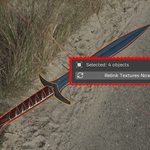
Only if you want it to. If you uncheck "Selected Only," it will scan the whole project. If you check "Selected Only," it will surgically fix only the objects you currently have selected (and their children)
Can it find textures inside Node Groups?
Yes. Unlike standard tools that often miss nested textures, our "Deep Search" feature recursively scans inside Node Groups to find and relink every image texture.
Does this work on Mac and Linux?
Yes! The tool automatically handles path normalization, meaning it correctly interprets Windows backslashes (\) and Mac/Linux forward slashes (/) so you can share files between operating systems without breaking links.
I see a warning saying "Extension not detected" or "Legacy Addon". Is it broken?
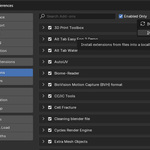
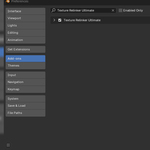
No, the add-on works perfectly. We use the standard (legacy) add-on format to ensure the tool works for everyone, including users on older versions of Blender. You can safely ignore that warning and install it via Edit > Preferences > Add-ons.
Where do I find the tool after installing it
Once installed and enabled, go to the 3D Viewport and press the "N" key on your keyboard to open the Sidebar. You will see a new tab labeled "Relinker".
Which versions of Blender is this compatible with?
This add-on is compatible with Blender 3.0 and all newer versions, including the Blender 4.x series.
Have questions about this product?
Login to message
| Published | 9 months ago |
| Blender Version | 3.1 - 4.3 |
| Extension Type | N/A |
| Render Engine Used | Cycles |
| License | GPL |
