Blender To Resolve Bridge
 Limitless Creative




Does it really work on free Resolve?
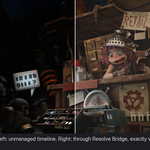
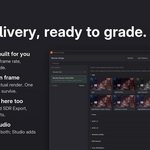
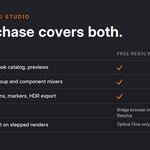
Yes. Free Resolve cannot accept commands from outside, so instead of the one click push you open the Blender Bridge browser inside Resolve and import from a list of your deliveries. Everything after that is identical.
Does it mess with my Resolve setup?
The bridge only touches bins and timelines it creates. Its LUTs live in their own folder. The one deliberate exception: if your project still has the default Sharper resize filter, it is set to Bilinear, which stops halos on CG edges.
What about ACES pipelines?
The catalog includes ACES 1.3 and ACES 2.0 looks that are pixel equal to Blender's ACES views, including HDR variants. A strict Resolve ACES color management mode is on the roadmap.
Is this a subscription?
No. You buy it once and it is yours. The support period covers updates and help for 12 months and can be renewed to keep updates coming as new Blender and Resolve versions arrive.
Mac or Linux?
Windows only at launch. The color science is platform neutral, so ports are a question of installer plumbing and testing time.
-
$59
For solo creators, hobbyists, including paid client work.
-
$129
For up to 5 seats within one company or team
-
$349
Studios and companies of any size and revenue. Includes expedited support.
 Included
Includes 12 months of
- Support from Limitless Creative
- Product updates
Extend this product’s Support Period +12 months: 50% of product price
Have questions before purchasing?
Login to message
| Blender Extension Compatible | Yes |
| Published | about 2 months ago |
| Blender Version | 4.2 - 5.2 |
| Extension Type | Add-on |
| Render Engine Used | Cycles, Eevee |
| License | GPL |
Discover more products like this
davinci resolve agx Lighting color management Render hdr color grading blender to resolve video editing VFX exr Compositing