 Anvil Interactive Solutions


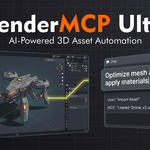
AI in Blender should save you hours.
Not cost you a scene.
Most AI connectors for Blender are hard to set up, can't undo what they did, ignore your naming and poly budgets, and stop at "here's a mesh" — leaving the baking, LODs, collision and engine export to you.
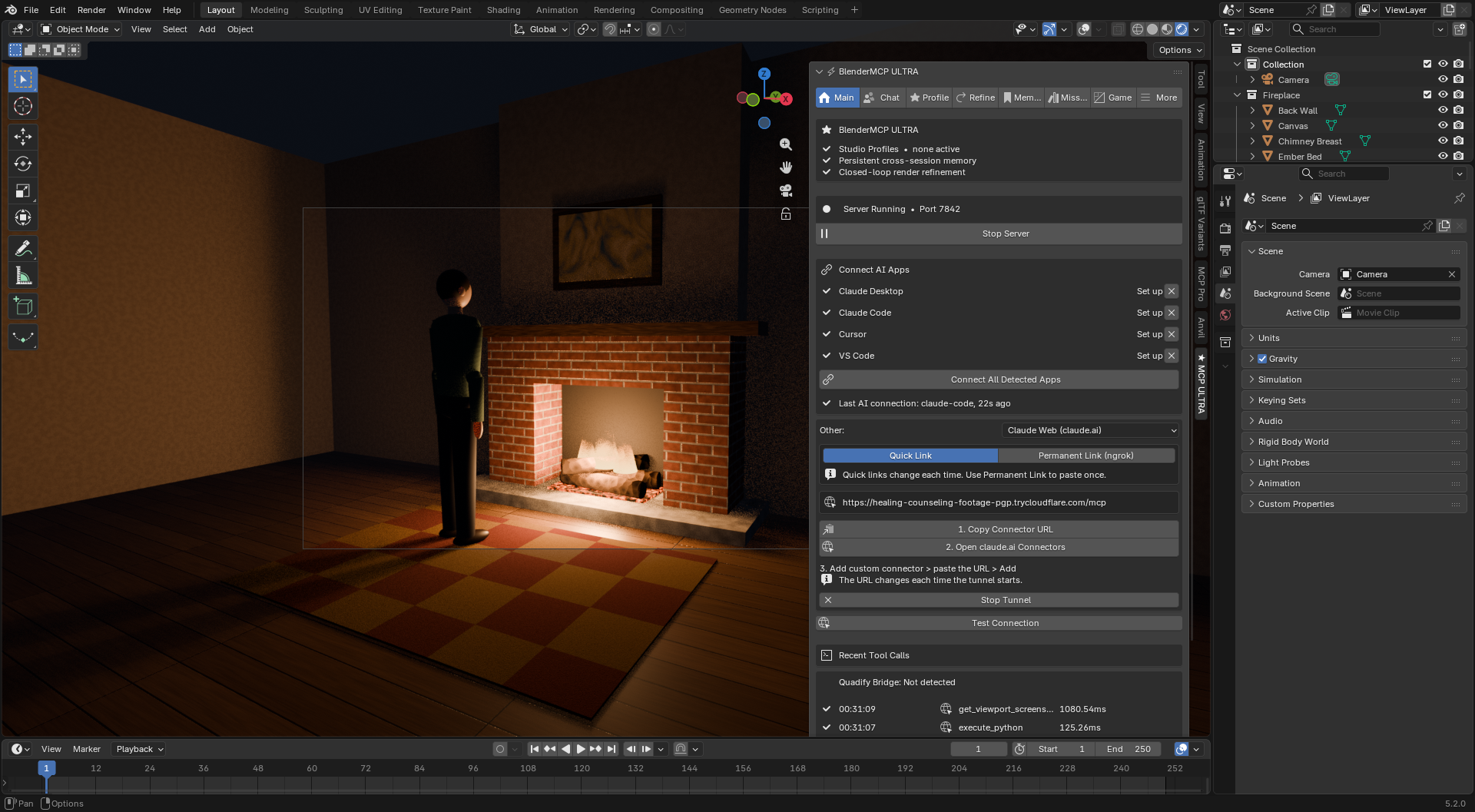
Ultra connects to Claude, Cursor, VS Code and more in one click, checkpoints your scene before every AI mission so you can revert it in one click, enforces your studio's conventions on everything it makes, and takes an asset all the way from Blender to an engine-ready file — or straight into Unreal or Unity.
| ✓ One-time purchase, no subscription | ✓ Blender 4.2 – 5.x | ✓ Use your own AI key — or a local model |
The problems Ultra was built to remove
| THE PROBLEM | WHAT ULTRA DOES |
|
"I spent an evening trying to get Claude to see Blender." JSON configs, Node.js, ports, tokens, restarts. | Ultra finds the AI apps on your computer and connects all of them with one button. Nothing extra to install — it uses Blender's own Python. The server starts with Blender, and connections keep working through restarts, port changes and Blender upgrades. |
| "The AI ran 200 operations and Ctrl+Z only goes back 32." | Every mission starts with a full-scene checkpoint. Revert Mission puts your file back exactly as it was — and the revert itself can be undone. |
| "I don't want an agent loose in my scene without knowing what it'll do." | Plan review: see every task and an estimated cost before anything runs. Edit or delete tasks, then approve or reject. Afterwards, Mission History shows every tool call it made. |
|
"Making one prop game-ready takes longer than modelling it." Bake, pack, LODs, collision, lightmap UVs, export settings. | Prepare & Export does all of it in one click: audit and auto-fix, bake, LOD chain, collision, lightmap UVs and an engine-ready file. No AI key needed for this part. |
| "It looked fine in Blender. In Unreal it's 100× too small and the normals are inverted." | Engine-aware by default: DirectX normal maps for Unreal, OpenGL for Unity and Godot, correct unit scale and axes computed from your scene, ORM / Unity mask packing, and engine naming (SM_, UCX_, _LOD0). |
| "Every AI session I re-explain our naming and poly budgets." | Studio Profiles — written by hand or inferred from your existing scene — are enforced on every action, and project memory persists across sessions and files. |
| "The AI is working blind." | Connected AI apps can see your viewport — even while Blender is behind the chat window, on OpenGL and Vulkan. |
From mesh to engine-ready asset in one click
Every tool works from a button in the Game tab and as an AI tool, so you can say "make these crates game-ready for Unreal" — or never open a chat at all. It's built for Unreal, Unity and Godot, and follows your Studio Profile.
|
Texture baking
High-to-low or self-bake: normal, AO, curvature, base color, roughness, metallic, emission, material ID, position. The cage distance is set from your object's size, missing UVs are unwrapped automatically, and your render settings are restored afterwards — even if the bake fails.
|
Packing & material
Packs ORM for Unreal and Godot, and Unity mask or metallic-smoothness maps, then builds a ready-to-use material from the baked maps.
|
|
LOD chains
Hits triangle targets with a corrective second pass, fits LOD0 to your profile's poly budget, uses engine naming and stores a screen size per level. Re-running replaces the chain instead of duplicating it.
|
Collision
Box, convex hull, one hull per part, or a split into several convex pieces for concave shapes like arches and rings. Hull vertex counts are capped, and hulls are named UCX_ for Unreal or -convcolonly for Godot.
|
|
Atlasing — many materials, one draw call
Merges any number of materials across objects into one texture set. It keeps your UV unwraps and carries tiling textures and normal maps into the atlas.
|
Audit with a 0–100 score
17 checks: budget, overlapping UVs, texel density, unapplied or negative scale, loose and degenerate geometry, n-gons, draw calls, naming and collision. Auto-Fix repairs whatever can be fixed safely.
|
|
Texel density & lightmap UVs
Measure or set px/m per UV island. Adds padded, non-overlapping lightmap UVs on channel 1, automatically for Unreal.
|
Ship to Engine
Imports the asset and its textures into a running Unreal or Unity editor through UnrealMCP Pro or MCP Pro for Unity, and can place it in the level. Without a bridge, it copies the files into your Unity or Godot project folder.
|
Built to be trusted near a production file
|
Checkpoints
A full copy of the scene is saved before every mission and background task. Restore any checkpoint from the panel or from Mission History.
|
Plan review
Approve, edit or reject a mission's plan before it touches your scene, with a cost estimate based on your own past missions.
|
Locked-down server
The server only listens on your computer and requires an access token. Websites can't drive Blender, and you choose who may run Python: everyone, only the built-in AI, or no one.
|
Install, click once, start talking to Blender
|
Desktop AI apps
Connect All Detected Apps sets up Claude Desktop, Claude Code, Cursor, Windsurf and VS Code. Your other MCP servers are left untouched, and each config file is backed up first. The panel shows which app last connected.
|
claude.ai in the browser
One click opens a secure link for claude.ai. Use a quick link, or a permanent link through a free ngrok account that you paste into claude.ai once and never again. It can start automatically with Blender.
|
|
Open them in any order
Open the AI app first and it simply tells you to start Blender. Once Blender is up, its tools appear without restarting the app.
|
Or use the built-in chat
Chat inside Blender with Claude, Gemini, OpenAI, Groq, DeepSeek, or a free local model through Ollama, with token count and cost shown under every reply.
|
It enforces your pipeline before, not after
|
Learned, not assumed
Write a Studio Profile by hand, or let Ultra infer one from your current scene's real naming, poly counts and material use. You review it before it's saved.
|
Memory that outlives the session
What the AI learns about your project carries over to every .blend file in the same project folder.
|
|
Multi-agent missions
A planner splits a big goal across specialist agents — layout, modeling, materials, lighting, rigging, game assets — then validates the result against your profile and runs a fix pass.
|
Closed-loop render refinement
Render, get a scored critique with a specific fix, apply it and re-render — automatically, until it reaches your target score.
|
Everything above, for one artist
For a single artist or freelancer who wants an AI assistant that respects the conventions they've already established — and a game-asset pipeline that doesn't need an AI at all. Includes the full Game tab, checkpoints, plan review, one-click app connection, the permanent claude.ai link, and all six AI providers.
The pipeline governance layer, licensed for a team
Everything in Personal, with team usage rights — so the Studio Profile one artist builds becomes the pipeline the whole team's AI assistant enforces.
|
One profile, every seat
Naming, poly budgets, engine target and texel density are defined once and applied to every artist's AI sessions and Game-tab tools.
|
An audit trail a lead can check
Mission History shows what an agent touched, in what order, and why the validator flagged it. Each mission links to its checkpoint, so you can revert it.
|
|
Cross-engine missions
With UnrealMCP Pro or MCP Pro for Unity running, missions can hand finished assets straight to the engine, with unit and axis conversion computed for you.
|
Consistent output across artists
Every artist's export goes through the same audit, naming, packing and LOD rules, so assets arrive in the engine looking like one team made them.
|
Results from our own tests. 3.3 ships with an automated suite of 240+ checks that runs inside Blender 4.2 and 5.2 before every release.
| Test | Result |
| Chat cost, single message | 66,313 → 14,405 tokens ($1.01 → $0.06), ~94% cheaper |
| MCP compatibility | Verified with the official MCP SDK, over HTTP and through the desktop-app connection |
| Atlasing 3 materials | 3 draw calls → 1, each object's color and roughness checked in the atlas pixel by pixel |
| Unreal normal maps | DirectX bake verified as the exact green-flipped OpenGL bake |
| Material transfer (high → low) | Base color, roughness and metallic match the source material |
| Blender → Unreal units (1 unit = 1 m) | 100× scale factor, computed from your scene |
| Blender → Unity units | 1× scale factor + Y-up, computed from your scene |
Every tool has edges. Here are ours, stated up front.
|
Live hand-off to Unreal/Unity needs the other product running
Shipping straight into an open editor needs UnrealMCP Pro or MCP Pro for Unity running and enabled in Ultra's preferences. Without them, Ultra still exports engine-ready files, and copies them into Unity and Godot project folders.
|
|
Blender is busy while it bakes
Baking runs in Cycles, and Blender doesn't respond until the bake finishes — the same as Blender's own Bake button. Start at a lower resolution to check settings.
|
|
claude.ai needs Blender and the link running
claude.ai reaches Blender over a secure tunnel, so Blender must be open. Quick links change every session; the permanent link needs a free ngrok account.
|
|
DeepSeek doesn't support vision
Render refinement and critique need a vision-capable provider such as Claude, Gemini or OpenAI. DeepSeek works for chat and missions.
|
|
It's not a substitute for reviewing the result
Mission History and checkpoints make it easy to check and undo what an agent did. Still look at the result before committing it to a shared file.
|
Works with your existing tools
Use the built-in chat, or connect any MCP-compatible AI app in one click.
Generic MCP connector | BlenderMCP Ultra | |
| Setup | Hand-edit JSON, install Node, restart and hope | One click for every detected app, and it repairs itself |
| Undo | Ctrl+Z, 32 steps | Full-scene checkpoint before every mission, reverted in one click |
| Game-ready output | You bake, LOD, collide and export by hand | One click to an engine-ready file, or straight into the engine |
| Studio conventions | Every session starts from zero | Learned once as a Studio Profile and enforced on every action |
| Memory | Ends with the conversation | Persists across sessions and project files |
| Task record | Whatever's left in chat scrollback | Mission History with every task, tool call and verdict |
| Security | Often an open local port | Access token, no browser access, Python execution under your control |
|
Do I need Node.js, Python or any command-line setup?
No. Install the add-on and click Connect All Detected Apps. Ultra uses the Python built into Blender.
|
|
Can the AI wreck my scene?
Missions show you their plan first and save a full checkpoint before they run, and Revert Mission restores the scene. Prepare & Export, Ship to Engine and Atlas also save a checkpoint first.
|
|
Do I need an AI subscription to use the Game tab?
No. Baking, LODs, collision, atlasing, audit and export all run from buttons with no AI involved. The AI can also call the same tools for you.
|
|
Do I need UnrealMCP Pro or MCP Pro for Unity?
No. Ultra exports engine-ready files on its own, and copies them into Unity and Godot projects. The bridges add live import and placement into a running editor.
|
|
Do I need a Studio Profile?
No — sensible defaults apply. When you want one, write it or infer it from your scene. It opens for your review before it's saved.
|
|
I'm updating from 3.2. Anything to do?
Uninstall the old version, restart Blender, install 3.3, then click Connect All Detected Apps once. After that, connections update themselves.
|
|
Which Blender versions are supported?
Blender 4.2 and newer on Windows, macOS and Linux. Every release is tested on Blender 4.2 LTS and 5.2.
|
|
What if something doesn't work?
Send us what happened, your Blender version and your AI app or provider — that usually pinpoints it fast. Refunds follow Superhive's marketplace refund policy.
|
