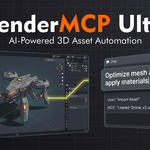
BlenderMCP Ultra — Blender Add-on — v4.0.0
Stop prompting your AI one step at a time. Pick the job, and get back finished, checked work.
Product shots, game-ready assets, 3D prints, turntables, physics shots, scene clean-ups. Ultra gives your AI 55 tested recipes for whole jobs, an Autopilot that runs them across a folder of files, and the eyes to check its own result before it says "done". Your original file is never overwritten.
| ✓ One-time purchase, no subscription | ✓ Blender 4.2 – 5.x | ✓ Your own AI key, the AI app you already use, or a local model |
WATCH — AI BUILDS A GAMER ROOM IN UNDER 7 MINUTES
NEW IN 4.0 — PROBLEMS WE FIXED
"I never know what to ask the AI for, and my long prompts still skip steps."
55 recipes for complete jobs4.0
Pick a recipe, fill in a short form (which object, what size, which engine) and press Run. Each one is a tested, step-by-step plan that ends with a check, so the job gets finished, not just started. There are 11 categories: Game Assets, Modelling, Procedural & Environments, Scenes & Shots, Animation, Physics & VFX, Materials & Look, Rigging, 3D Printing, Quality & Review and Scene Health. In claude.ai and Claude Desktop, every recipe also appears as a ready-made prompt.
"Our studio does things its own way. Generic presets don't fit."
Make the recipes yours4.0
Press Customize on any recipe to get an editable copy, or build one from scratch with your own steps and inputs. Share it with your team as a file. When the AI finishes a job you liked, it can save that job as a new recipe.
"I have 40 props to process and I'm doing them one by one."
Autopilot runs the whole batch4.0
Point Autopilot at the selection or a folder of .blend files and give it a recipe. It works through every step on its own, saves a checkpoint before each one, and writes a report with before and after images. You decide what happens on a failure (stop, retry or skip), and you can pause, resume or roll back at any time.
"It said 'done'. Half the objects were floating and the lighting was blown out."
The AI checks its work with its own eyes4.0
It views the model from four angles at once in clay, material or rendered shading. A quality gate catches missing materials, bad exposure and objects out of shot. It scores composition and lighting, compares before and after, and matches a render against your reference image. It fixes what it finds before it reports back.
"I connected claude.ai, restarted Blender, and had to set it all up again."
A permanent claude.ai link, no extra account4.0
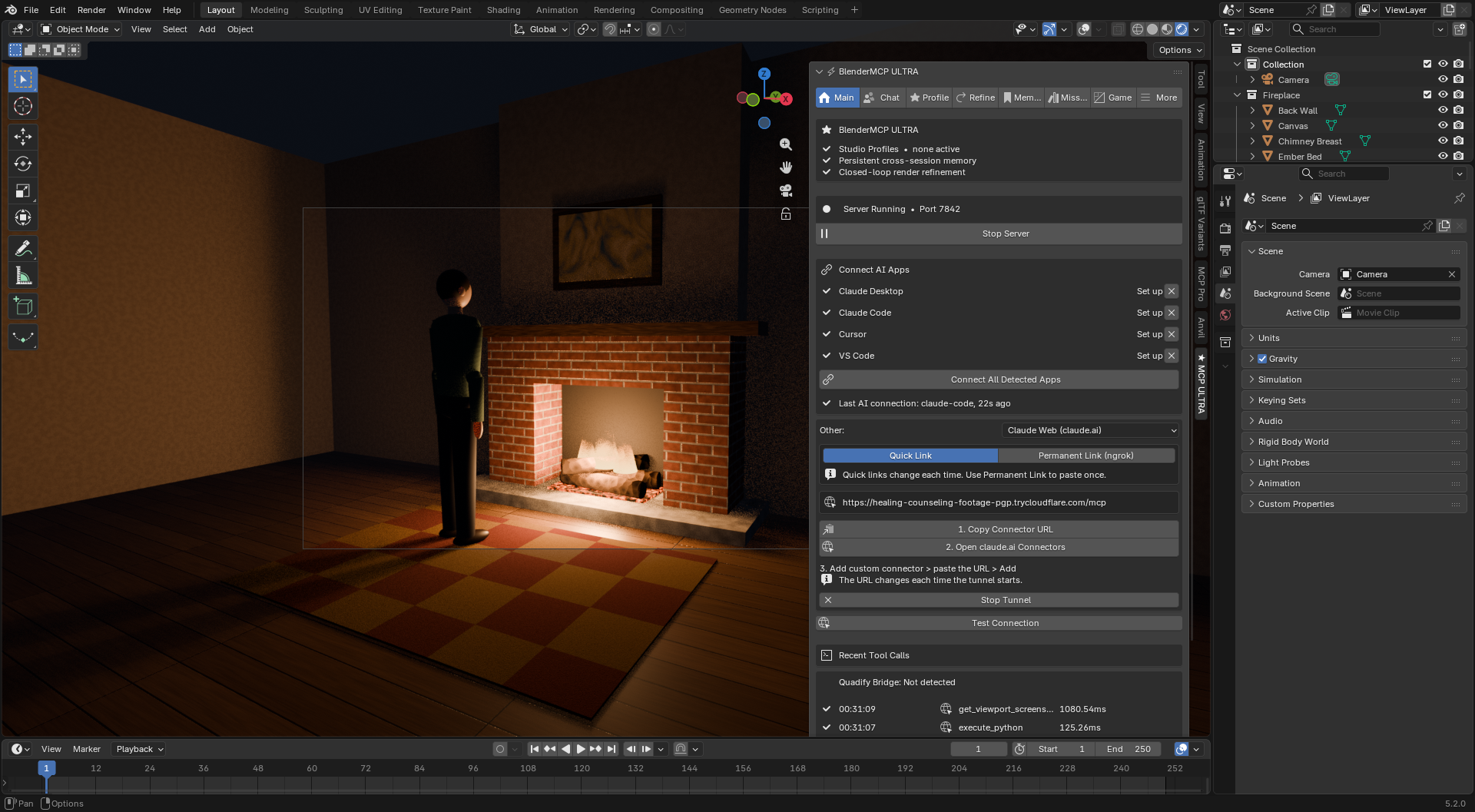
Turn on Permanent, copy the link, and add it to claude.ai once. It keeps working after Blender restarts and add-on updates. You no longer need an ngrok account.
TESTED, NOT PROMISED
Every release runs an automated suite of 700+ checks inside Blender 4.2 and 5.2. Before 4.0 shipped, Claude also drove a live Blender session through 38 everyday tasks, and each result was checked in the scene, not in the AI's reply: 37 of 38 passed, and the one miss was fixed before release. A separate test confirms that after an Autopilot rollback your .blend file is byte-for-byte unchanged.
"I DON'T TRUST AI WITH A PRODUCTION FILE"
"What if it ruins the file I spent a week on?"
Your file is never overwritten
A full checkpoint is saved before every mission and every Autopilot step. Restoring one opens a _restored.blend copy, and the file you opened stays exactly as it was. Every AI action is also its own named Ctrl+Z step.
"I don't want an agent loose in my scene without knowing what it'll do."
You see the plan first, and the record afterwards
Missions show every task and an estimated cost before anything runs, and you can edit, approve or reject them. Mission History records every tool call, and Python execution stays off for outside apps unless you allow it.
"The AI keeps failing with 'context is incorrect'."
Tools that don't trip over Blender
Tools switch to Object Mode themselves and put you back where you were. A wrong object name gets a "Did you mean: Cube?" suggestion. Long bakes run as background jobs with progress the AI can follow and cancel.
"MAKING A PROP GAME-READY TAKES LONGER THAN MODELLING IT"
"Bake, pack, LODs, collision, lightmap UVs, export settings, for every single asset."
Prepare & Export in one click, with or without AI
A 0–100 audit with Auto-Fix, high-to-low or self baking, ORM or Unity mask packing, LOD chains fitted to your poly budget, collision (UCX_ for Unreal, convex pieces for concave shapes), lightmap UVs, material atlasing, and an engine-ready file. The Game tab runs all of it from buttons, so no AI key is needed for this part.
"It looked fine in Blender. In Unreal it's 100× too small and the normals are inverted."
Engine-aware by default
DirectX normal maps for Unreal and OpenGL for Unity and Godot, unit scale and axes computed from your scene, and engine naming (SM_, UCX_, _LOD0). Ship to Engine imports straight into a running Unreal or Unity editor through UnrealMCP Pro or MCP Pro for Unity, or copies the files into any project folder you choose.
"Every AI session I re-explain our naming and poly budgets."
Studio Profiles and project memory
Write a profile by hand, or let Ultra infer one from your existing scene's naming, poly counts and materials. It is enforced on every action, and what the AI learns carries over to every .blend file in the project folder.
"AI CAN ADD A CUBE, BUT IT CAN'T DO REAL WORK"
"I want a cloth over the chair and crates that actually stack, not things floating in mid-air."
Physics that settles the scene for you
Rigid bodies, settling objects onto surfaces, cloth draping, soft bodies, fluids, particles and force fields, baked and ready to render.
"A simple turntable or camera move takes me twenty minutes of keyframing."
Animation in one sentence
Seamless turntables, bounces, motion along a path, camera orbits and moves, shape keys, drivers and playblasts.
"The slicer said my model has holes, and it came out the size of a coin."
A complete 3D-printing workflow
Printability check (watertight, normals, overhangs, build volume), repair, scale to real millimetres, hollow with a drain hole, split to fit the build plate, filament and weight estimate, and STL, 3MF or OBJ export.
"Every material means wiring the same node graph again."
Procedural materials, real modelling and a finished look
Wood, metal, rust, painted metal, fabric and stone, plus glass, emission and dirt masks. Bevel, inset, extrude, boolean, array, lathe and curve-to-pipe as real geometry edits. Studio lighting, color management and compositor bloom, glare and vignette. 220 tools in all.
Example — one recipe, a finished product shot
Recipes > Scenes & Shots > Product Shot > object: Vase > Run
The AI places the vase on the ground, builds a backdrop, lights it, frames an 85 mm camera, checks the composition and the render, and saves the image.
"I already pay for an AI. Why would I need another chat?"
You don't. Connect All Detected Apps sets up Claude Desktop, Claude Code, Cursor, Windsurf and VS Code in one click, and claude.ai connects with the permanent link. You can also use the built-in chat with Claude, Gemini, OpenAI, Groq, DeepSeek or a free local model through Ollama. It now sends only the tools that fit your request, so each message costs less.
claude.ai Claude Desktop Claude Code Cursor Windsurf VS Code Claude · Gemini · OpenAI · Groq · DeepSeek · Ollama Unreal · Unity · Godot
BlenderMCP Ultra — Personal $129
Everything on this page, for one artist
All 55 recipes and your own, Autopilot, the visual checks, all 220 tools, the Game tab, checkpoints, the permanent claude.ai link and all six AI providers.
Personal does not include team usage rights. If more than one person at your studio will run Ultra, or you're sharing Studio Profiles and recipes across a team, that's Studio.
BlenderMCP Ultra — Studio $299
One pipeline, every seat
Everything in Personal, with team usage rights. The Studio Profile and custom recipes one artist builds become the way the whole team's AI works: the same naming, budgets, audit, packing and LOD rules on every export, and a Mission History and Autopilot report a lead can check.
WHAT IT WON'T DO
Every tool has edges. Here are ours, stated up front.
|
Very long jobs from claude.ai
A full texture bake can take a minute or more, which is longer than claude.ai waits for an answer. Run big bakes from Blender's own panel, the built-in chat or Autopilot. A fix is on the way.
|
|
Blender is busy while it bakes
Baking runs in Cycles, and Blender doesn't respond until it finishes, the same as Blender's own Bake button. Start at a lower resolution to check your settings.
|
|
Live hand-off needs the engine bridge
Importing into an open Unreal or Unity editor needs UnrealMCP Pro or MCP Pro for Unity running. Without them, Ultra still writes engine-ready files into any folder you choose.
|
|
Auto-fitted character rigs are a starting point
A fitted biped rig matches your mesh's height and gives starting weights. On raw AI-generated meshes, do a pose test before you rely on it.
|
|
DeepSeek doesn't support vision
The visual checks need a vision-capable AI such as Claude, Gemini or OpenAI. DeepSeek works for everything else.
|
|
It's not a substitute for reviewing the result
Checkpoints, reports and Mission History make it easy to see and undo what the AI did. Still look at the result before committing it to a shared file.
|
FAQ
|
How is Ultra different from BlenderMCP Pro?
Pro lets your AI do Blender tasks you ask for. Ultra adds whole jobs: recipes, Autopilot across many files, visual quality checks, the Game tab pipeline, Studio Profiles, and physics, animation and 3D-printing tools.
|
|
Do I need Node.js, Python or any command-line setup?
No. Install the add-on and click Connect All Detected Apps. Ultra uses the Python built into Blender.
|
|
Do I need an AI subscription to use the Game tab?
No. Baking, LODs, collision, atlasing, audit and export all run from buttons with no AI involved.
|
|
I'm updating from 3.x. Anything to do?
Uninstall the old version, restart Blender and install 4.0. Desktop apps reconnect on their own. For claude.ai, turn on the Permanent link once and add it in claude.ai.
|
|
Which Blender versions are supported?
Blender 4.2 and newer on Windows, macOS and Linux. Every release is tested on Blender 4.2 LTS and 5.2.
|
|
What if something doesn't work?
Send us what happened, your Blender version and your AI app or provider. That usually pinpoints it fast. Refunds follow Superhive's marketplace refund policy.
|
REQUIREMENTS & SETUP — 2 MINUTES
Blender 4.2 or newer
Standard extension install: Edit > Preferences > Get Extensions > Install from Disk.
One AI
claude.ai, Claude Desktop or another MCP app; or an API key from Claude, OpenAI, Gemini, Groq or DeepSeek; or Ollama running locally. The Game tab needs no AI at all.
 Anvil Interactive Solutions