 Meshwright
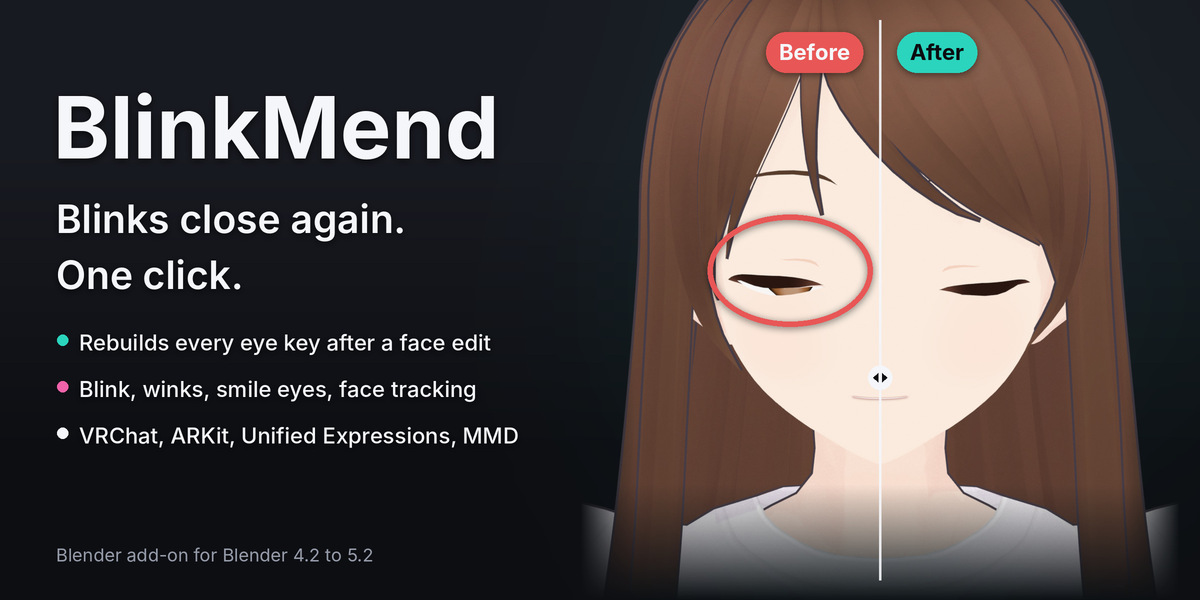
You made the eyes bigger. You gave the avatar half-closed jitome eyes, or moved a face slider. Now the blink stops halfway, the iris shows through the closed lids, or the lid cuts into the eyeball.
A shape key stores fixed offsets, made for the face as it was sold. After an edit, the lids start somewhere else, but the blink still moves them the old distance. Every eye key needs to be rebuilt: the blink, both winks, the smile eyes and the face tracking keys. By hand, you rebuild them one by one.
BlinkMend does it in one click, in Blender, on any mesh.
How it works
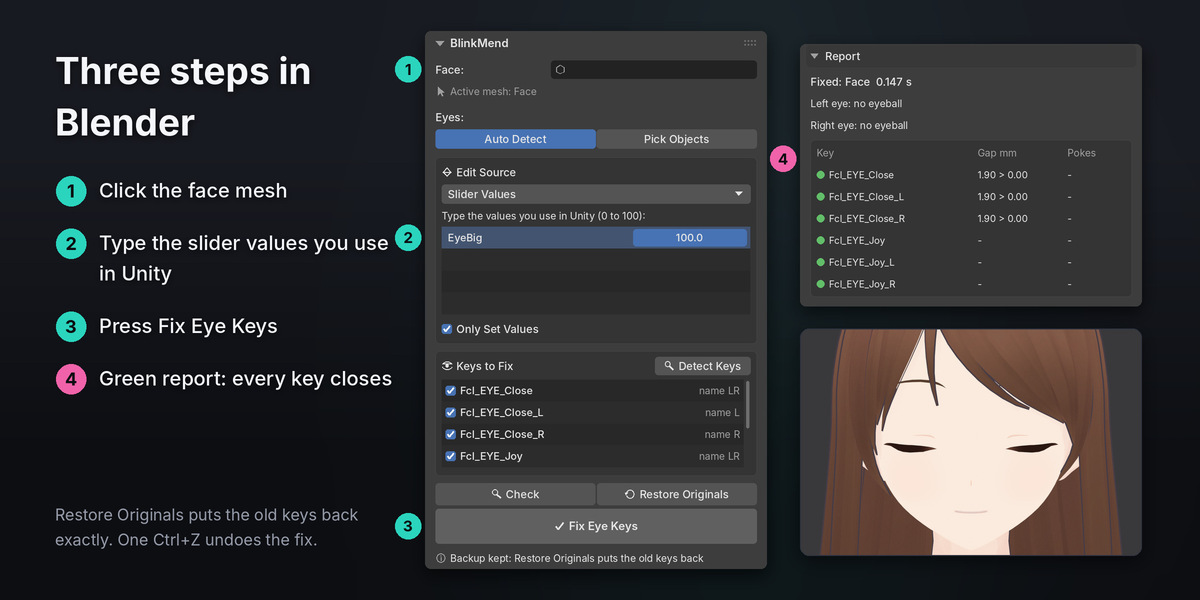
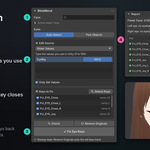
- Click the face mesh.
- Type the slider values you use in Unity, for example 100 for a bigger-eyes key. They are prefilled from the key values in Blender. Is the edit in the mesh itself? Pick the original mesh, or tell BlinkMend the edit is already in the Basis.
- Press Fix Eye Keys.
BlinkMend finds every eye-closing key by its name and by how it moves. It rebuilds each one for the edited face, so the closed lids land where they should, blended into the face over two rings of vertices. Where an eyeball is found, it keeps the lids at least 0.3 mm off the eyeball at 25, 50, 75 and 100 percent of each key. Then it closes the seam: upper and lower lids meet within 0.1 mm.
Press Check first to see the lid gap and the poke-through of every key. Nothing changes. After the fix the report turns green. Restore Originals puts the old keys back exactly.
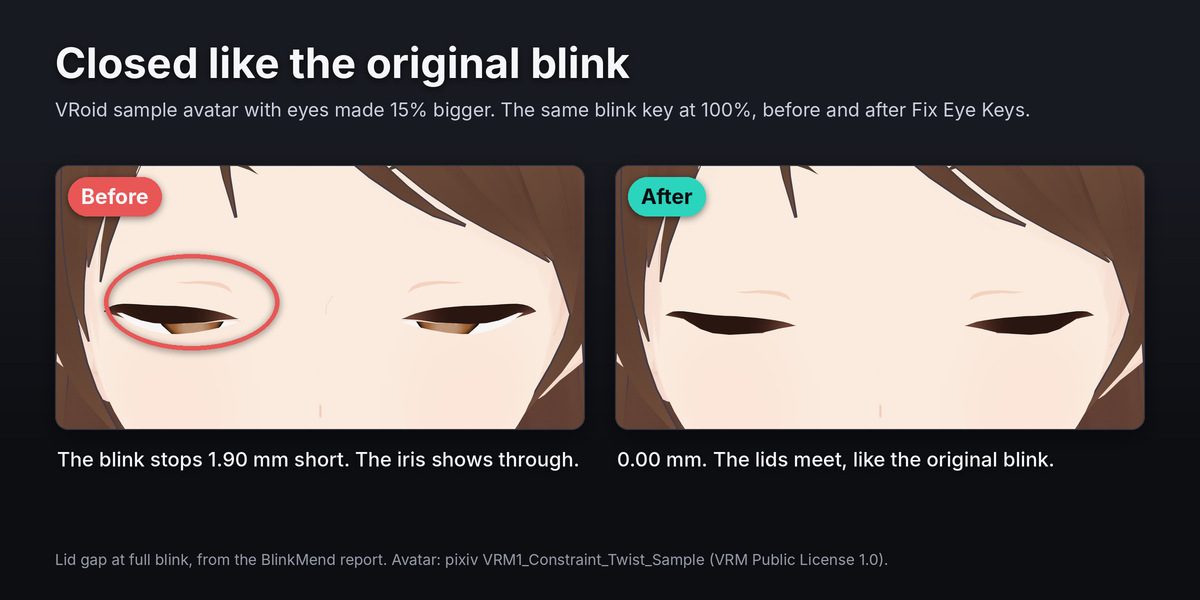
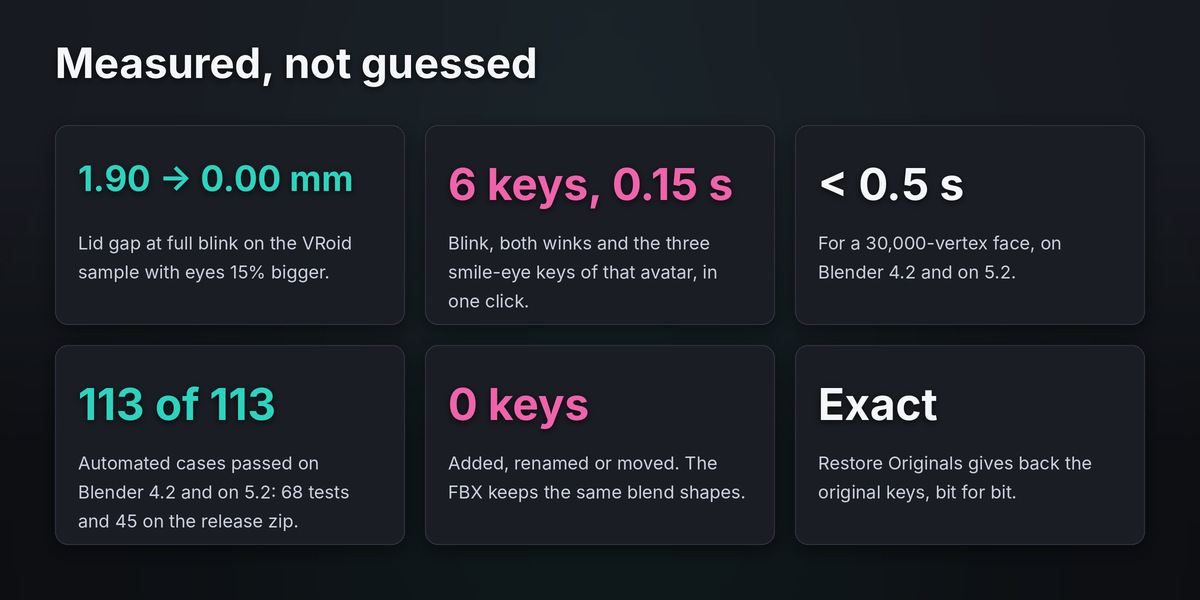
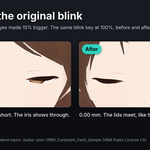
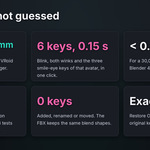
On the VRoid sample avatar with eyes made 15 percent bigger, the original blink stopped 1.90 mm short and the iris showed through. After Fix Eye Keys: 0.00 mm, closed like the original blink. The fix took 0.15 s.
What you get
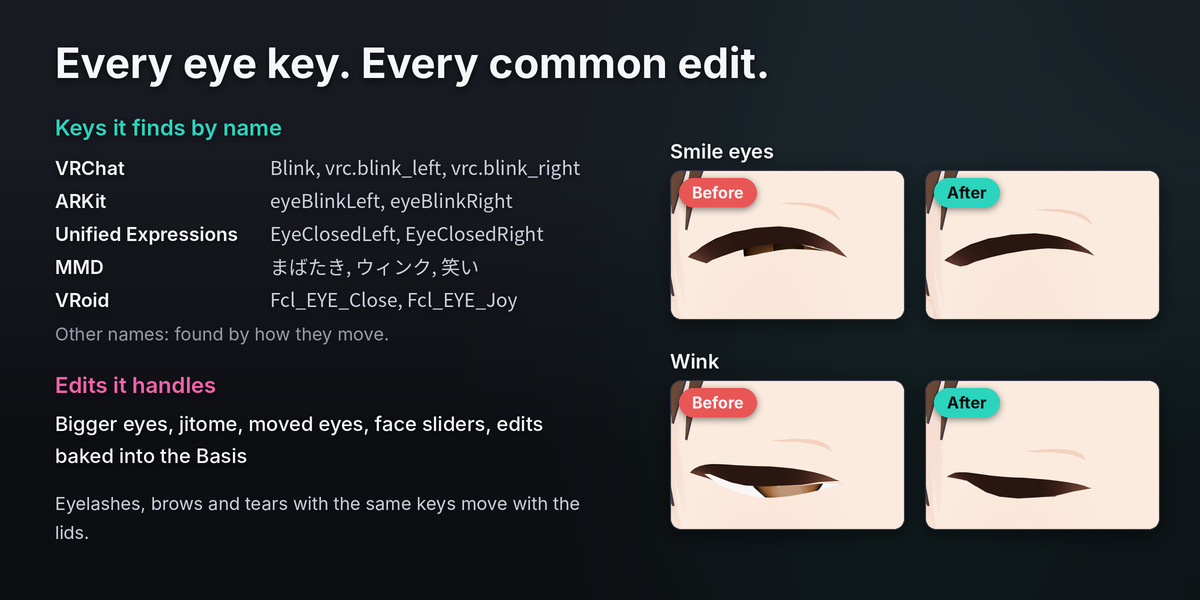
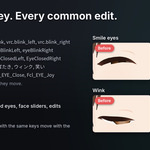
- Every eye key at once. Blink, winks, vrc.blink_left and vrc.blink_right, ARKit eyeBlinkLeft and eyeBlinkRight, Unified Expressions EyeClosedLeft and EyeClosedRight, SRanipal, MMD まばたき, ウィンク and 笑い, VRoid Fcl_EYE_Close and smile-eye keys. Keys with other names are found by how they move.
- Every common edit. Bigger eyes, jitome eyes, moved eyes, the avatar's own face sliders, and edits already baked into the Basis. When the eye itself grew or moved, the closed lid follows it.
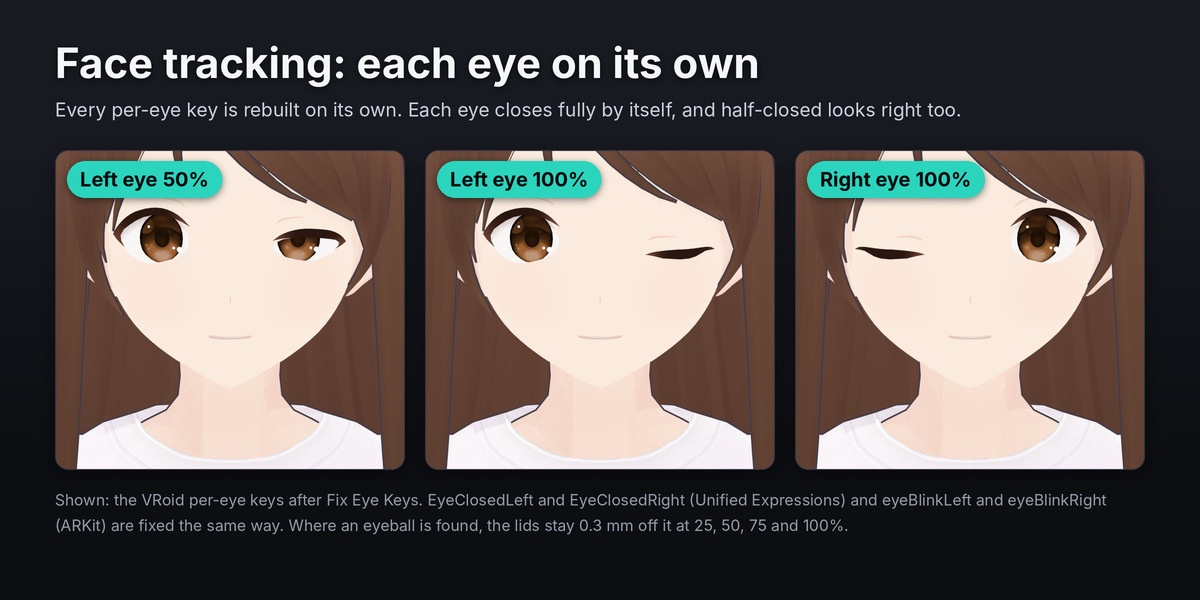
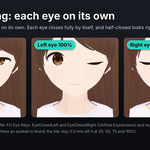
- Made for face tracking. Each eye is fixed on its own. Where an eyeball is found, the lids are checked at 25, 50, 75 and 100 percent, so a half-closed eye stays off the eyeball too. Keys with drivers keep their drivers.
- Eyeball guard and seam close. Lids stay 0.3 mm off the eyeball while they close and meet within 0.1 mm. Eyeline strips and eyes drawn on the face keep the shape of their original blink.
- Eyelashes, brows and tears follow. Meshes with the same key names move with the lid they touch.
- Safe Basis bake. Put the edit into the Basis and every other key keeps its final shape.
- Nothing is lost. No keys are added, renamed or moved, so your FBX keeps the same blend shapes. The originals are saved in the .blend file. Restore Originals is exact. One Ctrl+Z undoes the fix.
- Fast and light. A 30,000-vertex face takes under half a second. Pure Python, nothing else to install. English and Japanese interface.
Tested on
- Blender 4.2.23 LTS and 5.2.2 LTS.
- On each version, all 68 test cases and all 45 adversarial cases on the release zip passed.
- Faces: self-made heads with eyeballs and eyelashes, MakeHuman heads with 52 ARKit keys, the VRoid sample avatar (eyes inside the face mesh) and Seed-san (eyes drawn on the face), both VRM samples.
- Edits: eyes 10, 15 and 20 percent bigger, jitome, eyes moved 1 mm, each also baked into the Basis.
- Measured: lid gap at most 0.1 mm and no lid vertex inside the eyeball plus clearance at 25 to 100 percent (heads with an eyeball); the VRM avatars close like their original blink (a front render of each eye); vertices away from the eyes move less than 0.001 mm; other keys unchanged; Restore Originals bit for bit.
Good to know
- BlinkMend fixes existing eye keys. It does not create blink keys for a face that has none.
- The eyeball guard needs an eyeball: a separate eye object or loose eye parts of the face. Eyes inside the face mesh with no eyeball still get the rebuild and the seam close. Pick the eye object to turn the guard on.
- Flat painted eyes have no eyeball, so there is no guard. The seam close still runs.
- An edit that moves a whole eye socket by more than 3 mm (a whole-face edit) stops with "Cannot fix safely" and changes nothing.
- Apply a Mirror modifier first.
- A shape key's vertex group mask is not read.
- The panel is in English and Japanese. The notes under the report are in English.
