 Studiocats


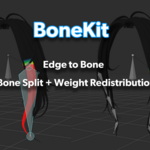
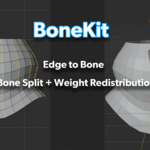
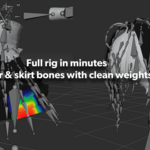
Two essential rigging tools, one add-on.
BoneKit combines Edge to Bone (create bone chains from mesh edges) and Quick Bone Split (subdivide bones with weight redistribution) into a single, lightweight toolkit. No more placing bones by hand or splitting weights manually.
Edge to Bone
Note: Edge to Bone creates bone chains only. It does not automatically bind or generate weights. Weight redistribution is available when splitting already-weighted bones with Quick Bone Split.
Select edges on your mesh, click Create, get perfectly aligned bone chains.
- Edge chain detection — automatically detects connected edge chains, handles multiple chains at once
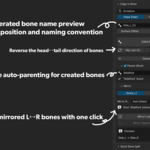
- Direction control — bone head toward Head (for hair) or Hips (for clothing), with Auto Detect
- Surface offset — offset bones along vertex normals so they sit above the mesh
- Queue mode — define bones across multiple selections, then build all at once
- Auto-parent — eyedropper-pick any bone as root parent directly from the viewport
- X-axis mirror — create mirrored bone chains with smart L/R naming
- Flip head/tail — reverse bone direction instantly
Quick Bone Split
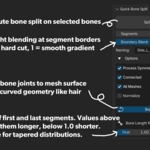
Select bones, set segment count, split with one click.
- Even & non-uniform split — adjust first/last bone ratio for tapered distributions
- Automatic weight redistribution — weights are smoothly redistributed across new bones
- Snap to mesh — snap split points to mesh surface for curved geometry like hair
- Adjust Last Operation (F9) — tweak parameters after execution
- Mirror modifier awareness — detects mirror modifiers on affected meshes
- Multi-bone support — split multiple bones at once
Who is this for?
- VRChat avatar creators — set up PhysBone chains for hair, skirts, tails, and accessories in minutes
- Character artists — rig cloth, hair strips, and dangling elements without tedious manual work
- Riggers — quickly prototype bone chains that follow mesh topology
Compatibility
- Blender 4.0+ (tested on Blender 5.1)
- Multilingual UI: English, Japanese, Korean