Bonekit — Edge To Bone + Bone Splitter
 Studiocats


Installation
- Open Blender → Edit → Preferences → Add-ons
- Click "Install..." and select bonekit_v1_1_0.zip
- Enable "BoneKit" in the add-on list
- The BoneKit panel appears in the 3D Viewport Sidebar (N panel) under the BoneKit tab
Edge to Bone — Quick Start
- Select your mesh → Enter Edit Mode → Select edges
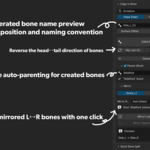
- In the BoneKit panel, set the target Armature
- Choose direction: Head (Hair) or Hips (Clothing)
- Click CREATE
- Optional: Click Mirror Last to create the L/R pair
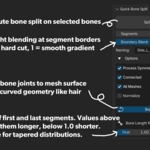
Quick Bone Split — Quick Start
- Select your Armature → Enter Edit or Pose Mode → Select bones
- Set Segments count
- Click Split Bones
- Weights are automatically redistributed
- Use F9 to adjust parameters after execution
Discover more products like this
rigging PhysBone weight hair mirror bone split blender addon bones