Bookform — Book Generator For Blender
 VertexModeler Inc.

BookForm 0.9.5 — VertexModeler
Book Generator for Blender 5.2 LTS
INSTALLATION
In Blender Preferences, open Extensions and choose Install from Disk from the menu. Select BookForm_0.9.5_Blender52.zip, then enable the extension. In the 3D View press N and open BookForm. Use Material Preview or Rendered shading.
The extension retains the original vertex_bookforge ID for upgrades from BookForge. Back up projects before upgrading. Do not install the complete marketing bundle as an extension.
QUICK START
Choose an arrangement, a cover source and a binding. Click Generate. Select a generated book or its group, load its settings, adjust options and use Update Books. Shuffle changes the random seed. Updating rebuilds generated children: duplicate your group before hand-editing meshes.
COVER LIBRARY AND CUSTOM IMAGES
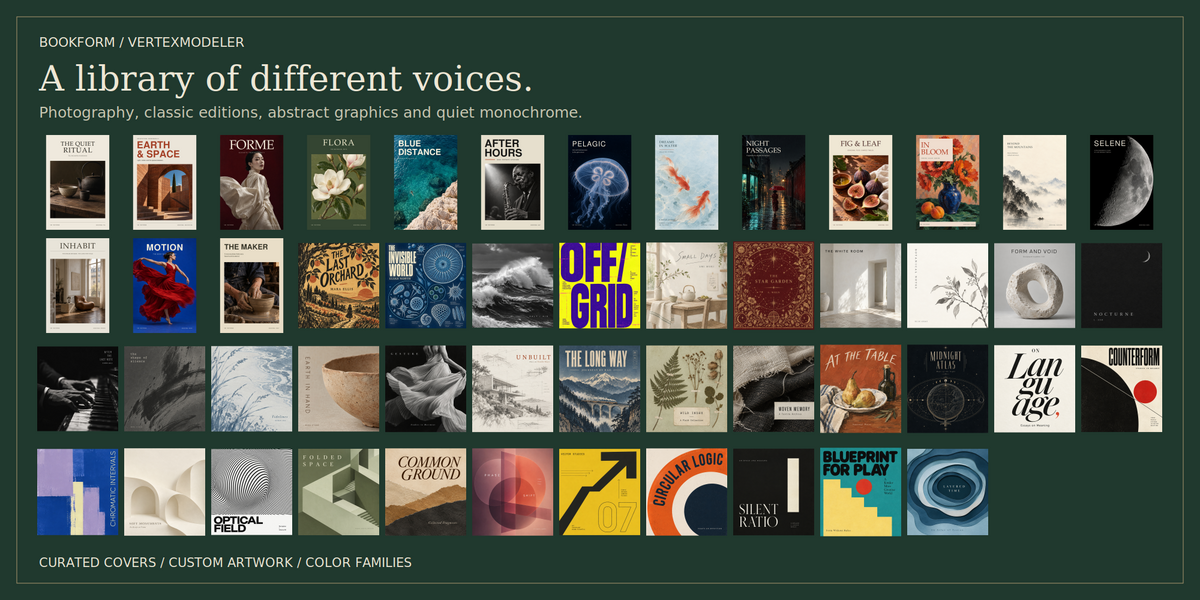
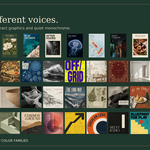
Choose built-in editions or use one image or a folder of images. The front image sets the width-to-height ratio; height and thickness remain adjustable. Front artwork is not stretched. Optional back and spine images accept separate artwork; full-wrap jackets are not split automatically. Custom images are not translated.
Use random covers for batches; select multiple color swatches and a style collection to narrow the built-in pool. Filters apply to random built-in selection, not recoloring custom images. No matches produces an error without replacing the existing group.
ARRANGEMENTS
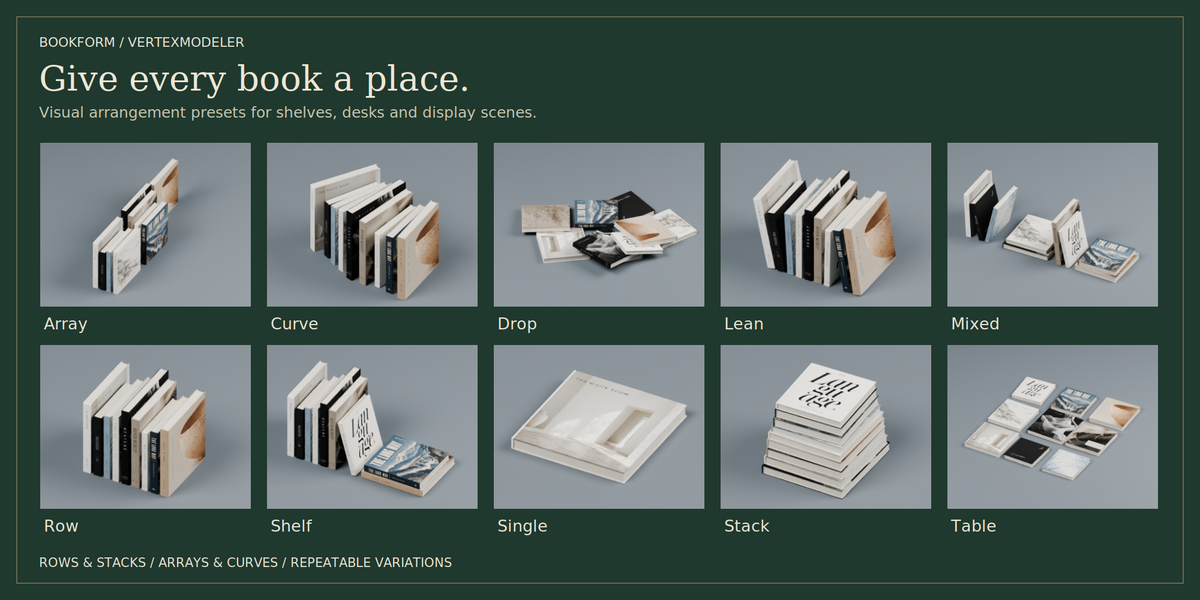
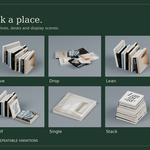
Use Single, Row, Stack, Array, Mixed, Lean, Table, Shelf Display, Physics Drop or Along Curve. Shelf presets combine upright rows and supported stacks. End books lean inward. Regular batches support up to 300 books; Physics Drop supports up to 80.
DRAW AND FOLLOW A CURVE
Choose Along Curve and Draw Curve. Drag or click in the viewport on a horizontal plane through the 3D cursor. Enter confirms; Esc or right-click cancels; Backspace removes the last sampled point. Middle mouse and wheel navigate. Alternatively use a selected horizontal Poly or Bezier curve with one spline. NURBS must be converted first.
Choose Upright or Flat. If the path cannot hold the requested count, the fitting books are kept. Extend the curve and Update Books to place more. A path too short for one book leaves the old group intact. Changes require Update Books; this is not a live modifier.
BINDINGS AND OPEN BOOKS
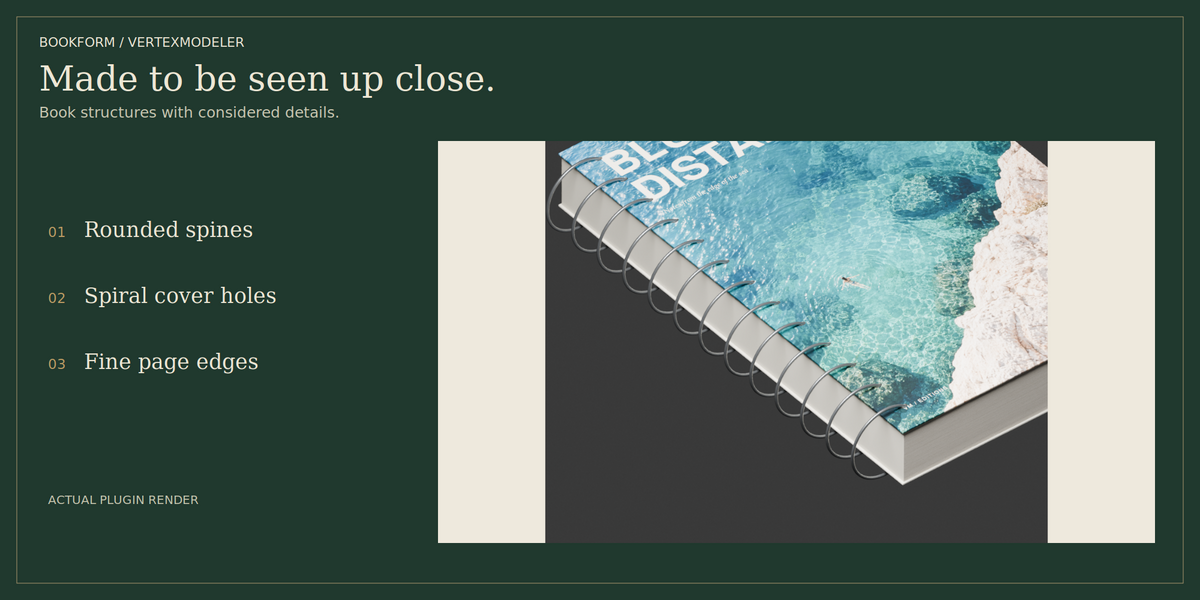
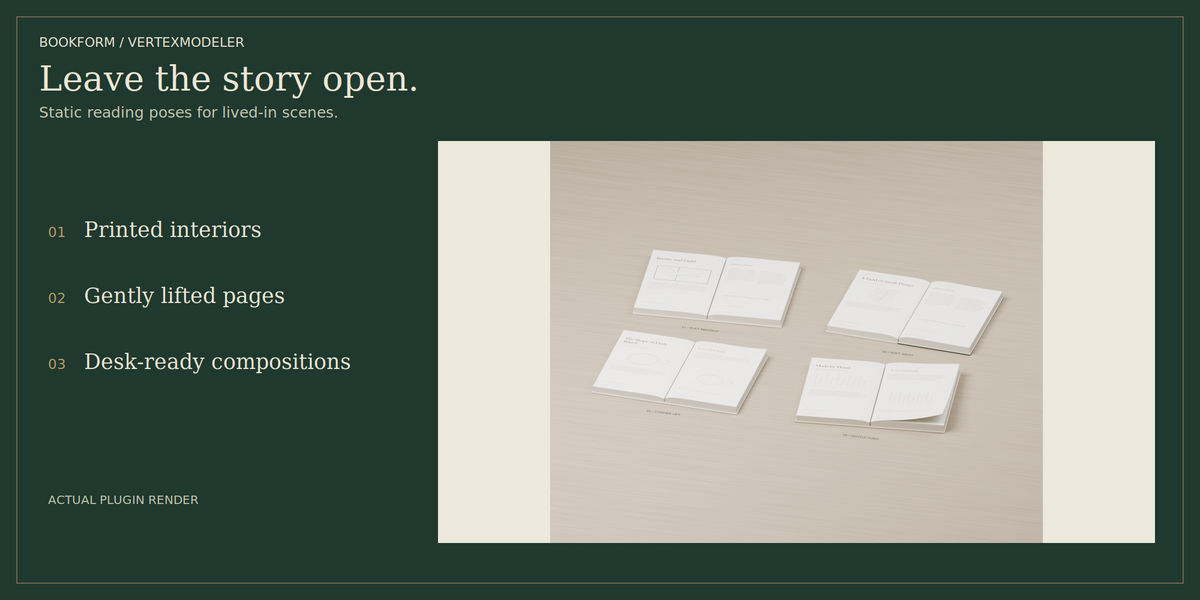
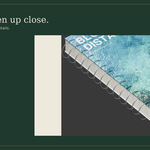
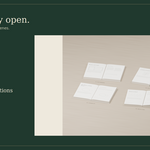
Hardcover, Paperback, Round Spine, Leather, Spiral and Open Book are available. Open poses include flat reading, soft arches and gently raised leaves, with original English editorial pages. These are static meshes, not page-turning animation. Use Single, Table, Flat Array or Flat Curve for open books. Spiral rings are simplified; individual holes are not cut through each paper sheet.
MATERIALS
Matte paper, linen and leather surfaces provide restrained roughness and grain. Grain Strength and natural detail control texture and subtle wear. Cover and spine use coordinated surfaces. Fine page-edge lines are shading detail; individual sheets are not all modeled. Images are packed into saved Blender projects. Keep custom source images available for regeneration.
PHYSICS AND EXPORT
Physics Drop settles box proxies in a temporary scene and transfers final transforms. It does not simulate bending pages; spiral and open bindings are excluded. Dense piles can require longer settling. Export generated meshes with Blender exporters; procedural material effects are not automatically baked for other applications.
COMPATIBILITY AND VALIDATION
Targets Blender 5.2 LTS. Automated tests and renders use Blender 5.2.2 on Linux. Physical Windows 11 UI testing has not been completed. Compatibility with earlier Blender versions is not claimed. Draw Curve mouse interaction requires final interactive verification.
LICENSES
Source: GPL-3.0-or-later. See LICENSE. Cover artwork terms and AI-generation disclosure: ASSET_LICENSE.txt. Third-party texture attributions remain in the extension. Imported artwork remains subject to its own rights.
VERSION 0.9.5
Public branding changed from BookForge to BookForm. Original extension identity and stored group keys retained. Documentation consolidated to current behavior. Geometry and layout fixes from 0.9.3 retained.
 Included
Includes 12 months of
- Support from VertexModeler Inc.
- Product updates
Extend this product’s Support Period +12 months: 50% of product price
Have questions before purchasing?
Login to message
| Blender Extension Compatible | Yes |
| Published | 5 days ago |
| Blender Version | 5.0 - 5.2 |
| Extension Type | Add-on |
| Render Engine Used | Blender-Internal, Cycles, Eevee, Vray |
| License | GPL |
Discover more products like this
materials books procedural bookshelf product-visualization ArchViz asset library scene decoration Interior Design book-generator Curve Tools blender