Bounding Box (Addon) V1.0 | Fixed, Dynamically, Shrinkwrapping - Easy to Use
 Dennis Hafemann


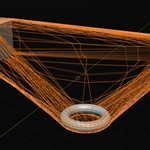
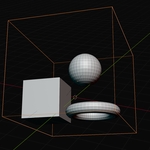
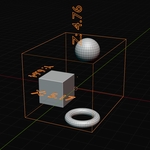
How can I adjust the bounding box afterwards ?
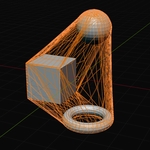
After adding the bounding box you can tweak several settings and properties via the pop-up window. Bounding Box uses different geometry nodes modifiers for different behaviours, means, once the pop-up window is closed you might be able to adjust the chosen behaviour under the modifiers tab. E.g.Chosing "Show Dimensions" in the pop-up window adds a modifier to the bounding box, displaying the dimensions. You can then adjust the properties in this modifier.
How can I use it ? Where do I find it ?
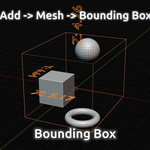
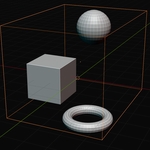
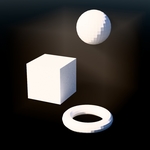
If you installed the addon into Blender, you can add a "Bounding Box" adding a mesh object under "Add -> Mesh -> Bouding Box". Keep in mind, that a bounding box surrounds objects, means, you have to select at least on object first. Added bounding box, you can tweak severals settings and properties in the small pop-up window of Blender's tool, located in the bottom left corner.... You can adjust selection, visibility, parenting, displaying, offsetting, material for atmosphere-behaviour, resizing-tool, shrinkwrap-tool, and even show the dimensions.
$5
 Included
Includes 12 months of
- Support from Dennis Hafemann
- Product updates
Extend this product’s Support Period +12 months: 50% of product price
Have questions before purchasing?
Login to message
| Blender Extension Compatible | Yes |
| Sales | 10 |
| Dev Fund Contributor | |
| Published | 9 months ago |
| Blender Version | 4.1 - 5.2 |
| Extension Type | Add-on |
| License | GPL |