 Skava
Skava
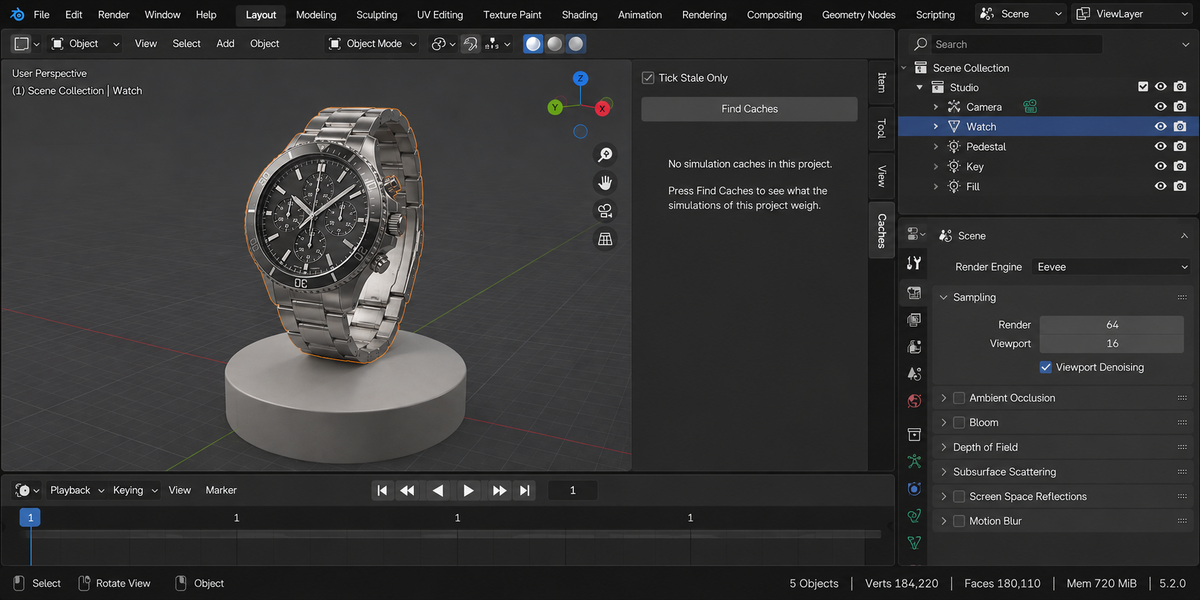

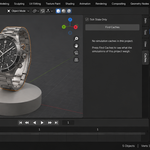
Cache Commander — see what your simulations weigh, and move them
A finished project weighs tens of gigabytes, and almost none of it is the file you are editing. It is simulation caches: cloth from a shot that was cut, particles from a version nobody kept, a bake whose settings changed a month ago and which Blender will recompute anyway. Sorting that out by hand means reading folder names full of hexadecimal and guessing which of them still matter.
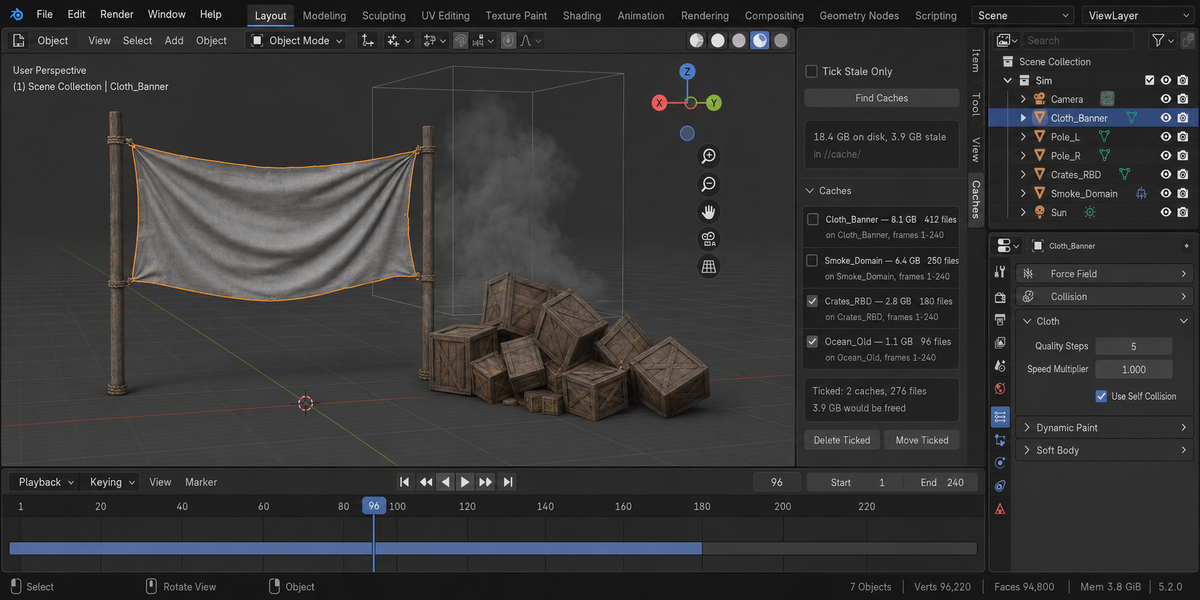
Cache Commander lists every cache in the project with its size and its owner, marks the ones that no longer match their settings, finds the files nothing in the scene claims, and gives you two ways out: delete only what you ticked, or move it to another drive and go on working.
The number it shows is the number on disk
The found size equals the real size of the files, byte for byte. That is checked with an independent walk of the folder on every test run, including the awkward case of two caches on the same object — cloth and particles share one label in their file names and differ only by an index, which is exactly where a tool starts counting the same bytes twice.
Stale is proved, not guessed
Change a simulation setting and the cache turns stale; change it back and it turns live again. That is a mutation test, and it is the only way to know a detector can actually tell the difference. A cache that was never baked but has files on disk — written while you were simply playing back — gets its own state and is never ticked for you: deleting it is safe, but it costs a recompute, and that is your decision.
Deleting touches only what you ticked
The panel tells you how many files will go and how much space comes back before you press anything, and asks for confirmation. Every path has to pass two sieves: it must sit inside a cache folder this scan found, or be one of the exact files the report showed you. Anything else is refused out loud rather than skipped silently. If the list is from an earlier session, deletion refuses and asks for a fresh scan — a row number is not an identity.
Moving, when deleting is not the answer
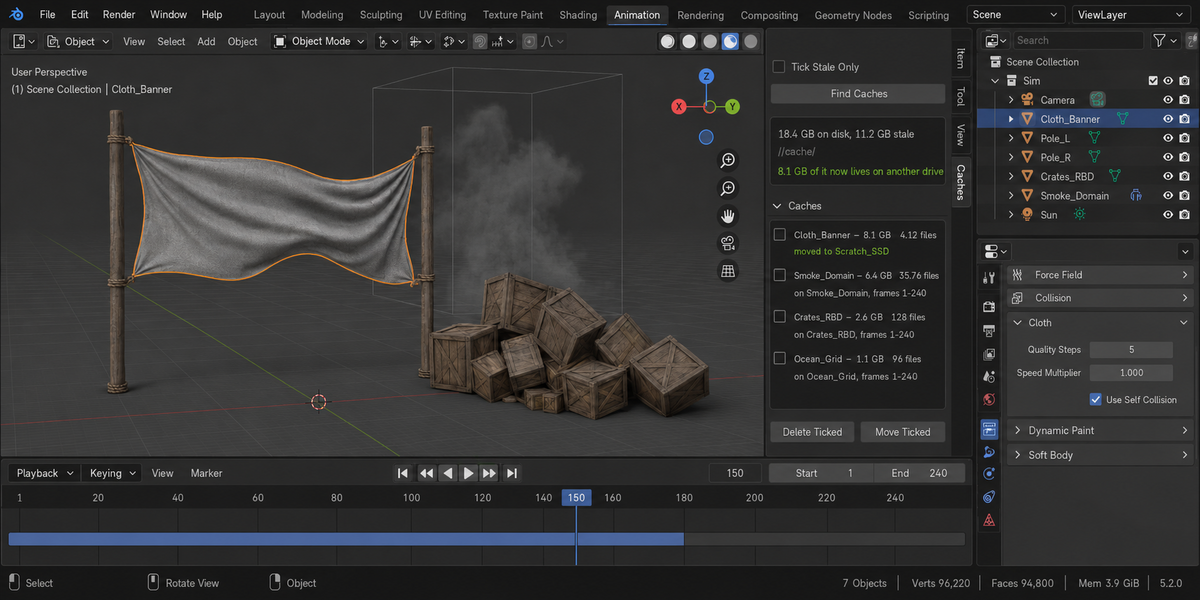
Ticked caches are copied to a folder you choose, every copy is checked byte for byte against its original, the cache is repointed at the new place, and only then are the originals removed. Anything goes wrong at any step and the originals stay where they are, with the reason stated. Afterwards the simulation plays from the new location, with the original files deleted. Simulation node bakes are listed but not moved — their folder is set on the modifier itself. The tool keeps seeing those caches and says which drive they now live on.
It knows what is not its business
The folder you move caches into is treated as someone else's. A destination name is taken only when it is free, and when it is not, the cache is stored under the next free one and the panel tells you which. Copies are written alongside, compared, and put into place in one move, so a half-written file never appears there. If something goes wrong, the clean-up removes only the files that this move created, and a cache that could not be repointed keeps the settings it had.
Alembic files are found and their size is shown, but they are never ticked for deletion — that is imported data, not a bake Blender can recreate. A file belonging to someone else that happens to sit in the same folder on your external drive is neither claimed nor counted. On an unsaved file the add-on says there is no project folder yet instead of showing an empty list.
Whole deliveries, not one file at a time
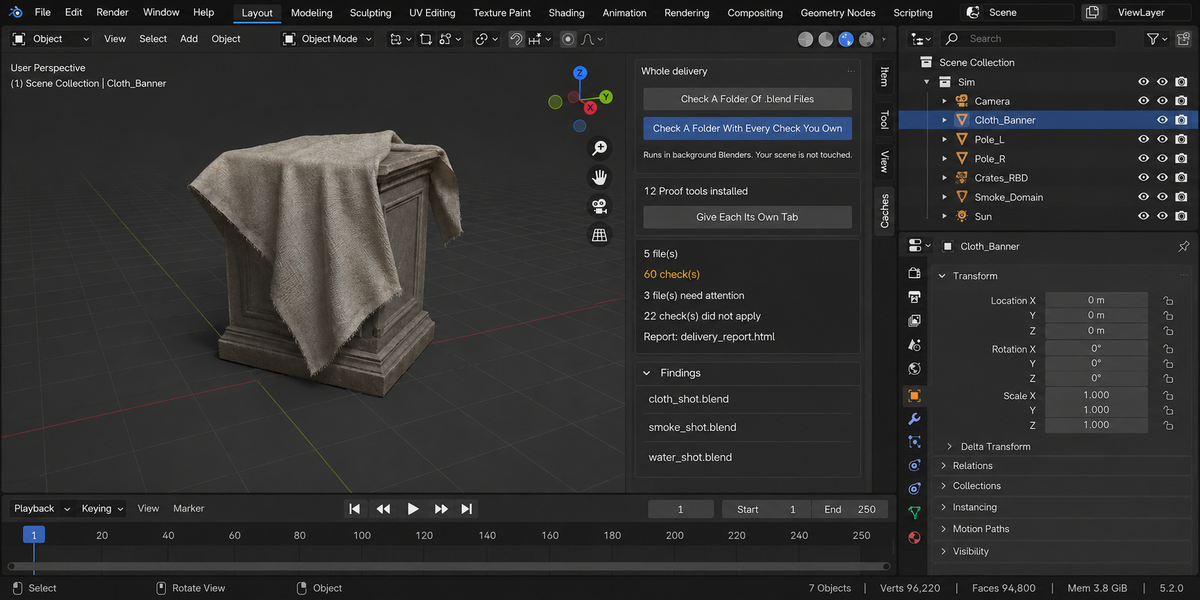
- Check a folder. Point it at a delivery and every .blend inside is checked, each in its own background Blender. The scene you have open is not touched — not opened over, not saved, not changed. A file that hangs or crashes takes only its own process down; the other thirty-nine still get checked.
- A report you can send. One self-contained page: verdict first, one sentence a lead can read, then the numbers, then every finding with its address. No internet, no fonts to load, no dependencies — it opens in six months on a machine with no network, which is exactly when someone asks what you delivered.
- Runs without a person. A single command from your pipeline writes the report and returns a code: clean, something blocking, or could not be checked. Those are three different codes on purpose — a check that did not run has not passed, and a gate that treats them the same is worse than no gate at all.
- Remembers last time. Save today's numbers as a baseline and a later run tells you what moved, in which direction, and which findings are new. A measurement that went up is not automatically bad: each product says which way is worse for its own numbers.
- One verdict for the whole delivery. If you own more than one of these tools, one run puts every check you have over every file and answers the only question that matters before you send it: can this go out? Each file is opened once and all the checks see the same state of it.
Compatibility
Blender 4.2 and later on Windows, macOS and Linux. Cloth, soft body, rigid body, particles, smoke, simulation node bakes and Alembic. Measured live on 5.1 and 5.2, 83 checks green on both.
License
GPL-3.0.