Cache Guardian - Simulation Cache Checker & Pre-Render Validator
 Salman Naseem



-
What it does
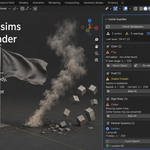
Cache Guardian scans your scene's simulations (Cloth, Fluid/Smoke, Rigid Body, Soft Body, Particles, Geometry Nodes simulation zones) and reports whether each cache is baked, present on disk, and current — before you render or hand the file off.
Requirements
Blender 4.2 LTS – 5.x
No external dependencies, no network access
Installation
Download the
.zip.Blender:
Edit > Preferences > Get Extensions/Add-ons > Install from Disk, select the zip.Enable Cache Guardian.
Using it
Open the Cache Guardian tab in the 3D Viewport's N-panel.
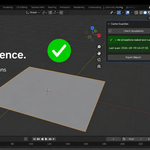
Click Check Simulations.
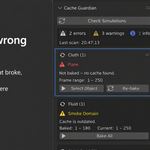
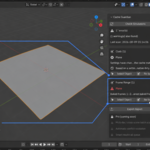
Results are grouped by simulation type — each flagged item shows the object, a plain-language explanation, a Select Object button, and a Re-bake button where the fix can be applied automatically.
Click Export Report to write a plain-text report next to your saved
.blendfile (save the file first).
Preferences
Edit > Preferences > Add-ons > Cache GuardianCheck simulations before render — runs all checks automatically right before rendering and shows a non-blocking popup if unresolved errors exist. Never blocks or cancels the render.
What gets checked
CheckApplies to Baked All 6 sim types On-disk cache present & non-empty All 6 sim types Stale vs. last-baked settings All 6 sim types Frame Range Coverage Whole scene Cache Path Portability Whole scene Shared Cache Directory Whole scene Cloud-Synced Cache Path Whole scene Known limitations (v1.0)
Disk cache checks sample a handful of frames rather than verifying every frame.
Linked/library objects are flagged but not re-baked (read-only).
Geometry Nodes bake detection is heuristic — inferred from packed data-blocks or on-disk content, since Blender doesn't expose a direct "is baked" flag for sim zones.
No multi-file batch scanning, conflict resolution, or rebake queue in v1.0 (planned Pro features, shown as locked rows).
FAQ
Does it support Geometry Nodes simulation zones? Yes, both
PACKEDandDISKbake targets. Detection is heuristic since Blender'sNodesModifierBakehas no direct "is baked" boolean — this is documented as the most actively-evolving part of the check set.What's in the Export Report? A plain-text summary of the last scan, written next to your saved
.blendfile — useful for QC logs, farm-submission checklists, or client hand-off notes. You must save the .blend first.Will this fix my caches automatically without asking? No. Cache Guardian only flags and reports by default. Re-baking is always an explicit, one-click action you trigger per item.
Does it work in headless/background renders (farm nodes)? The checks themselves run fine in
--backgroundmode; the pre-render popup is a UI element and only appears in interactive sessions. For farm QC, run Check Simulations and Export Report locally before submission.
Have questions about this product?
Login to message
| Blender Extension Compatible | Yes |
| Published | about 2 months ago |
| Blender Version | 3.2 - 5.2 |
| Extension Type | Add-on |
| Render Engine Used | Cycles, Eevee |
| License | GPL |

Discover more products like this
pipeline cache check physics simulation cache Scene Inspection