Camera Flow Pro
 Coby Randal Media

Released with Blender 4.5 LTS support in mind, also tested and currently working with Blender 5.0. This version of Camera Flow Pro officially supports Blender 4.2 - 4.5.5 on Windows and Linux (Mac is untested). This version will be supported as long as Blender 4.5 LTS is (until July 2027). Latest changes include:
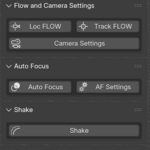
- Framing and Composition panel
- FPV Frame mode
- Focus
- Relations with toggle feedback and keyframing options
- New slider mode for flow settings
- Fulltime Autofocus mode
- Enhanced Shake options and randomization
- Caching that toggles on and off for scrubbing animation or even rendering
- Smart camera baking that names cameras according to your scene, frames, and other CFP options that are toggled
- Barrel Roll pairs nicely alongside the Turnaround option.
- Trackers that help you create points of of interests, sticking to a selected object or freely existing.
- Hitchhike snaps an object to the camera as a child and allows you to move and animate that object as smoothly as the camera.
- Bake Selected option enhanced with copy bake, useful for both Hitchhike objects and even Rigid Body Physics objects.
- Resets have even more options to help you keep your project clean
- Add-on preferences has options for showing or hiding advanced features (shown by default)
Hover over each button for a detailed descriptions, as nearly all of them now include alternate functions depending on if you regular click, alt+click, ctrl+click etc. Thank you very much for you use and support, and feel free to message me with any questions or concerns, feedback, and even how you are using CFP. I would love to see how it is helping you and how we can make this add-on even better. God bless; John 3:16.

Discover more products like this
slow parent camera shake auto-camera looping animation gimbal jump-cut slow follow slow drone Custom Camera Shake motion Keyframe smoothing jump cuts parent looping Shake camera Motion Smoothing action smooth seamlesss