 Achat
Achat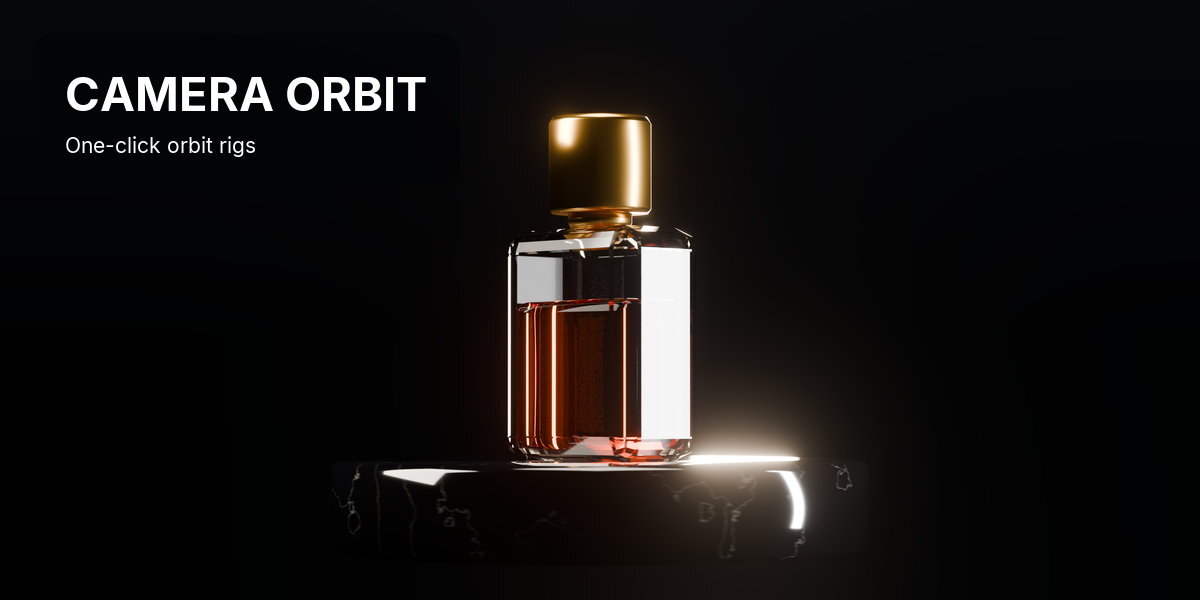

YOUR CAMERA. NOW IT ORBITS.
Camera Orbit is a Blender add-on that makes the camera you already have circle your subject. Press Ctrl+Alt+O: the pivot lands on what the camera is looking at, and your framing and your keyframes stay exactly as they were.
Keyframe a camera at a few spots around a subject and Blender moves it in straight lines, so it cuts across instead of circling. The fix is an empty on the subject with the camera parented to it. Built by hand, that means placing the empty, parenting without a jump, keeping the camera move you already made, and starting over whenever the pivot is off and the shot slides.
WHAT IT IS
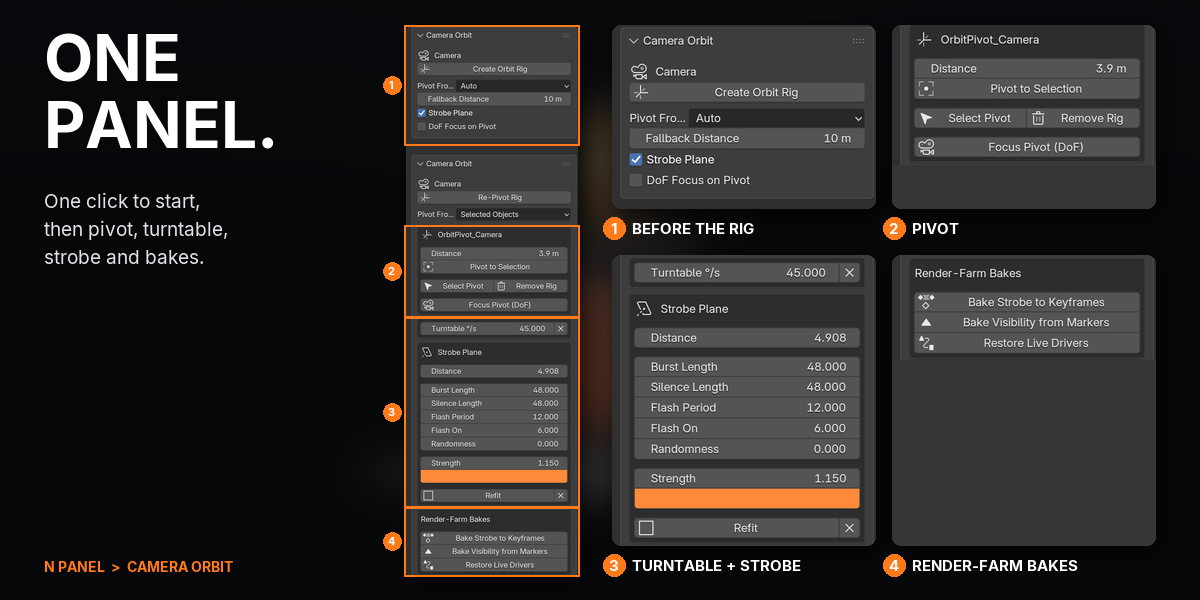
Frame your shot and press Ctrl+Alt+O. Camera Orbit drops a pivot on the surface in the middle of the view, or on the selected objects, and parents the camera to it without moving it. Rotate the pivot to orbit, or add a turntable and type a speed in degrees per second. If the orbit slides, slide the pivot along the view line or put it on the selection; the camera never moves. Tick Strobe Plane for a camera-filling wall behind the scene that flashes in bursts, one per camera, each shown only on its own cut.
WHAT THIS DOES THAT BLENDER DOES NOT
Blender can orbit a camera if you build the rig yourself. Camera Orbit builds it on the camera you already have, puts the pivot where the orbit reads right, and keeps what you animated.
| TASK | STOCK BLENDER | WITH CAMERA ORBIT |
|---|---|---|
| Orbit a camera around a subject | Add an empty, snap it to the subject, parent the camera with Keep Transform, key the empty | Ctrl+Alt+O |
| Keep the camera move you already keyed | Re-key it relative to the new parent | It keeps playing; the orbit adds on top |
| Put the pivot where the orbit reads right | Move the empty, re-parent, try again | Auto finds the subject; Distance and Pivot to Selection never move the camera |
| A steady turntable | Key 0 to 360 degrees, linear, add a Cycles modifier; re-key to change speed | Type degrees per second; it starts on the camera's cut |
| A flashing backdrop for every camera | Fit a plane to each camera, build the shader, write the drivers | One checkbox; full frame at any angle and focal length |
| Render it on a farm | Scripted drivers need Python auto-run | Sandboxed expressions, or bake them to keyframes |
| A camera flying a spline path around the set | Follow Path with Track To does this | Not what it's for: Camera Orbit circles one point |
COMPATIBILITY
| Blender | 4.2 and newer (tested up to 5.2) |
| Operating System | Windows, macOS, Linux |
| Render Engines | EEVEE and Cycles |
FEATURES
1YOUR CAMERA, ORBITING

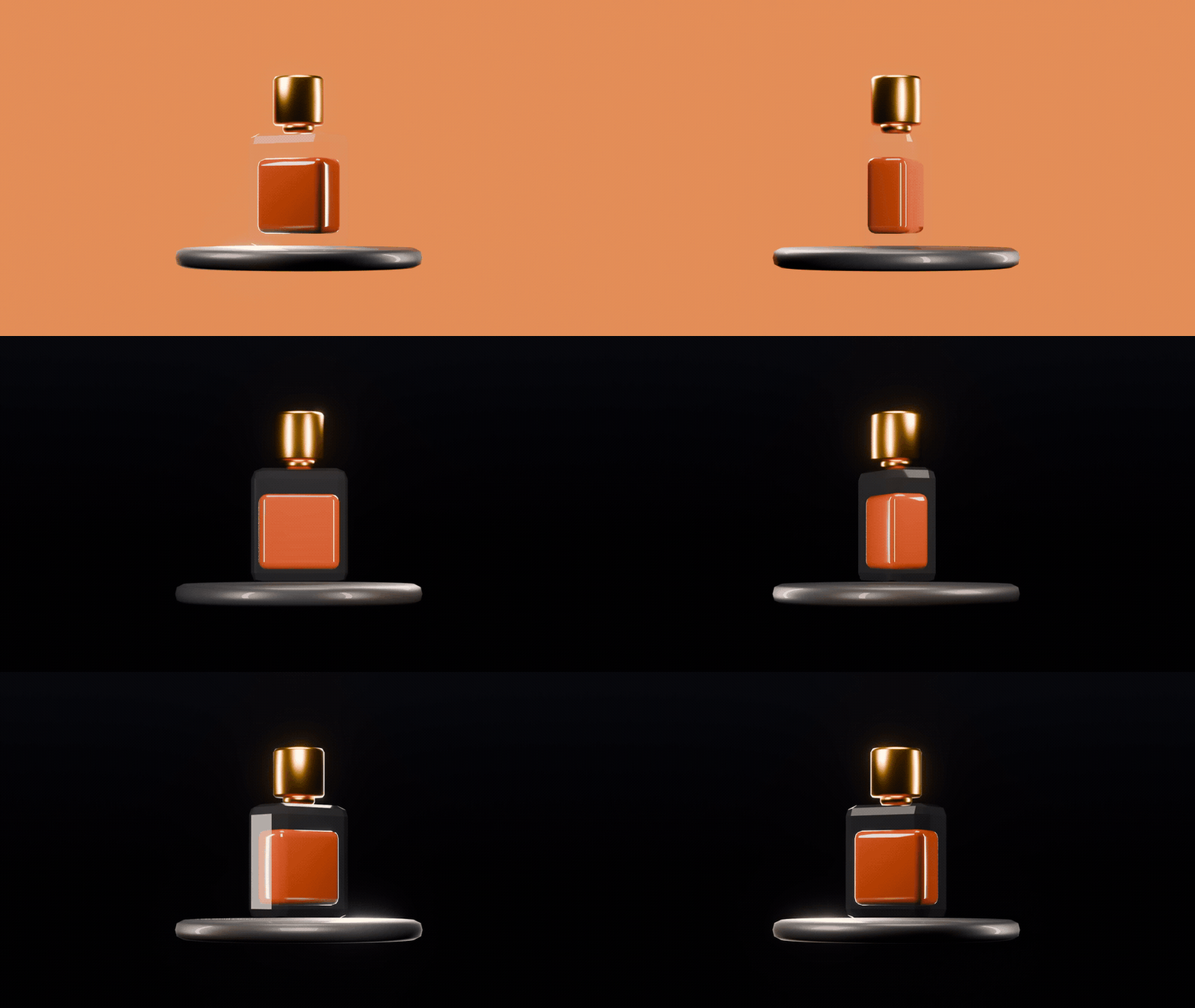
A product shot turns into a full orbit: the camera circles the bottle and the bottle stays put in the frame, while the strobe plane flashes in bursts behind it.
2ONE CLICK ON THE CAMERA YOU HAVE

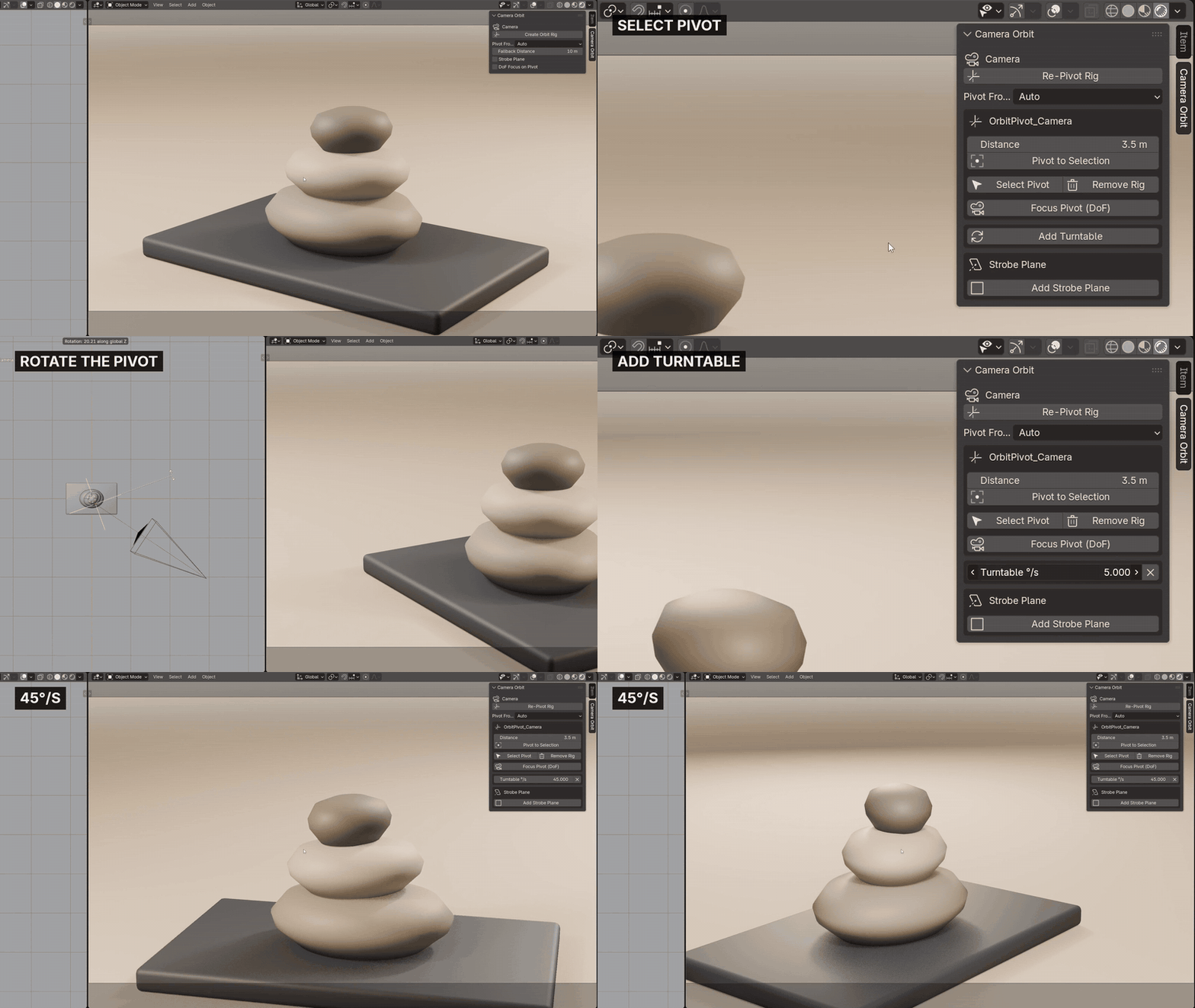
Press Ctrl+Alt+O. A pivot lands on whatever the camera is looking at and the camera is parented to it without moving. Rotate the pivot to orbit, or add a turntable and type a speed in degrees per second.

3THE PIVOT LANDS ON WHAT YOU LOOK AT
Auto finds your subject even when it sits off-centre. Slide the pivot nearer or further without touching the camera, or put it on the selected objects in one click, so the subject holds still while the camera swings.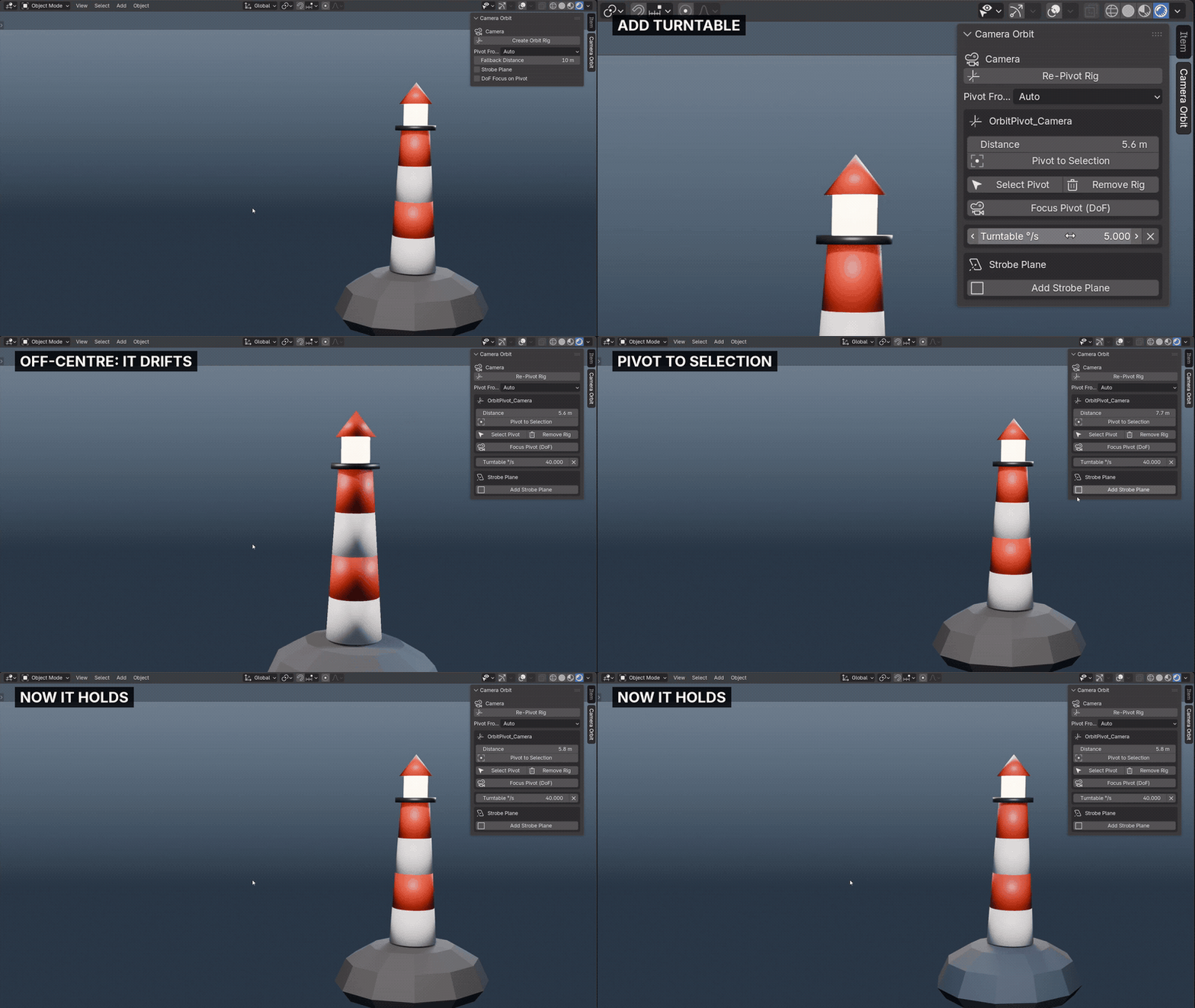

4YOUR CAMERA MOVE STAYS
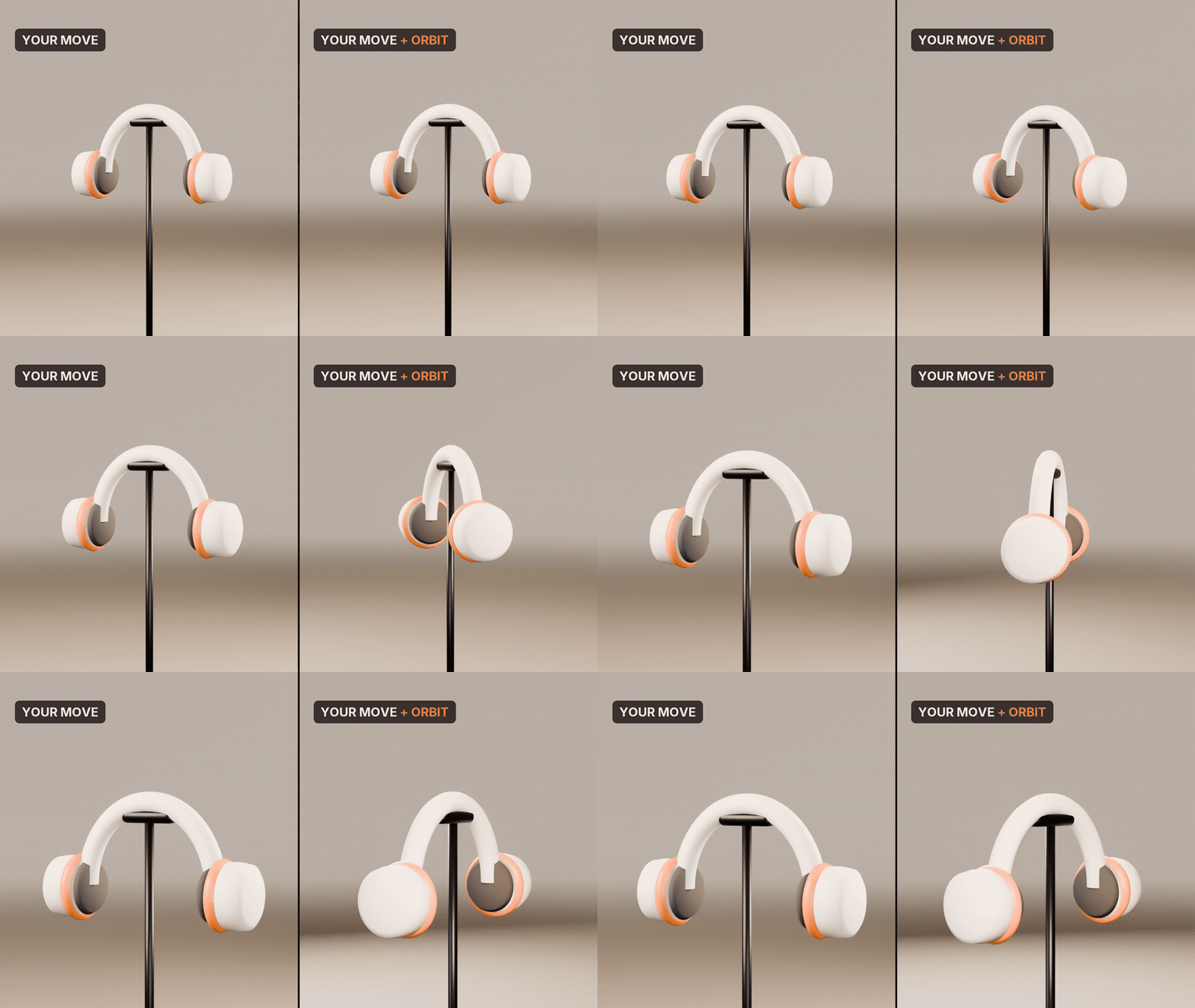
Already keyed a push-in? It keeps playing exactly as you made it, and the orbit adds on top. Nothing is replaced and no new camera is made.

5A STROBE WALL BEHIND THE SCENE
A camera-filling plane behind everything flashes in bursts. Set burst, silence, flash rate, randomness, colour and strength; it stays full frame at every orbit angle and follows focal-length changes live.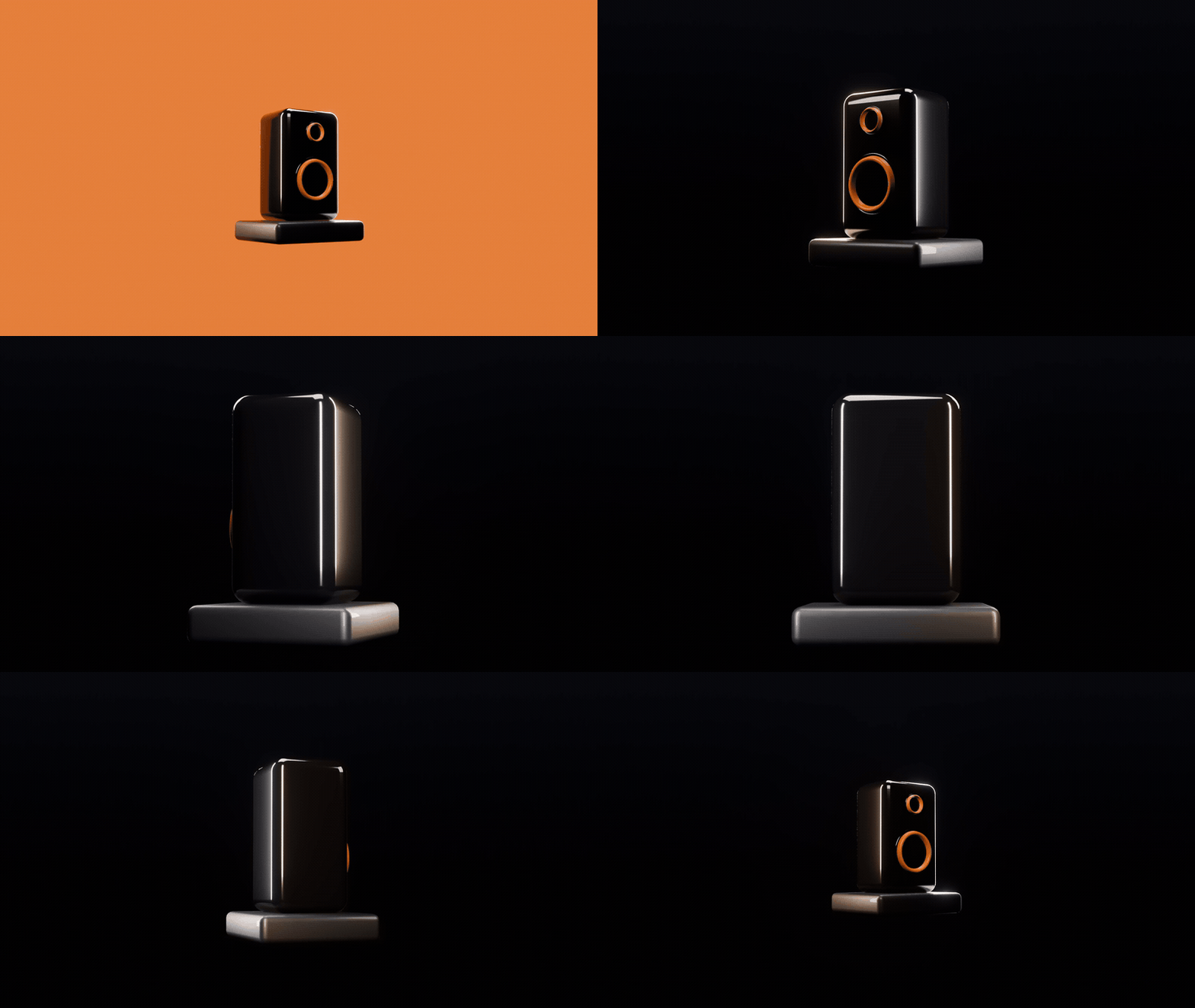

6EVERY CAMERA ITS OWN ORBIT AND STROBE
Rig several cameras and bind them to markers. Each strobe plane shows only while its own camera is active, and each turntable starts on its own cut.

7ORBITS ON A MOVING MOUNT

Camera mounted on a moving car or a bone? The pivot slots in between and keeps the travel, so the camera circles the subject while it drives. Remove the rig and the camera goes back on its mount.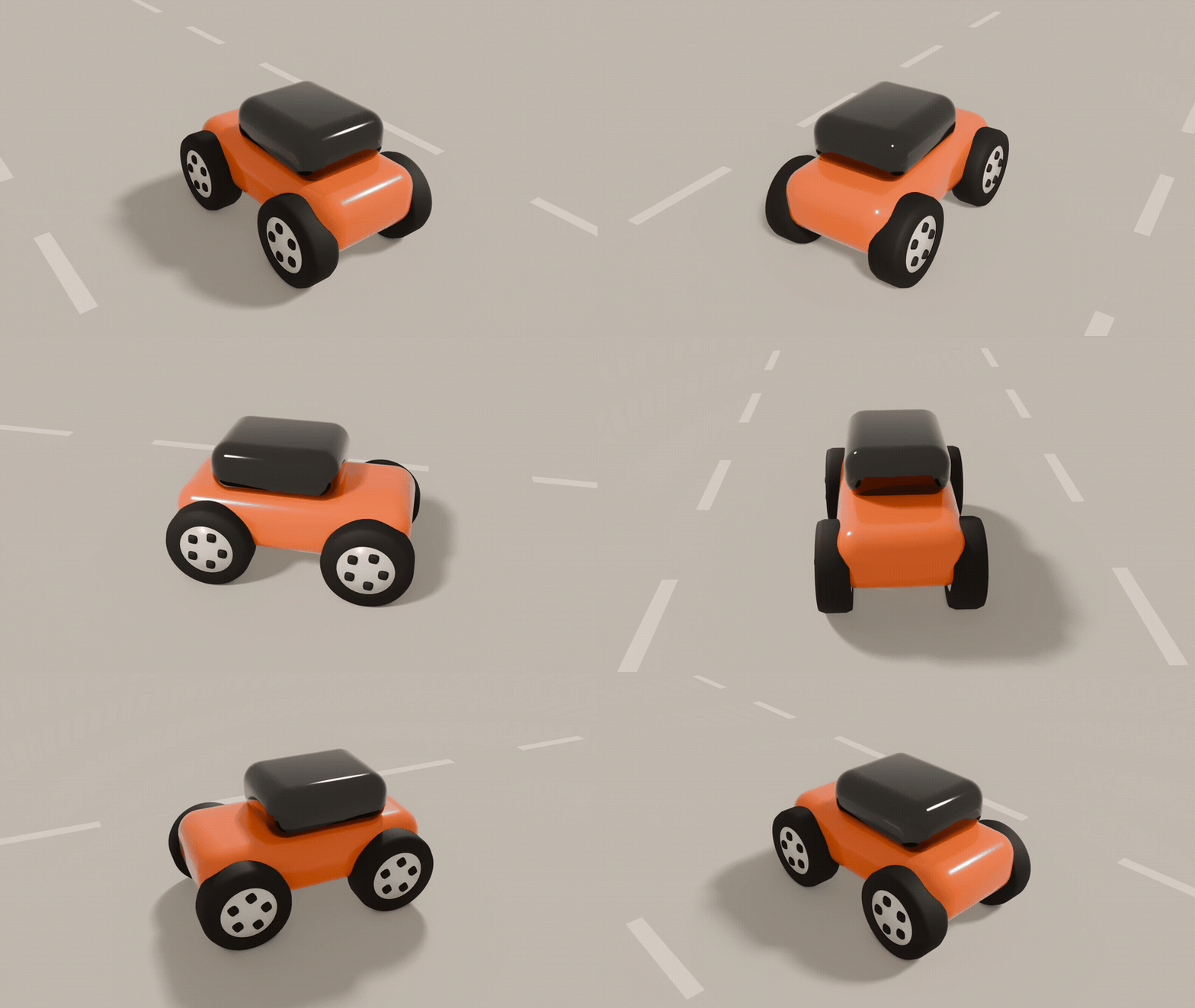
8RENDERS ANYWHERE, BAKES IF YOU NEED IT
Every driver is a sandboxed expression, so the file renders the same on a farm without the add-on or Python auto-run. For pipelines that refuse drivers, bake the strobe and the marker visibility to keyframes, and restore the live drivers any time.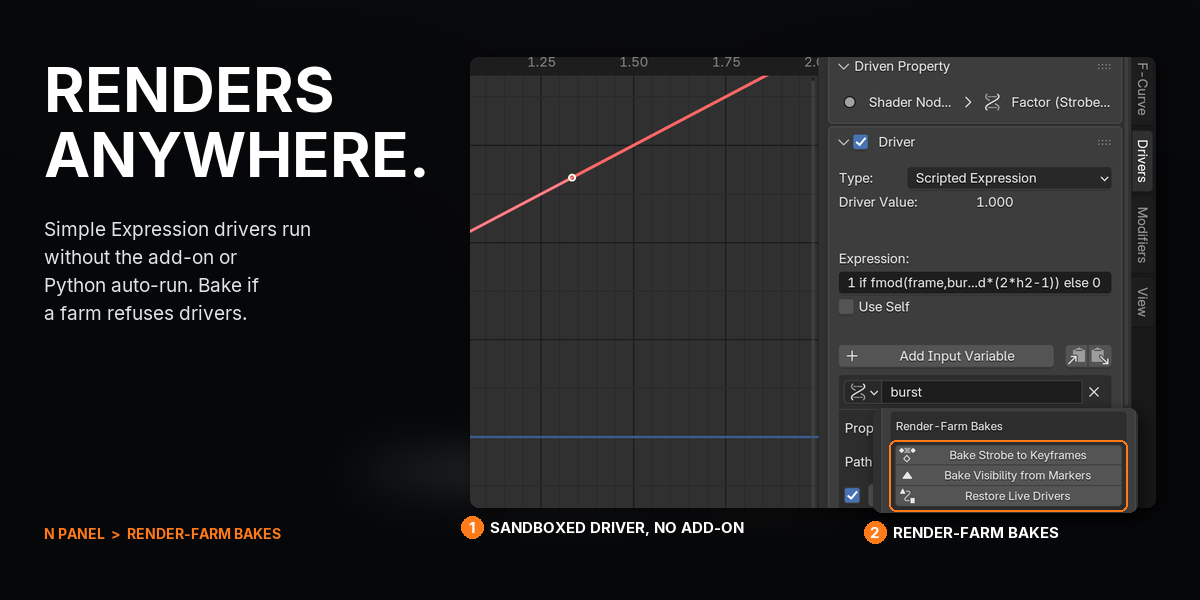
WHAT YOU GET
- Camera Orbit 1.0.1 as a Blender extension: drag the .zip into Blender to install
- One-click orbit rig on any perspective or orthographic camera, from the sidebar, the camera properties or Ctrl+Alt+O
- 3 ways to place the pivot (Auto, Selected Objects, Fixed Distance), plus a Distance slider and Pivot to Selection
- Turntable in degrees per second, and Focus Pivot for depth of field on the subject
- Strobe plane with 5 pattern controls (burst, silence, flash period, flash on, randomness), colour, strength and distance
- 3 render-farm tools: Bake Strobe to Keyframes, Bake Visibility from Markers, Restore Live Drivers
- Full documentation and a quick-start guide
- Direct email support from the developer
UPDATES AND SUPPORT
Updates install with one click inside Blender through Superhive's extension repository, and every update is free.
- Questions or problems: [email protected]
- Licence: GPL, source included. Use it on anything, commercial or not.
CHANGELOG
| 1.0.1 (2026-10-05) | Support contact is now [email protected]. |
| 1.0.0 (2026-09-28) | First release: one-click orbit rigs on your own camera, Pivot From Auto, Selected Objects and Fixed Distance, the Distance slider, Pivot to Selection, turntable, Focus Pivot, the strobe plane with bursts, randomness and marker-aware visibility, and render-farm bakes. |
BUY ONCE, DRAG THE .ZIP INTO BLENDER, AND HAVE YOUR CAMERA CIRCLING ITS SUBJECT IN UNDER A MINUTE: FRAME THE SHOT, PRESS CTRL+ALT+O, ADD A TURNTABLE, PRESS SPACE.
