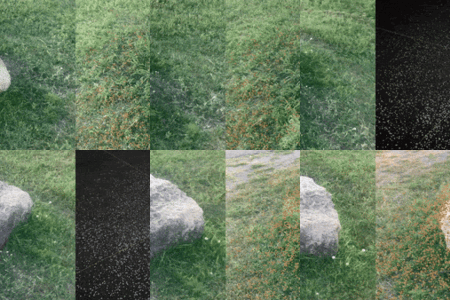
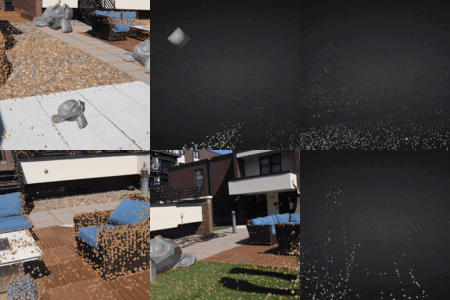
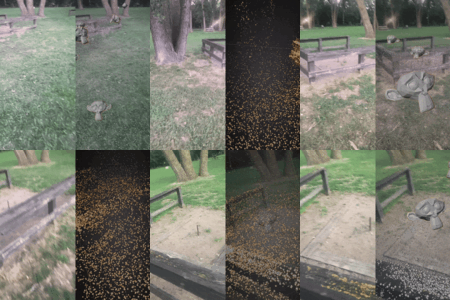
Camera Tracker 6 (New Features!)

CGMatter in Interface


Item Rating

This item has an average rating of 5 from 99 ratings by the community.

84%
8%
4%
0%
7%

Purchase this item to leave a review!

  • Tijmen Trap
    about 1 year ago

    Fantastic add-on. Everything I was looking for to improve tracking and, above all, simplify it. Easy to contact if there are any problems.

    • CGMatter

      about 1 year ago

      thank you for the kind review

  • Vitalii
    about 1 year ago

    Amazing tracker. I really appreciate the regular updates and new features. However, I noticed that version 3 has become less stable, with more errors and noticeable point jitter. I compared the same shot in v1 and it delivered almost perfect results, although it took much longer to process. Would it be possible in the future to include multiple calculation algorithms to switch between, so we wouldn’t need to install different versions?

    • CGMatter

      about 1 year ago

      probably the best way to go about this currently is tweaking the exposed advanced parameters (which at the moment are really hard to understand) - I'll look into some intuitive sliders or something ;)

  • Pedro
    about 1 year ago

    It is amazing! Got a pretty nice camera track that I would have taken at least 30 minutes to achieve in less than 5 minutes. Working beautifully in blender 4.4. In blender 4.5.1 LTS (and in 4.5.0), though, I have a strange issue: when selecting the mesh point cloud and going into edit mode (to clean up some points for easier modelling), the nearest points in the 3D viewport become orange (as if selected). It makes a little bit harder to delete them. Also, when running the camera animation in the camera view using edit mode, it makes it flicker a lot as the points getting closer become orange as well. A workaround I found was activating retopology under the Mesh Edit Mode Overlays and cranking up the value. Anyways, working on Blender 4.4 to avoid this issue.

    Congrats for the great addon!

    • CGMatter

      about 1 year ago

      :)

  • kim
    about 1 year ago

    This addon easily outperforms every other camera tracking addon I’ve used so far.
    The interface is intuitive, and it’s way faster than manually tracking points and fixing errors frame by frame. You can literally grab a cup of coffee or take a short break while it does the job — and still get results that are nearly 100% accurate. That’s the best part.

    I tested it with a simple shot using my iPhone 13 Pro. There were a few moments where the tracking slightly jumped, so it would be great if that could be improved. It might be due to the limitations of my camera, though. I also tested it with sample sequence #2 provided by the addon, and noticed a slight hiccup there as well.
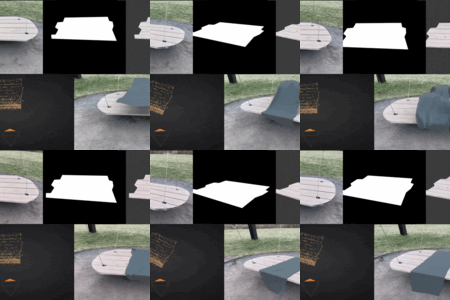
    But honestly, these are minor issues. What really matters is that this addon can handle shots that other trackers completely fail to process — and it does so impressively well.

    To be honest, for $30, the performance feels almost too good to be true. It’s an incredible value.

    • CGMatter

      about 1 year ago

      this is very nice Kim ;)
      do 10 shots in a day so you can drink 10 cups of coffee

  • Julian
    about 1 year ago

    Just like Siminiceanu Marius said, everything is good however when having 4k footage it takes sometimes 10mins - 1 hour with the undistort option

    • CGMatter

      about 1 year ago

      fair
      if your footage is crisp enough consider bringing down the max resolution paramater to like 2000 - it will treat the image as if it was smaller resolution

  • mehdi
    about 1 year ago

    Tracking has never been so easy, amazing addon !

    • CGMatter

      about 1 year ago

      preach! thank you mehdi ;)

  • William
    about 1 year ago

    I just bought the addon after seeing user comments and responses from developer and I don't even have a need for it right now. I try to contribute a little to the cause when I can. I hope that after your taxes and fees, this purchase can buy you a coffee and a modest sandwich or a couple of beers or even 2 or 3 dozen eggs (laughing in pain) for the thousands of hours you spend. Lol, I must be hungry :)

    • CGMatter

      about 1 year ago

      thanks :)
      i choose indian food

  • Omid
    about 1 year ago

    I said I would buy it as soon as the Mac version becomes available, and I did indeed buy it. Haven't even had time to test it yet, but I'm giving it a 5 star anyway. Keep it up mate. You make the best tutorial videos.

    • CGMatter

      about 1 year ago

      lol thank you Omid - message me if you run into issues

  • Karl-Jonatan Karits
    about 1 year ago

    Sequences with Alpha on mac osx prompts a python error.
    Sometimes the camera randomly jumps after solve, but it's manually fixable in graph editor.
    Otherwise, I love the add-on!

    • CGMatter

      about 1 year ago

      thank ya! I'll see what i can do about masking - seems like a filepath issue

  • Seth
    about 1 year ago

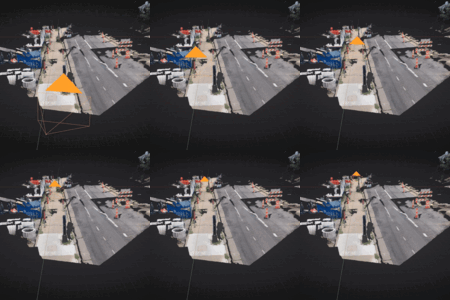
    It's honestly kinda insane how great this addon is! I've used the built-in tracker for years, and while definitely usable, it can often yield mediocre results, or give exorbitantly high solve errors for no particular reason. But this tracker is actually quite robust! Would love to see an in-depth integration for object tracking, but the hack is nice to have for now. Extremely impressed so far and excited to see where this goes. Keep up the good work, dude!
    • CGMatter

      about 1 year ago

      ;)
      ya gotta figure out that transform inversion

  • $30
  • Camera Tracker v3 for 3 Seats

    $60
  • Camera Tracker v3 for 10 Seats

    $150
$30

Have questions about this product?
Login to message

Details
Blender Extension Compatible Yes
Sales 5900+
Rating
99 ratings
Dev Fund Contributor
Published over 1 year ago
Blender Version 5.1 - 5.2
Extension Type Add-on
Render Engine Used Arnold, Blender-Internal, Blender-Game-Engine, Cycles, Eevee, Freestyle, Luxrender, Mental-Ray, Octane, Vray, Yafaray
License GPL