 3DGrid Studio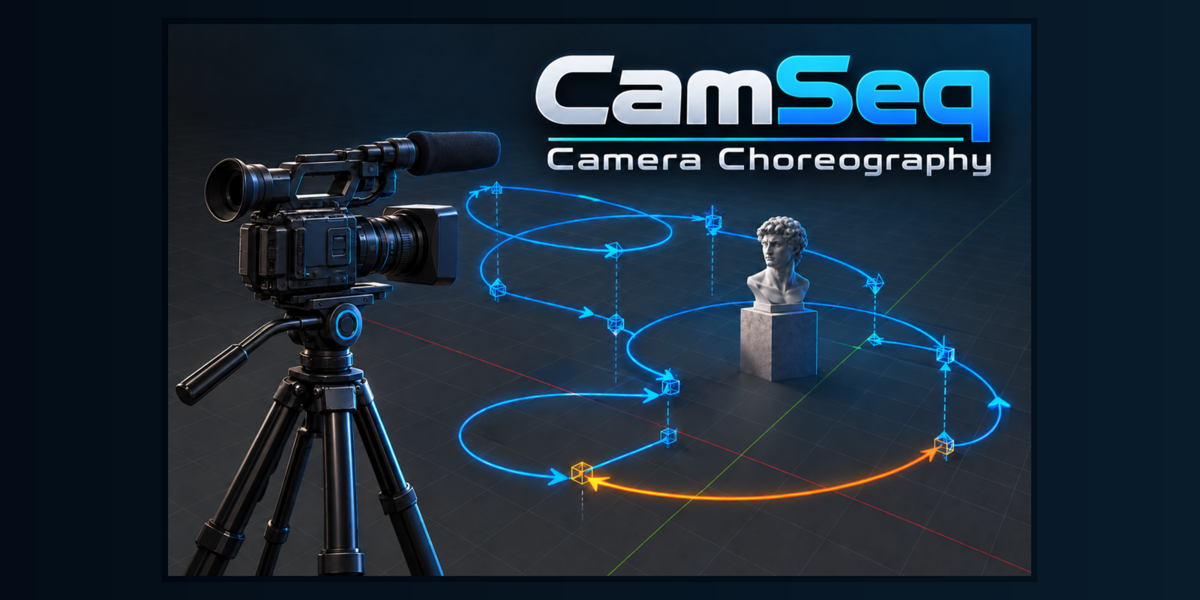
Plan the shot before committing to keyframes
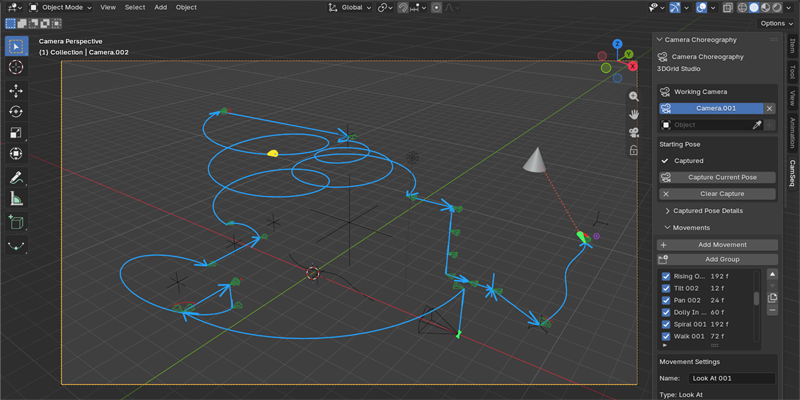
CamSeq is a camera movement sequencer for Blender that turns complex camera choreography into a visual, editable workflow.
Instead of building every shot directly with keyframes, create a sequence from dedicated camera movements, arrange their timing, combine compatible actions and preview the result before generating the final animation.
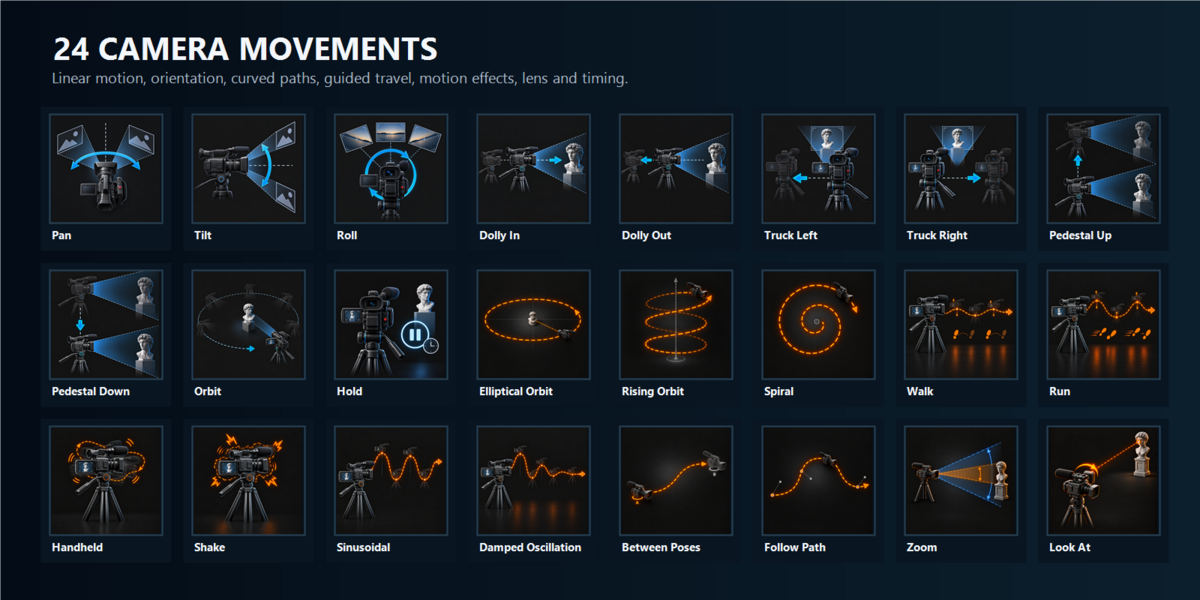
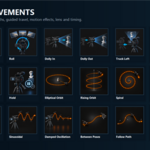
Build camera motion from 24 movement types
CamSeq provides a broad movement library organized around practical cinematography tasks:
- Linear movement: Dolly In, Dolly Out, Truck Left, Truck Right, Pedestal Up and Pedestal Down
- Camera orientation: Pan, Tilt, Roll and Look At
- Curved paths: Orbit, Elliptical Orbit, Rising Orbit and Spiral
- Guided movement: Between Poses and Follow Path
- Motion effects: Walk, Run, Handheld, Shake, Sinusoidal and Damped Oscillation
- Lens and timing: Zoom and Hold
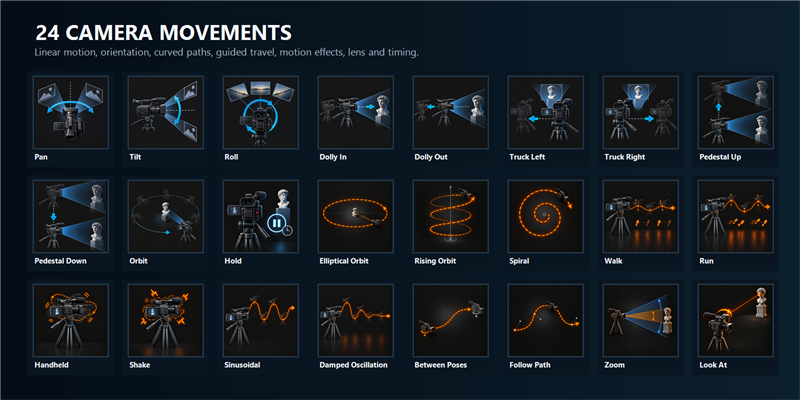
Each movement offers controls appropriate to its purpose, including duration, easing, direction, reference space, distance, angle, cycles and movement-specific parameters.
Compose complete sequences
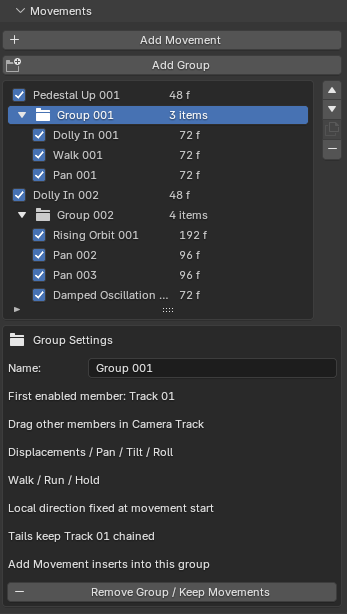
Movements can be arranged sequentially or combined concurrently when their contributions are compatible. Groups make it possible to organize related actions and create richer motion from simple building blocks.
CamSeq also detects incompatible combinations and reports conflicts before animation is generated.
Preview before generating animation
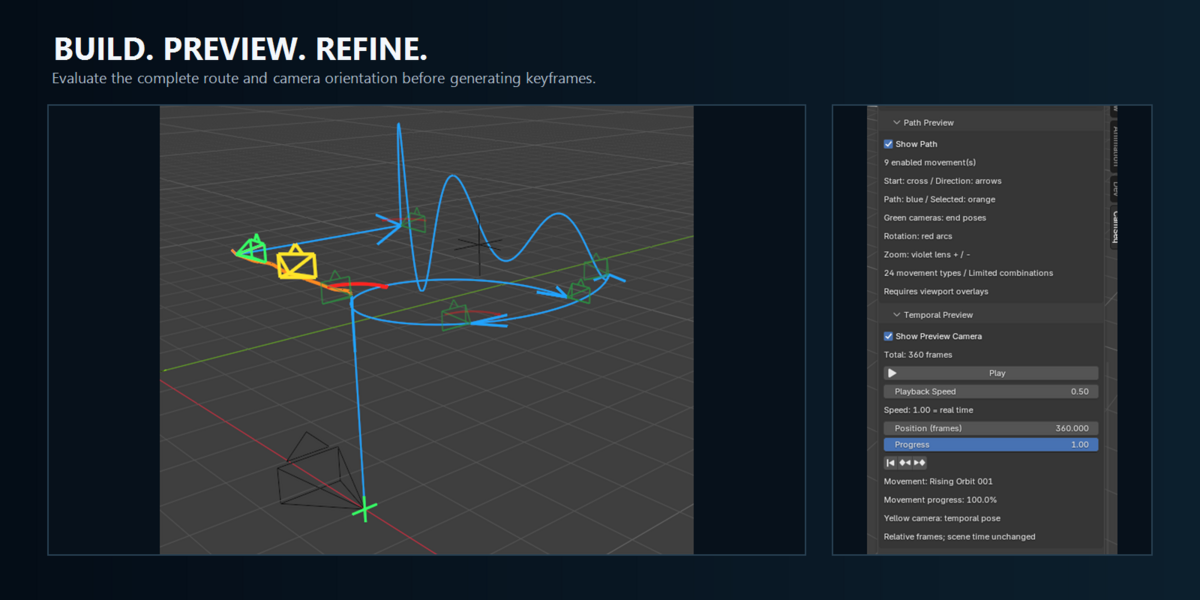
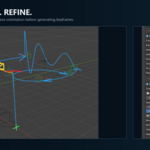
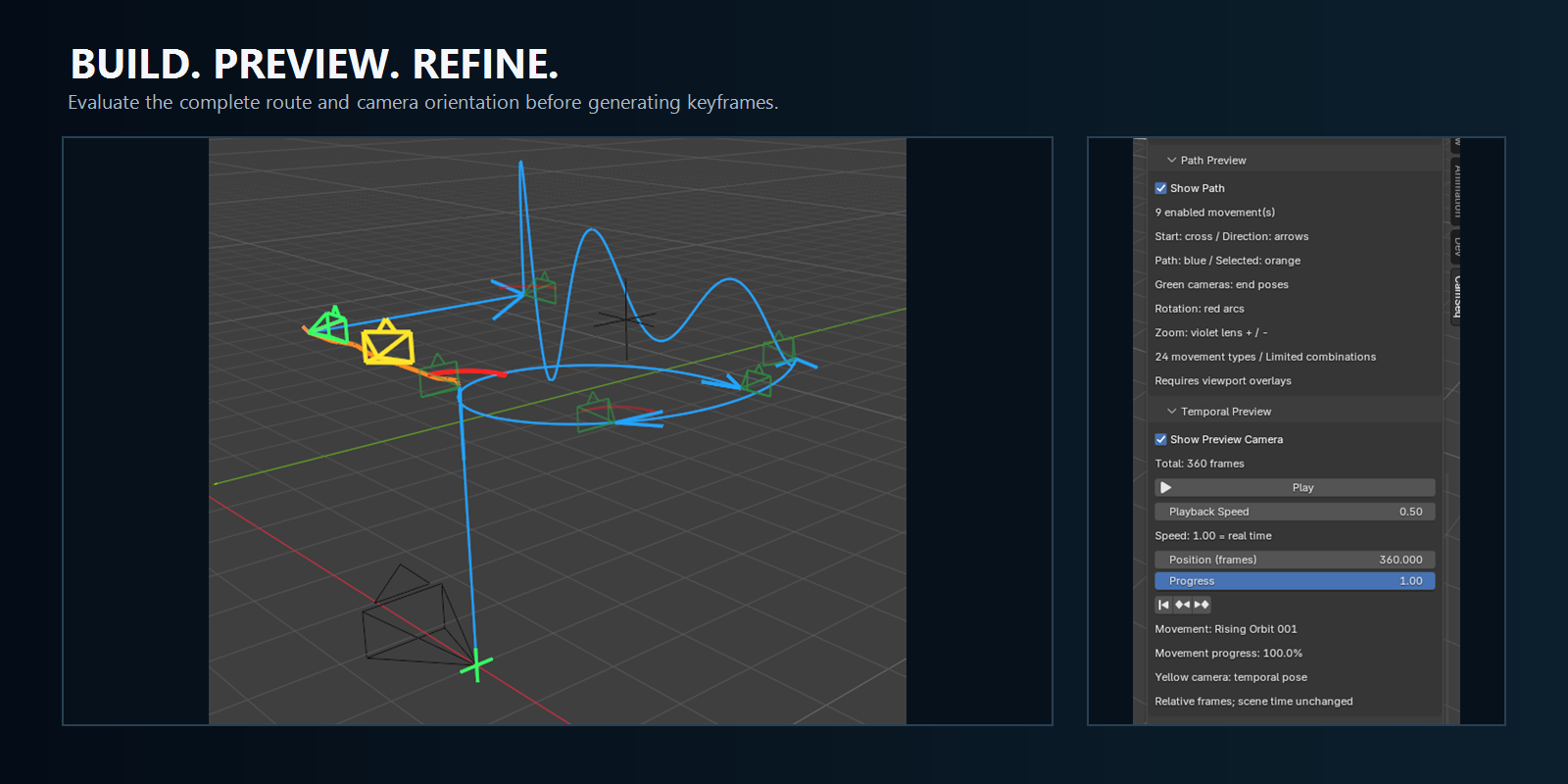
Use Path Preview to inspect the camera route directly in the 3D Viewport.
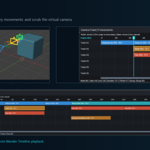
Enable the temporal preview camera to evaluate position and orientation throughout the sequence, pause playback and inspect a specific frame or progress point.
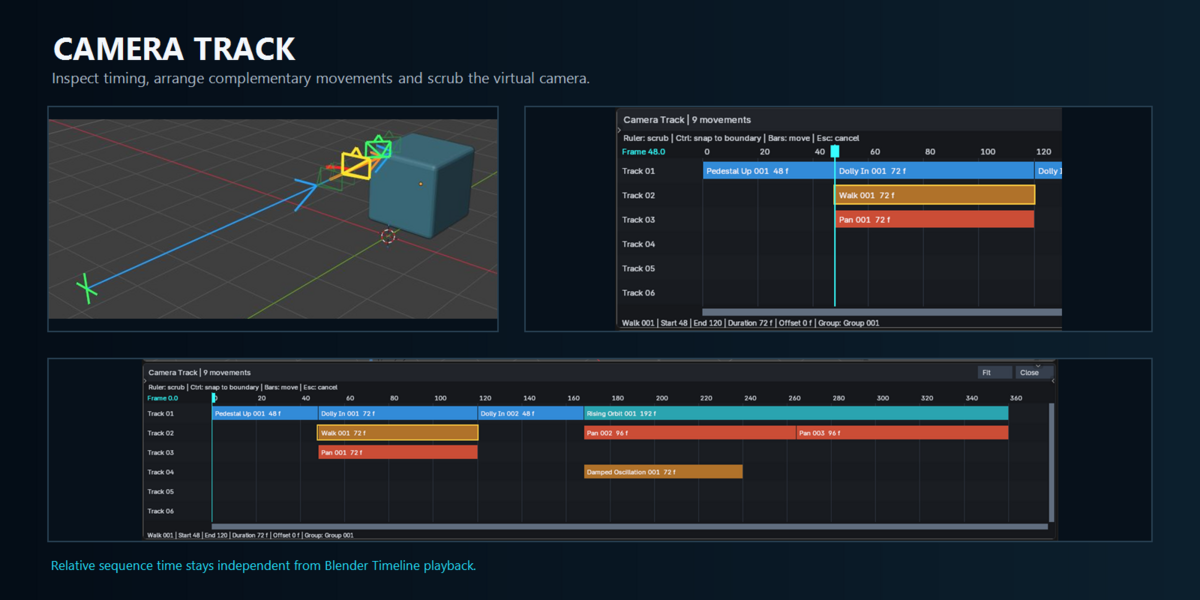
The dedicated Camera Track presents movements and groups as timed visual bars, making the structure of the sequence easier to understand and adjust.
Work with multiple cameras
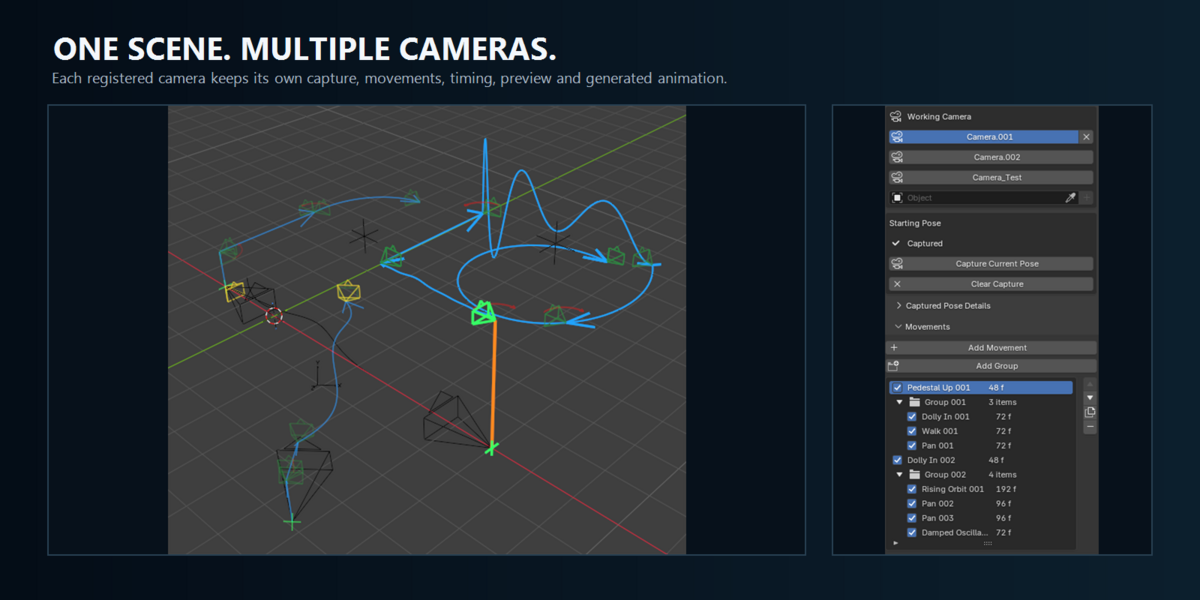
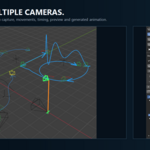
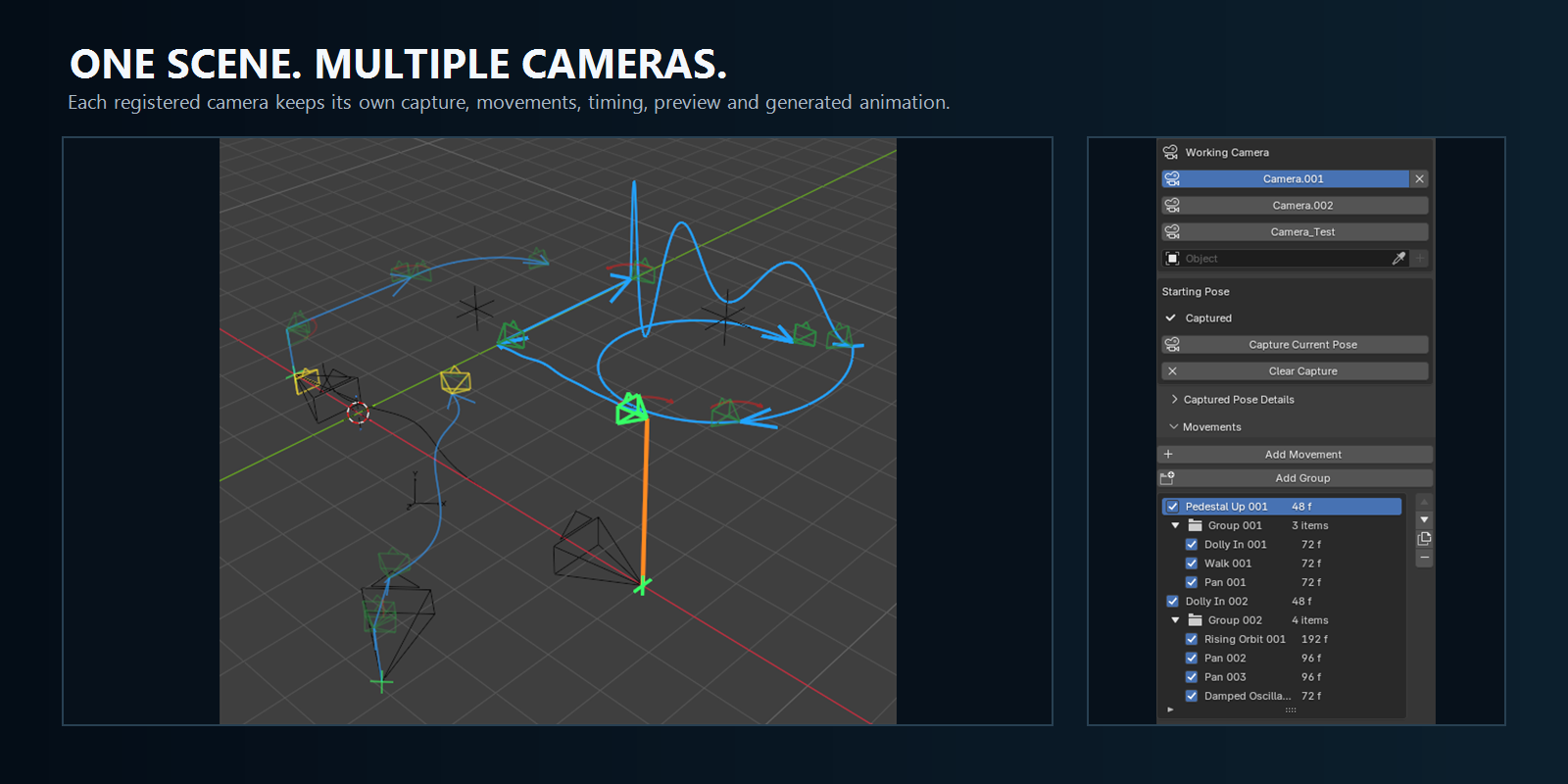
Register multiple cameras in the same scene and maintain an independent sequence, starting pose, preview state, timing and generated animation for each one.
This allows different shots to be developed inside the same project without mixing their movement definitions.
Generate standard Blender animation
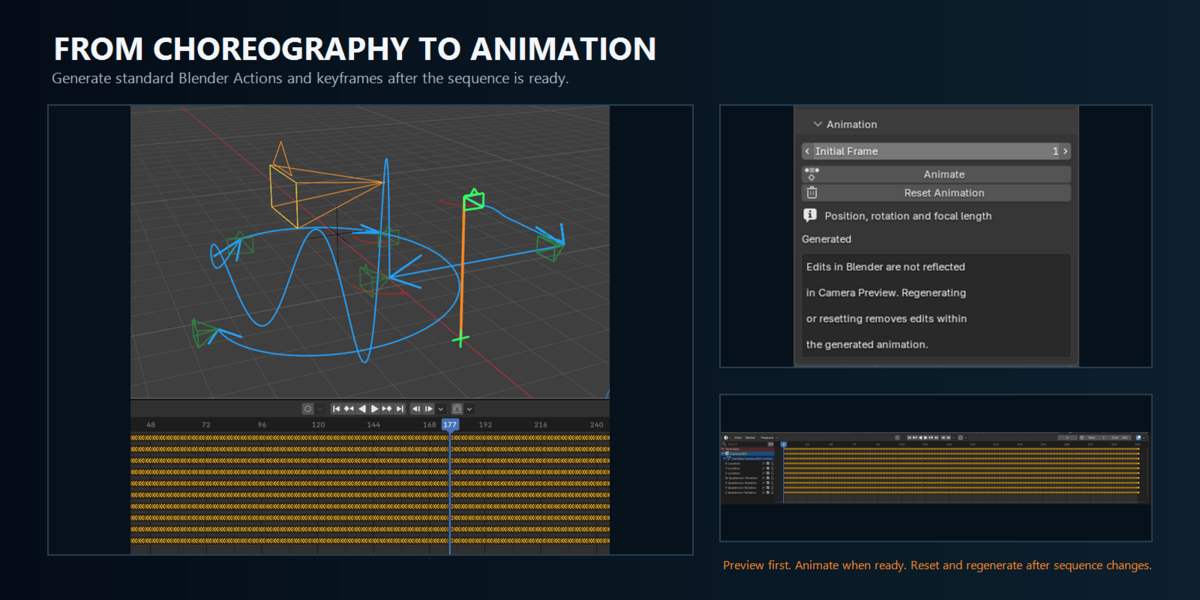
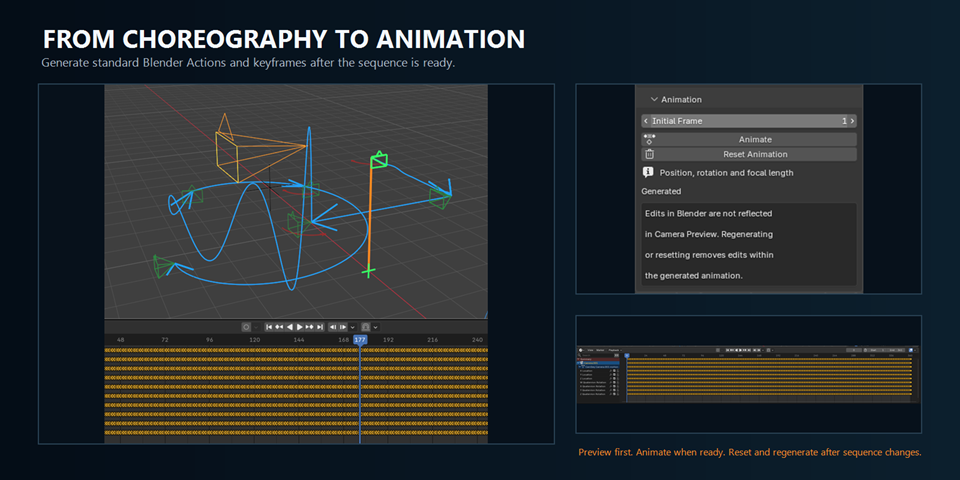
When the choreography is ready, CamSeq converts the evaluated sequence into Blender Actions and keyframes for camera position, rotation and supported lens animation.
The generated result can be played from Blender's Timeline and used with the normal render workflow. If the sequence changes, reset the generated animation, refine the movements and generate it again.
Designed for
- Cinematic camera animation
- Architectural and interior walkthroughs
- Product visualization
- Previsualization and shot planning
- Motion design
- Multi-camera scene preparation
- Repeatable camera effects and controlled movement
Compatibility
- Supported Blender versions: 5.2.0, 5.2.1 and 5.2.2 LTS
- Recommended version: Blender 5.2.2 LTS
- Primary tested platform: Windows
- Perspective cameras: complete supported workflow
- Orthographic and Panoramic cameras: limited transform workflow; projection-specific Zoom and preview framing are not supported
CamSeq is a camera choreography and animation tool. It does not create camera cuts, configure rendering or replace Blender's video editing workflow.
Documentation and support
CamSeq includes detailed English documentation covering installation, every movement type, sequence construction, previews, animation generation, troubleshooting, compatibility and known limitations.
https://3dgridstudio.com/camseq/manual/
The purchase includes a 12-month support period through the Superhive messaging system.
