Chat Companion
 Polygoningenieur


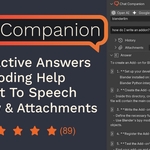

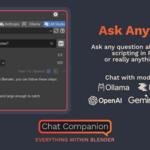
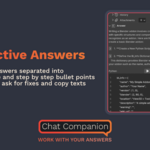
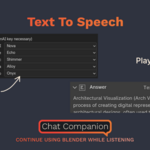
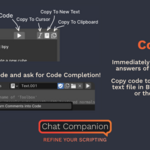
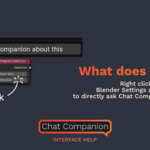
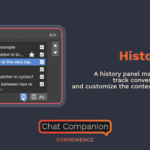
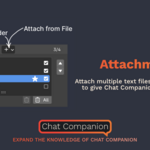

All links you see here are also in Blender in the addon for convenience!
If you encounter any problems or errors, please contact me!
 To use Ollama, download and install Ollama from https://ollama.com/.
Then open your system console and type the following command to pull your desired LLM models, for example llama3.2:
ollama pull llama3.2
You'll find the available models here: https://ollama.com/search.
Ollama is free and doesn't need any API keys!
 The addon also uses OpenAI, Googles and Anthropics large language models and connects to them via a so called API
So in order to use it, you need to go to their respective websites and grab yourself an API key. One API key is sufficient to use the addon, you don't need API keys for all three!
- OpenAI API Key https://platform.openai.com/api-keys
- Google API Key https://aistudio.google.com/app/apikey (Make sure to also set up billing https://console.cloud.google.com/billing)
- Anthropic API Key https://console.anthropic.com/settings/keys

When you use the addon, you pay OpenAI (not me) for the tokens you use
For an overview, look at your usage on each site:
- OpenAI Usage https://platform.openai.com/usage
- Google Usage https://console.cloud.google.com/billing
- Anthropic Usage https://console.anthropic.com/settings/plans
-
$19.90
All features and future updates.
-
$1
Basic features and all updates for future basic features.
Have questions about this product?
Login to message
| Blender Extension Compatible | Yes |
| Sales | 300+ |
| Rating | 89 ratings |
| Dev Fund Contributor | |
| Published | over 3 years ago |
| Blender Version | 3.3 - 5.0 |
| Extension Type | Add-on |
| License | GPL |
Discover more products like this
gpt-4 prompt interface read-aloud openai artificial intelligence interfacehelp free learning csv helpful blender helper help text-files claude gemini attachments chat-companion gpt.3.5 coding gpt3 assistant gpt-4-o text to speech script google-gemini gpt-3 run-code history AI-coding ai-companion helper tutorial code-execution chat claude3 BlenderHelper how to ask attachment speech ollama chatgpt companion gpt-3.5-turbo lmstudio code lm-studio script-files gpt4