Chat Companion
 Polygoningenieur


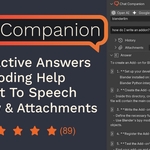

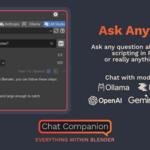
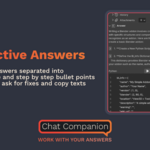
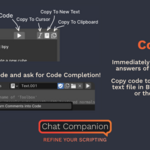
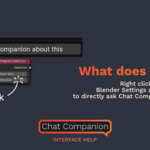

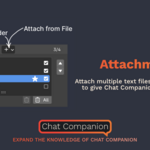
You'll get a panel in 3D view where you can ask Chat Companion any question you like! It is especially helpful for Blender and Python related questions, as you can execute code snippets in Chat Companions answer immediately.
You'll also get the ability to right-click on many buttons and settings and directly ask Chat Companion what they do.
And last but not least you'll get code completion in the text editor. Use this to help you write your Python scripts.
In the Free version you can:
- Ask anything
- Get formatted answers from Chat Companion (lists, steps, code, ...)
- Control your chat history
- Use OpenAI models
In the Full version you get everything from Free plus:
- Attach text files to your questions from your disk or from Blenders Text Editor directly
- Right-click on many Blender buttons and settings to ask Chat Companion about those
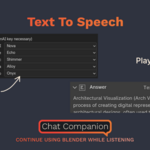
- Let Chat Companion read the answers out to you
- Execute code directly in the answer
- Use Code Completion in the Blender Text Editor
- Use the external language models Google Gemini and Anthropic Claude
- Use any local language model whith LM Studio and Ollama
If you use Ollama or LM Studio, no!
Otherwise yes, when you use the large language models, you pay OpenAI, Google or Anthropic for it. Here are their plans and pricing:
- OpenAI - https://openai.com/api/pricing/
- Google - https://ai.google.dev/pricing
- Anthropic - https://console.anthropic.com/settings/plans
For all my testing during development for over a year now, so far I only payed $15,66 in total, so it is very affordable.
For Google you even get a first time $280 credit!
As any other Blender Addon. Download the Chat Companion.zip file and leave it as a zip-file, don't unpack it.
- Open Blender (Restart Blender after uninstalling an older version of Chat Companion)
- Go to Edit -> Preferences -> Add-ons
- Click "Install...", navigate to the Chat Companion.zip file and click "Install Add-on"
- Enable the addon with the checkmark
- Activate the addon by checking the Checkbox next to it
- Enter your API Key (get it here: https://platform.openai.com/account/api-keys)
It should then look like this:

You will find the Addon panel in the sidebar of the 3D View (Open/Close with n on your keyboard):

If you want to use Ollama or LM Studio, you don't need any API keys!
If you want to use Text-To-Speech, you need an OpenAI API key. You also need one if you want to use the models from OpenAI, Google Gemini or Claude Anthropic. The links to the websites are in the addon panel.
You can get your OpenAI key here https://platform.openai.com/account/api-keys after you signed up. Once you have your key, just insert it into the addon preferences in Blender and you are good to go.
Step by step:
- Go to https://platform.openai.com/account/api-keys
- Click on "create new secret key"
-

- Click on "create secret key" in the popup
-

- Copy your key
-

- Enter it in the addon preferences
-

To use GPT-4 you need to be accepted after enrolling into the waitlist of OpenAI here: https://openai.com/waitlist/gpt-4-api
- All models from Ollama - currently 190 models, including for example:
- gpt-oss
- deepseek-r1
- gemma3
- llama3.2
- ...
- All models you can load into LM Studio
- 25 curated models from LM Studio
- Hundrets of models from Huggingsface
- OpenAI GPT 5.1
- OpenAI GPT 5 Mini
- OpenAI GPT 5 Nano
- OpenAI GPT 5
- OpenAI GPT-4.1
- OpenAI GPT-4o Omni
- OpenAI o4-mini
- Google Gemini 3 Pro Preview
- Google Gemini 2.5 Flash
- Google Gemini 2.0 Flash Light
- Gemini Gemini 2.5 Pro
- Claude Sonnet 4.5
- Claude Haiku 4.5
- Claude Opus 4.5
- Uninstall the previous version
- Open Blender
- Go to Edit -> Preferences -> Add-ons
- Search for Chat Companion
- Click Remove
- Restart Blender!
- Install the new version (follow the steps here in the FAQs)
- Go to https://blendermarket.com/account/orders
- Click on "Go to Downloads" for Chat Companion
- Download the latest Version
-
$19.90
All features and future updates.
-
$1
Basic features and all updates for future basic features.
Have questions about this product?
Login to message
| Blender Extension Compatible | Yes |
| Sales | 300+ |
| Rating | 89 ratings |
| Dev Fund Contributor | |
| Published | over 3 years ago |
| Blender Version | 3.3 - 5.0 |
| Extension Type | Add-on |
| License | GPL |
Discover more products like this
attachment companion how to interface gpt.3.5 prompt artificial intelligence openai learning gpt3 ai-companion ollama blender helper code-execution interfacehelp coding lm-studio script-files gpt-3 run-code help text to speech google-gemini lmstudio helpful claude3 gpt-4 read-aloud history text-files gpt4 BlenderHelper speech code gpt-3.5-turbo gemini chat-companion claude ask AI-coding script csv attachments gpt-4-o chat helper free assistant chatgpt tutorial