 Yatima

Version 3.0.0 (Current Release)
- Added: 18 new rigs, for a catalog of 68.
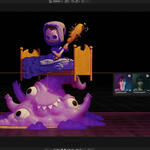
- Added: Animated rigs. Firelight flickers, Bioluminescence pulses, Nightclub strobes and Electric Storm strikes. Animate, Speed and Amount in Rig Controls. The animation renders without the add-on and stays after Detach.
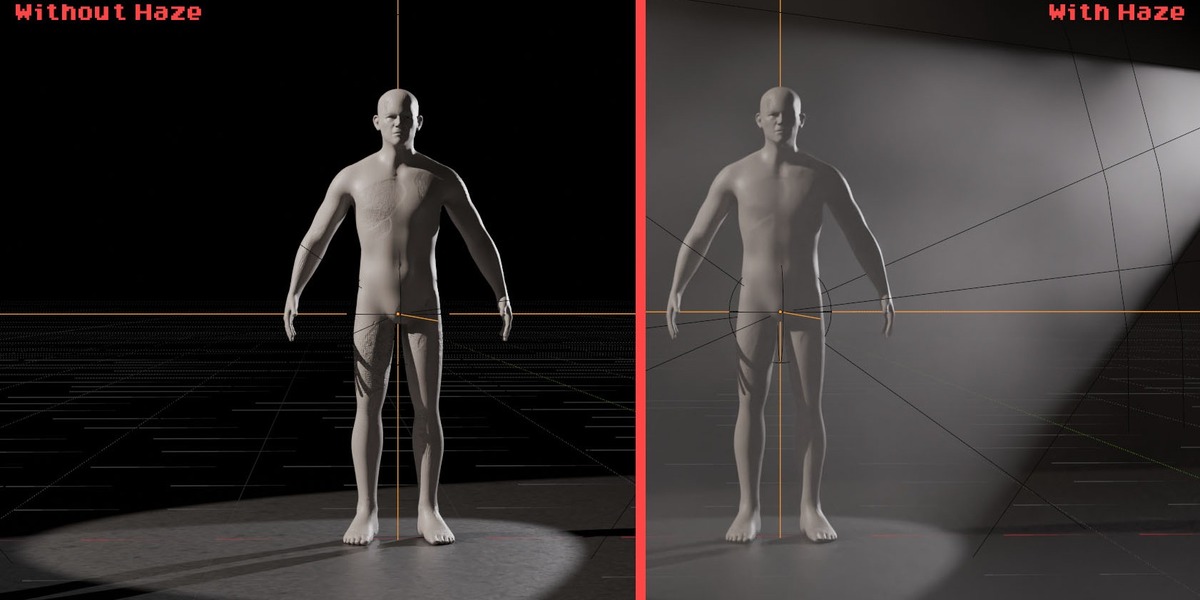
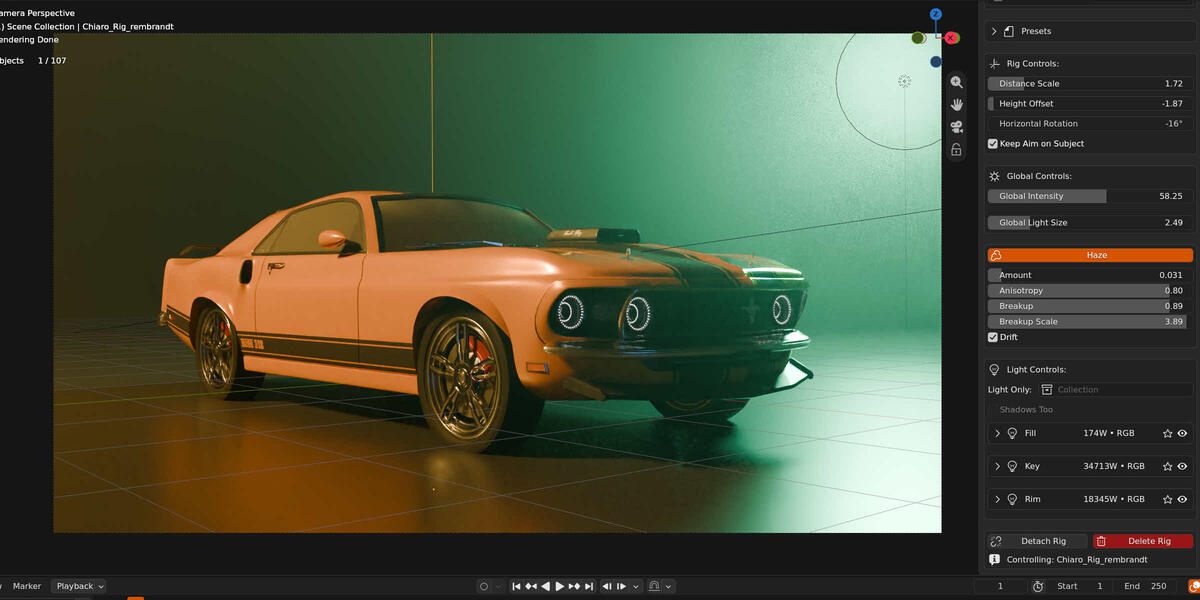
- Added: Haze fills the air around the subject so the light of the rig shows, with Amount, Anisotropy, Breakup and Drift. Presets save it.
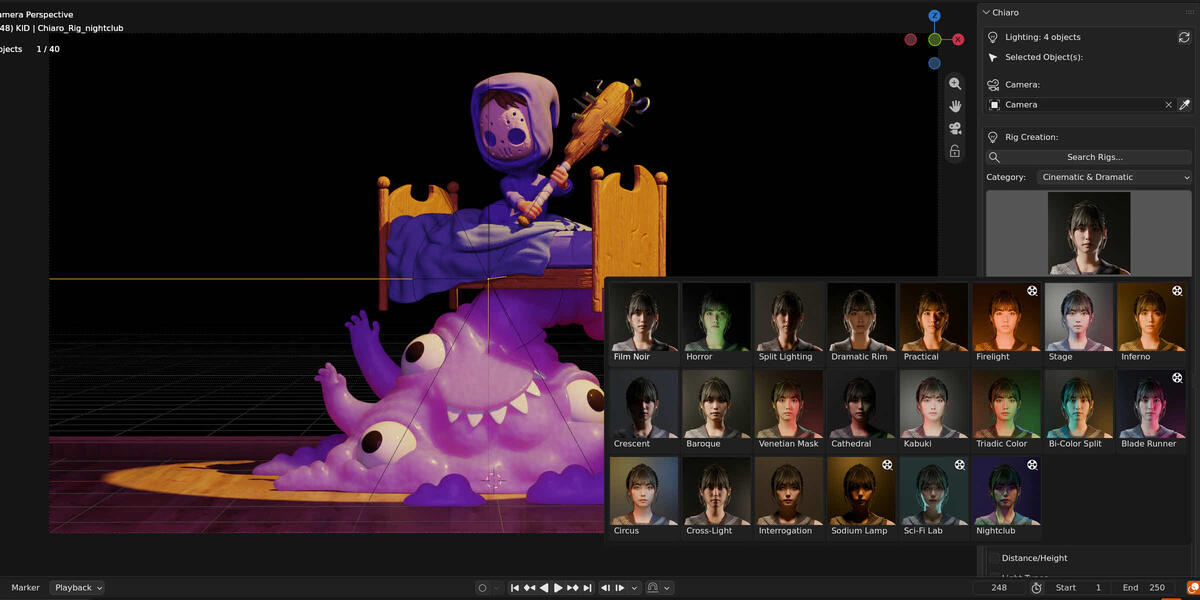
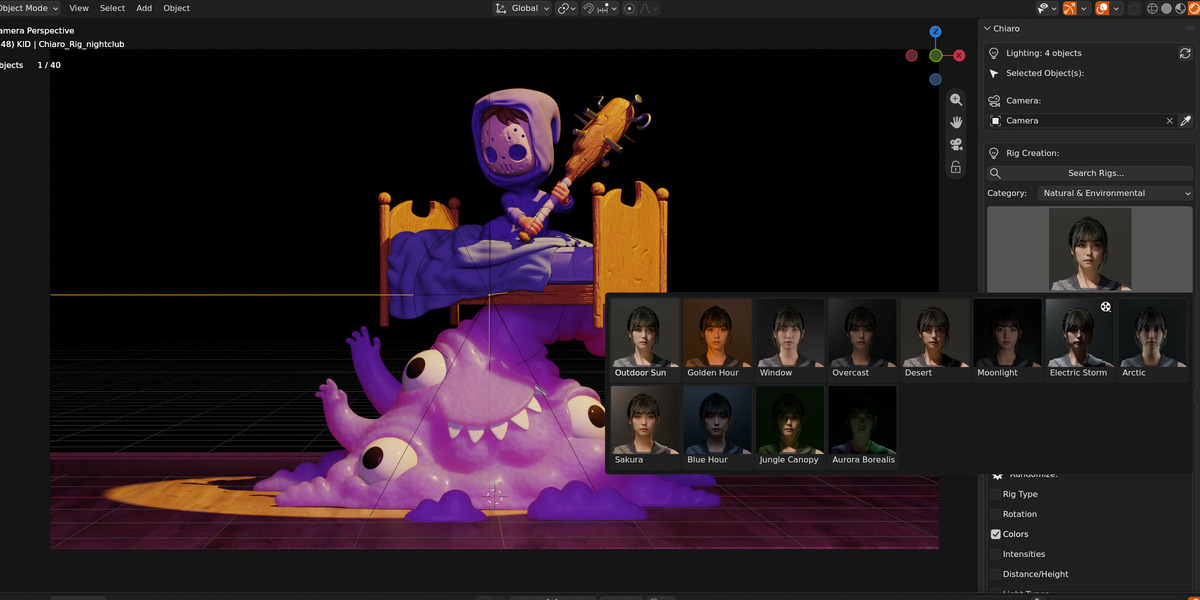
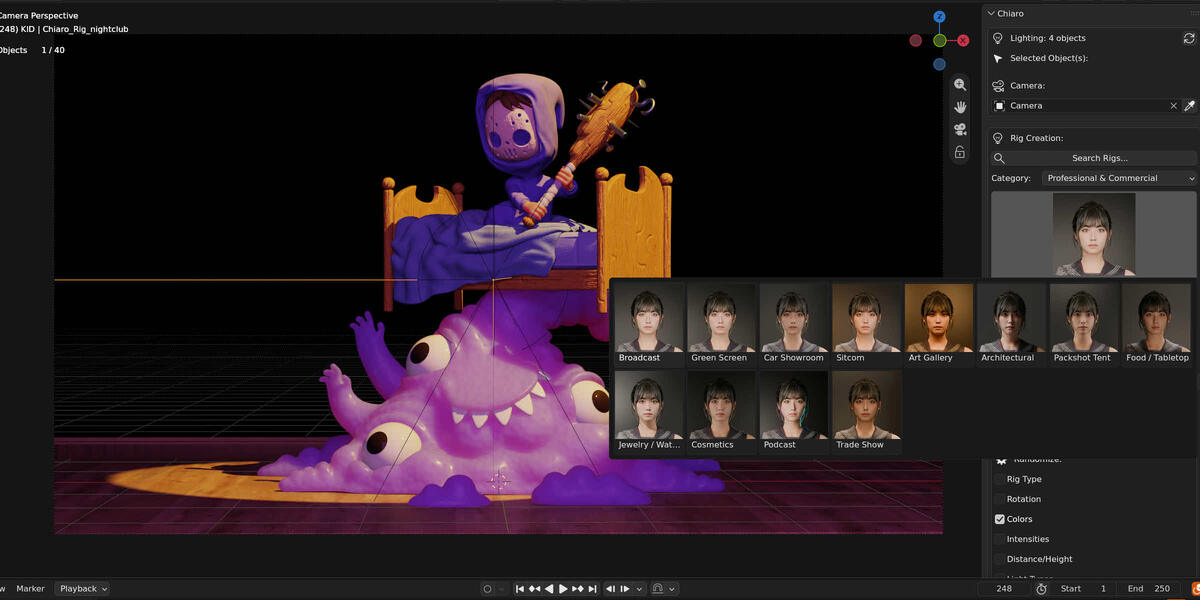
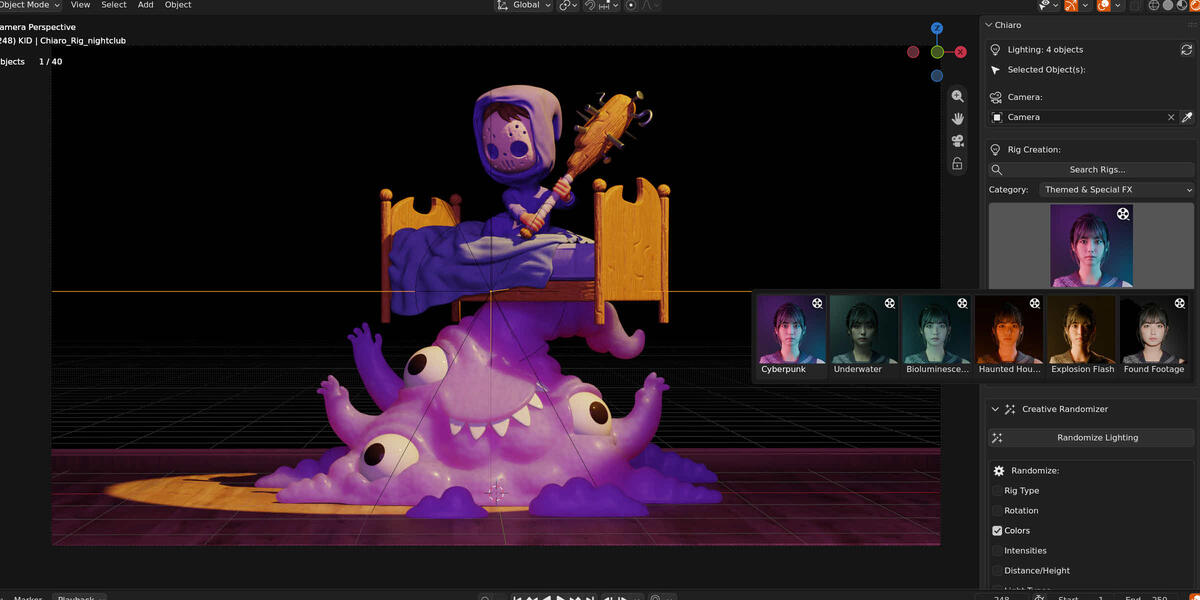
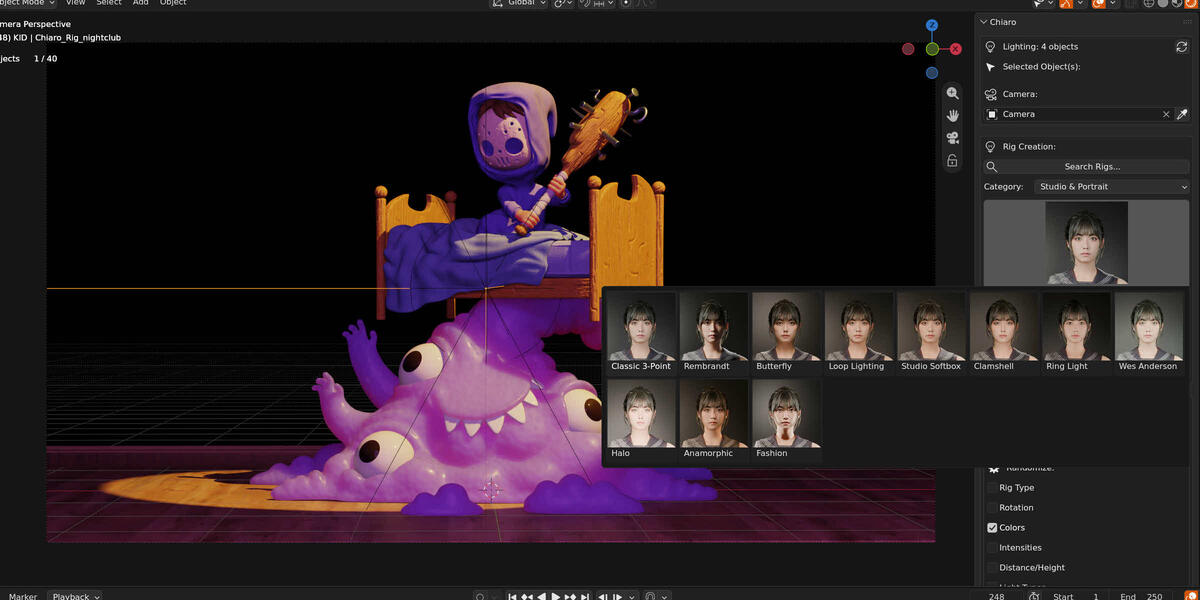
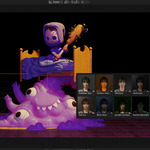
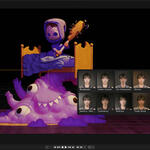
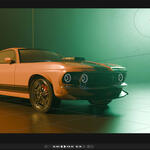
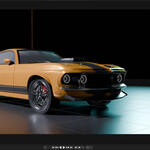
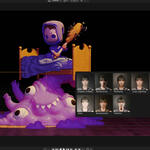
- Added: Rigs are chosen from a grid of thumbnails, with the rig's full name below. The Rig Selector preference switches back to a plain list.
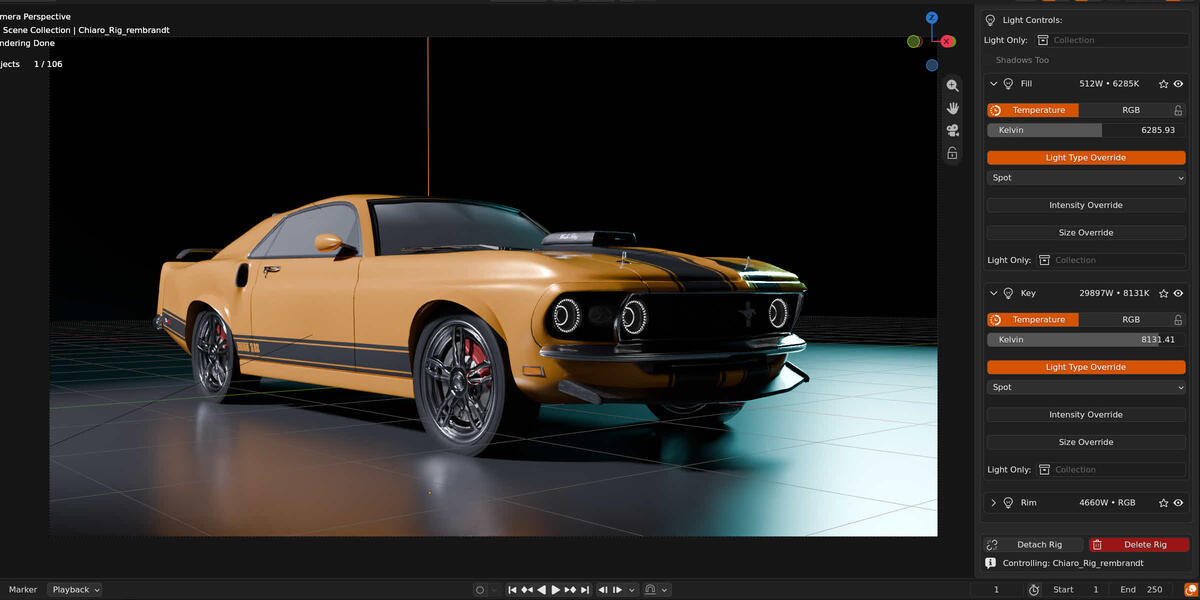
- Added: Light Only limits the rig's lights to the objects of a collection, for the whole rig or for one light, and Shadows Too makes only those objects block them.
- Added: Each light has Solo and Mute buttons.
- Added: Re-target moves the current rig to the selected objects, or fits it again to the same objects after they move or change scale, keeping its settings and rotation.
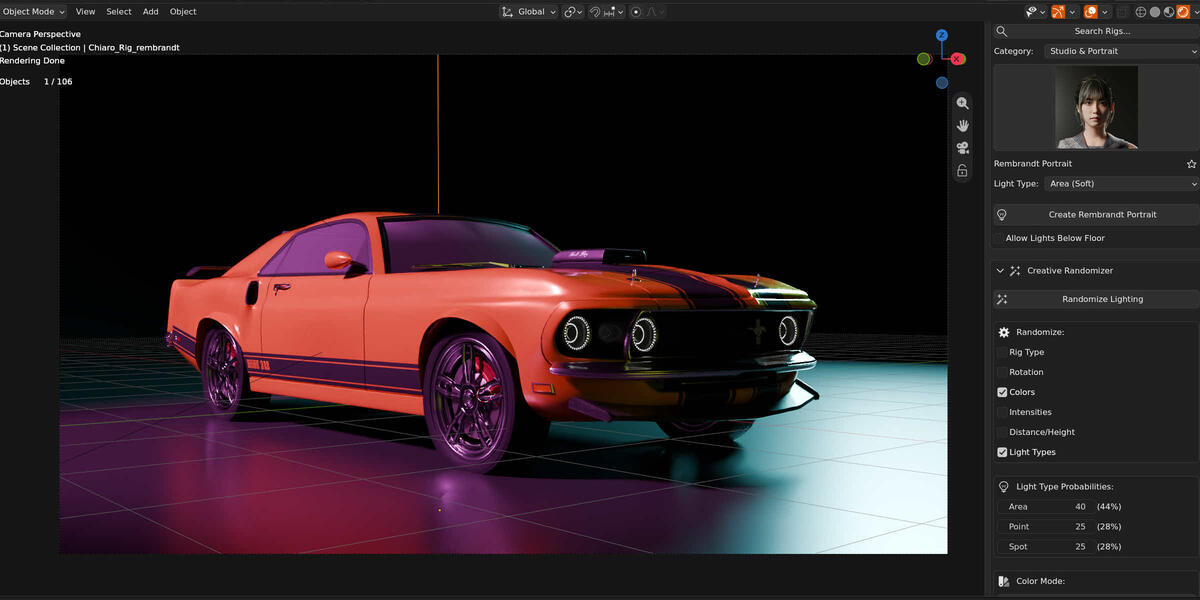
- Added: Search Rigs, at the top of Rig Creation, finds a rig by its name or its category's name.
- Added: A star next to the rig's name keeps it in the Favorites category of the rig selector.
- Added: Keep Aim on Subject, in Rig Controls and on by default.
- Added: Detach Rig turns the current rig into regular Blender lights the add-on no longer controls, keeping where they point.
- Added: More animated rigs. Inferno and Haunted House flicker, the neons of Cyberpunk and Blade Runner, Sodium Streetlamp, Sci-Fi Lab and the Found Footage flashlight fail now and then, and Underwater shimmers.
- Added: An Animated category in the rig selector with every animated rig, and an icon that marks them.
- Added: New rigs: Fashion Editorial, Blue Hour / Dawn, Jungle Canopy and Aurora Borealis.
- Added: New rigs: Sodium Streetlamp, Sci-Fi Lab, Nightclub, Packshot Tent, Food / Tabletop, Jewelry / Watch and Cosmetics Gradient.
- Added: New rigs: Podcast / Streamer, Trade Show / Booth, Spectrum Array, Toon / Flat, Haunted House, Explosion Flash and Found Footage / Flashlight.
- Added: Type a negative Intensity Override and the light takes light away instead of adding it. Like Blender's light power, the slider stops at zero.
- Added: Create, Randomize and Load Preset remember the objects the last rig was made for. With nothing to light in the selection (nothing selected, or only the rig), they light those objects again.
- Added: The panel shows which objects the current rig lights, and says when the selection is different.
- Added: The Randomizer's Rig Type can pick from a chosen set of categories.
- Added: A lock next to each light's color keeps it when randomizing colors. Presets remember it.
- Added: Presets remember which lights are muted.
- Added: A warning when a subject is too small or too large for the automatic intensity and size.
- Added: A refresh button next to the preset list, for presets copied to the presets folder outside Blender.
- Changed: Lazy Lighter is now Chiaro, a Blender extension.
- Changed: Minimum Blender version is now 4.5 LTS.
- Changed: New thumbnails for every rig, and a film reel marks the animated ones.
- Changed: Rigs are named Chiaro_ in the Outliner, in a "Chiaro Lights" collection. Scenes made with Lazy Lighter 2.x keep working, and their "Lazy Lights" collection takes the new name when a rig is created.
- Changed: Presets are stored in the scripts/presets/chiaro folder of the Blender user folder.
- Changed: Presets saved with earlier versions load with automatic Global Intensity and Global Light Size for the subject, keeping the balance between their lights. A warning says so until the preset is saved again.
- Changed: In scenes made with earlier versions, the sun changes the first time Global Intensity changes.
- Changed: With Rig Type unchecked, the Randomizer changes the current rig instead of creating a new one, and keeps everything that is not checked.
- Changed: The light type override and the Randomizer only offer the types each light was designed for. The Randomizer no longer has a Sun weight.
- Changed: Lights with an active Intensity Override, or a Light Type Override set by hand, keep their intensity or type when randomizing.
- Changed: Lights with a color temperature use Blender's own temperature setting. They look the same, but show lower wattage, and changing the temperature no longer changes their brightness.
- Changed: Subject size is now measured the same way for one selected object or several. Compact subjects, like a cube, get their lights a little further away.
- Changed: The practical light of the Moonlight rig is cool now, in tune with the moonlight, instead of warm.
- Fix: Animated rig controls stopped working after opening another file.
- Fix: A rig removed from its scene no longer stays active after reopening the file.
- Fix: Smoother playback when no rig controls are animated.
- Fix: Manual changes to a light are no longer overwritten when scrubbing the timeline.
- Fix: Possible errors in the panel while the add-on is loading.
- Fix: Cross-Light and Interrogation rigs got a wrong internal name, so their presets could not be loaded.
- Fix: Cross-Light and Interrogation showed a wrong tooltip in the rig selector.
- Fix: Delete Rig now also removes the rig's light data and its empty collection.
- Fix: Renamed rig lights are still controlled by the rig and removed with it.
- Fix: Objects parented to a rig, or constrained to it, are kept in place when the rig is deleted or replaced.
- Fix: Keyframes and drivers on the rig controls are removed with the rig, so a new rig, a loaded preset or the Randomizer no longer inherit them.
- Fix: Animating a rig control only updates what that control affects. Manual changes to other light settings are kept during playback.
- Fix: An animated light type override is now applied during playback.
- Fix: In files with several scenes, creating a rig no longer deletes the rig of another scene or fails to create it.
- Fix: A rig linked to several scenes is only taken out of the current scene when it is deleted or replaced.
- Fix: A preset that cannot be loaded no longer deletes the current rig.
- Fix: Presets without distance or height settings load with the default values.
- Fix: Save as Preset always saves the current rig.
- Fix: The panel no longer breaks when the rig is unlinked from the scene in the Outliner.
- Fix: On very large subjects, light intensity and size no longer get out of balance.
- Fix: Sky, ambient and fill panels in 29 rigs no longer grow too large on big subjects. They are back to the size they were designed with.
- Fix: Spot cones and sun shadows keep the angle they were designed with on any subject. Before, spots widened with the subject until every spot became a flood light.
- Fix: Sunlight no longer gets brighter on bigger subjects, so the balance between sun and fill is the designed one.
- Fix: The Spot and Point versions of every rig now light the subject as brightly as the Area version. Before, they were about 2 stops darker, or more.
- Fix: Lights designed with a color temperature now show it (for example 3200K) and start in Temperature mode, instead of RGB.
- Fix: Turning off a light's type override brings the light back to its original type.
- Fix: Turning on a light's type override no longer switches the light to Area by itself.
- Fix: Lights a rig designs with a single type, like the sun in Golden Hour, are locked: the type override and the Randomizer leave them alone.
- Fix: Changing a light's type no longer turns it into a dim light with a strange cone. Its power and size follow the new type, keeping the Randomizer's intensity and the light's overrides.
- Fix: Size Override now works on Spot, Point and Sun lights, with cone and sun angles in degrees. Turning it on no longer changes very sharp sun shadows.
- Fix: Turning on a light's Intensity Override or Size Override no longer changes the light. The override starts at the light's current power and size.
- Fix: Light heights are measured from the horizon, so a camera looking down no longer tips the rig. Rims and backlights stay above the subject, and lights meant to come from below stay below it.
- Fix: Lights no longer end up below the floor. They move closer to the subject and still light it the same. The new Allow Lights Below Floor option, under the Create button, leaves them where the rig puts them.
- Fix: Area lights near the floor keep their whole panel above it, also with a Size Override or a larger Global Light Size. Lights designed from below never end up above the subject's center.
- Fix: Changing a light's Intensity Override, Size Override or type, or animating them, no longer resets manual changes to the other lights of the rig.
- Fix: Presets adapt to the size of the subject they are loaded on. Global Intensity, Global Light Size, Height Offset and light overrides keep their proportions, so a look saved on a person no longer leaves a car in the dark.
- Fix: Loading a preset shows its category, rig, light type, distance and height in the panel, so Create builds the loaded rig and moving a slider no longer makes the lights jump.
- Fix: Cross-Light and Interrogation presets saved with earlier versions appear in the preset list and load again.
- Fix: Turning on a light's Intensity Override or Size Override after loading a preset from an earlier version no longer changes the light.
- Fix: Saving a preset with the name of an existing one no longer overwrites it silently.
- Fix: Presets whose names differ only in symbols or capitals, or are written in non-Latin characters, no longer overwrite each other.
- Fix: The preset list no longer reads every preset file each time the panel is redrawn.
- Fix: Saving a preset selects it in the list, and deleting one selects the first preset left, instead of jumping to another preset.
- Fix: The random Height Offset follows the size of the subject, so small subjects are no longer lit from far above or below.
- Fix: The Dramatic Rim / Silhouette rig no longer shows a Spanish word (Silueta :-) ) in its name.
- Fix: A light near the floor with a Size Override no longer changes its brightness and size when its type is switched and back.
Lazy Lighter (Versions 0.1 to 2.4.6)
- Fixed animate rig controls and per light color temperature via frame_change post handler.
- Fixed Global Light Size and Size Override not working after changing light types.
- Fixed minor bugs and performance issues.
- Added Light Type Randomization to Creative Randomizer with weight-based probabilities.
- Added Light Type Override control for individual lights.
- Rig positioning now uses geometric center of bounding box.
- Moved preset storage to Blender's user scripts directory.
- Fixed color temperature values in portrait and moonlight rigs
- Fixed Distance Scale. Complete rewrite for better rotation handling
- Fixed double transformation in light positioning
- Fixed critical bugs in validation and error handling
- Fixed context errors when creating rigs
- Added multi-type object support (Volume, Metaball, Point Cloud, NURBS, Curve)
- Creative Randomizer UX improvements and bug fixes.
- Fixed distance scale calculation issues.
- Added Creative Randomizer system for experimental lighting.
- Intelligent auto-scaling system based on object dimensions.
- Major UI/UX reorganization and expanded limits.
- Bug fixes for latest rigs.
- Added two more rigs (50 total rigs milestone).
- UI reorganization.
- Updated Planck/Boltzmann constants.
- Complete preset system: save, load, and delete configurations.
- Added 37 new rigs.
- Delete Rig button with undo support.
- Category-based organization (6 categories).
- Removed Global/Individual mode toggle (simplified workflow).
- Removed global light color controls (color is now rig-specific identity).
- Renamed "Light Size" to "Global Light Size" for clarity.
- Color controls now always visible when light is expanded.
- Reordered per-light controls: Color first, then Intensity/Size overrides.
- Fixed global rig controls bugs.
- Fixed several bugs and optimized callbacks.
- Moved rig controls to post creation settings.
- Improved overall user interface organization.
- Added rig height control for vertical positioning.
- Added 7 new rigs.
- Fixed a critical bug with a circular import.
- Code refactoring and added rigs categories.
- Collapsible individual light controls for cleaner UI.
- Critical bugfixes in core functionality.
- Added per-light controls overrides.
- Replaced Tanner Helland algorithm with Planck's Law for color temperature.
- More physically accurate color temperature calculations.
- Fixed critical bugs in rigs code.
- Rigs code refactoring for better maintainability.
- Added multi-object selection support.
- Rigs can now be created for multiple objects simultaneously.
- Added Rembrandt rig.
- Reset to default values when creating a new rig.
- Added Outdoor Sun rig and global color controls.
- Added global color controls.
- Added temperature-based color and RGB color control.
- Added global light intensity slider.
- Code refactoring for multi-rig approach.
- Added Golden Hour rig.
- Architectural improvements for scalability.
- Added multi-object selection support.
- Various bugfixes and stability improvements.
- Added ability to use different light types.
- Reset to default values when creating a new rig.
- Enhanced rig creation system.
- Improved light controls.
- Enhanced lighting control capabilities.
- Improved rig management system.
- Major code refactoring.
- Improved architecture for future rig additions.
- Additional control features for fine-tuning lighting setups.
- Enhanced property system for dynamic updates.
- Enhanced user interface.
- Improved panel organization.
- Improved light positioning algorithms.
- Better camera integration.
- Enhanced distance scale calculations.
- Initial release with Classic 3-Point lighting rig.
- Camera-relative positioning and basic controls.
- Target object selection via pointer property.
- Camera reference selection for lighting angles.
Have questions about this product?
Login to message
| Blender Extension Compatible | Yes |
| Sales | 20+ |
| Dev Fund Contributor | |
| Published | 9 months ago |
| Blender Version | 4.5 - 5.2 |
| Extension Type | Add-on |
| Render Engine Used | Cycles, Eevee |
| License | GPL |
Discover more products like this
cinematic-lighting preset library addon Render Lighting Studio Lighting product-visualization one click lighting light-rigs Light Management professional lighting film lighting