CineCast Projector
 Shilo Labs



How do I install the addon?
In Blender, go to Edit > Preferences > Add-ons. Click "Install" in the top right corner and select the downloaded CineCast .zip file. Once installed, make sure to check the box next to the addon's name to enable it.
Does CineCast Projector work with EEVEE?
No, the CineCast Projector is built specifically for Cycles.
What file types can I load as custom media in the CineCast Projector?
Single images, Image Sequences and Video files in the following formats: .mp4, .mov, .avi, .mkv, .webm, .png, .jpg, .jpeg, .exr, .hdr, .tiff, .tif, .tga.
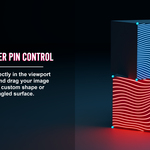
Why does my projection look distorted when I click "Snap Pins"?
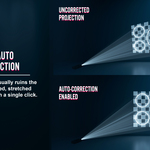
This usually happens if there is an object (like a character, prop, or piece of furniture) standing between the projector lens and your target surface. The pins will accidentally snap to the obstacle instead of the wall. Simply hide any blocking objects in the viewport, click "Snap Pins" (or "Auto Correct Shape"), and then unhide your objects.
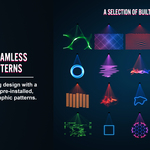
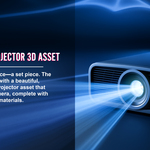
Can I use the included 50 patterns and the 3D projector model in my commercial projects?
Yes. All included assets, patterns, and the 3D projector model are 100% royalty-free for both commercial and personal use.
Discover more products like this
photorealism projector projection cinematic volumetrics gobos motion graphics Lighting