Clean Master - One-Click Scene Cleanup & Optimize Blender Files
 peterz



1. Introduction
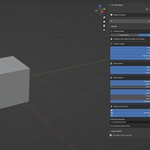
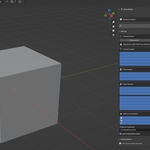
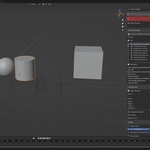
Clean Master is an advanced scene optimization tool designed for Blender. It deeply scans your project to identify and remove redundant nodes, orphaned data blocks, unused textures, and invalid objects, helping you reduce file size and improve overall performance.2. Quick Start
- Installation: Go to Edit > Preferences > Add-ons, click Install, select the add-on zip file, and enable it.
- Location: Press N in the 3D Viewport to open the Sidebar, then find the Clean Master tab.
- Basic Workflow:
- Click Analyze Scene.
- Review the detected items in the Cleanup Items Details panel.
- Click Execute Cleanup to remove selected items.
3. Core Features
3.1 Scene Analysis (Main Panel)
- Analyze Scene: Scans the current scene for all targets defined in your settings.
- Execute Cleanup: Deletes all checked items in one go.
- Progress & Control: Shows a progress bar during operations and provides a Cancel button if needed.
3.2 Item Management (Cleanup Items Details)
After analysis, items are categorized by risk level:- Risk Levels:
- Low: Safe to delete, usually completely unreferenced data.
- Medium: Might be referenced; review is recommended.
- High: Could affect scene logic; proceed with caution.
- Selection Tools: Quick buttons for "Select All", "Deselect All", "Invert", and filtering by type (Node, Object, Texture, etc.) or Risk Level.
- Detailed View: Select an item to see the specific reason for cleanup and its metadata.
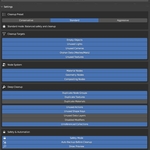
3.3 Cleanup Settings (Settings)
- Preset Modes:
- Conservative: Only removes 100% safe items.
- Standard: Balanced safety and optimization (Recommended).
- Aggressive: Maximum cleanup, including items with potential risks.
- Cleanup Targets: Toggle specific targets such as:
- Empty objects, unused lights/cameras.
- Orphaned meshes, materials, actions, and shape keys.
- Orphaned nodes in Material, Geometry, or Compositing node trees.
- Duplicate textures, materials, or node groups.
- Unused vertex groups, UV maps, etc.
4. Safety & Protection
- Protection Keywords: Specify keywords (e.g., Ref, Rig, Ctrl) in settings. Any item containing these words in its name will be ignored during cleanup.
- Auto Backup: When enabled, the addon creates a backup of your file before executing any cleanup. Highly recommended.
- Safety Mode: Enhances the detection of complex references to prevent accidental data loss.
- Loop Cleanup (Recursive): Performs multiple iterations of cleanup to catch secondary orphans created during the initial process.
-
$7
Personal
-
$15
Clean Master Pro is the advanced edition of Clean Master, designed for artists and studios who often work with heavy, messy Blender scenes.
Have questions about this product?
Login to message
| Sales | 10+ |
| Published | 9 months ago |
| Blender Version | 3.6 - 5.2 |
| Extension Type | Add-on |
| Render Engine Used | Cycles |
| License | GPL |
Discover more products like this
optimization file size nodes Scene Management cleaner Workflow addon blender efficiency cleanup