 Dortus
Cyber Sale: 35% off, Friday November 27 to Wednesday December 2. No code needed. Personal is $7.80 instead of $12.
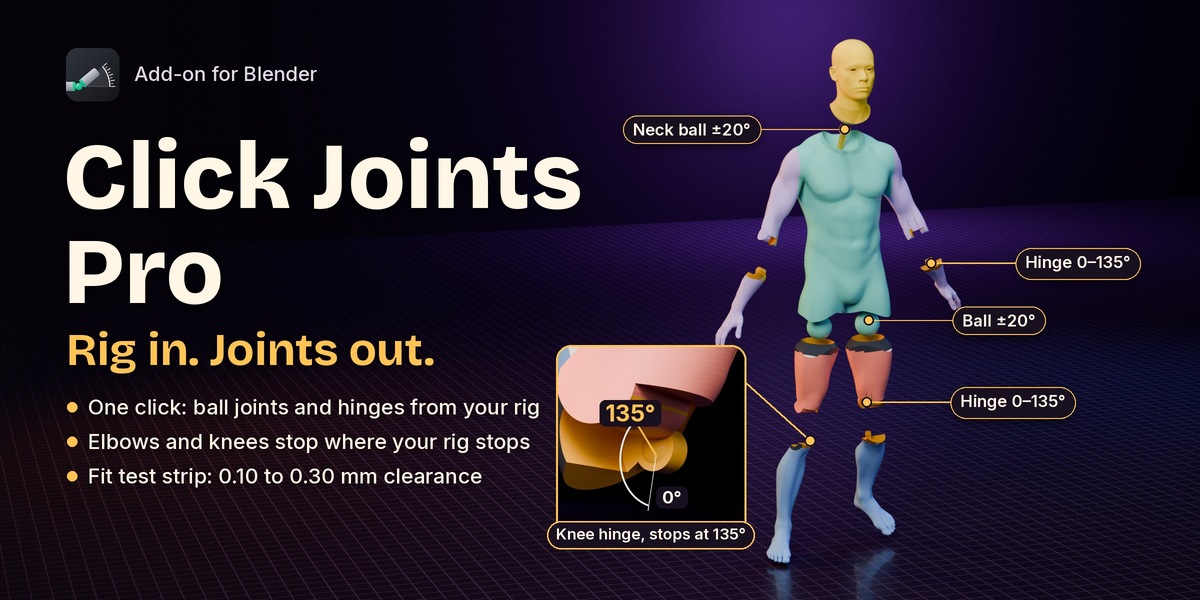
Rig in. Joints out.
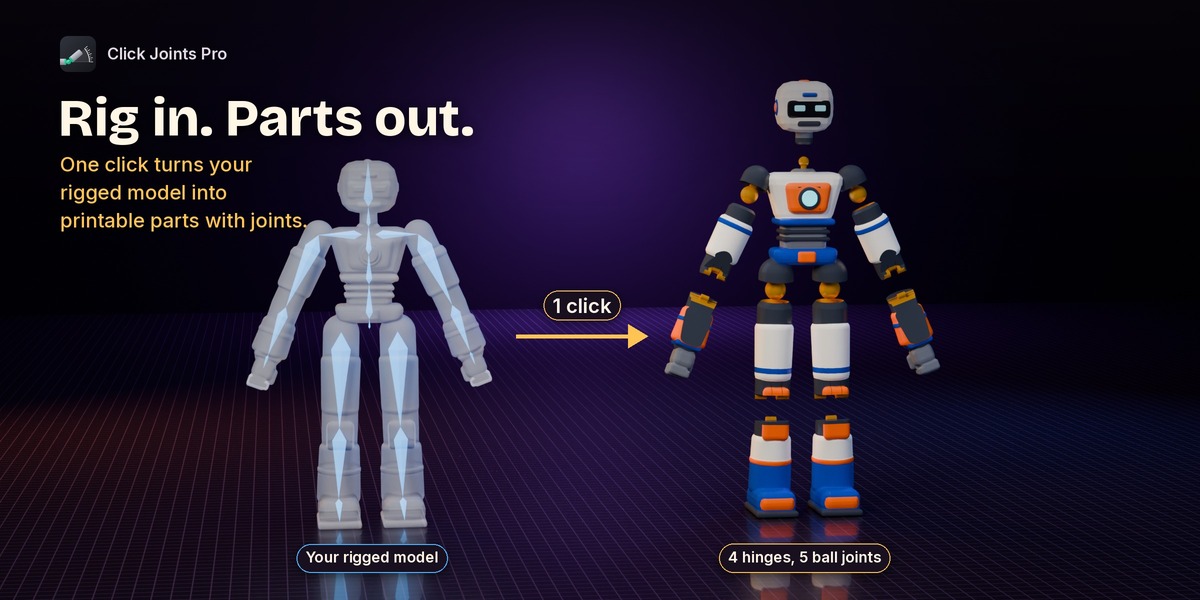
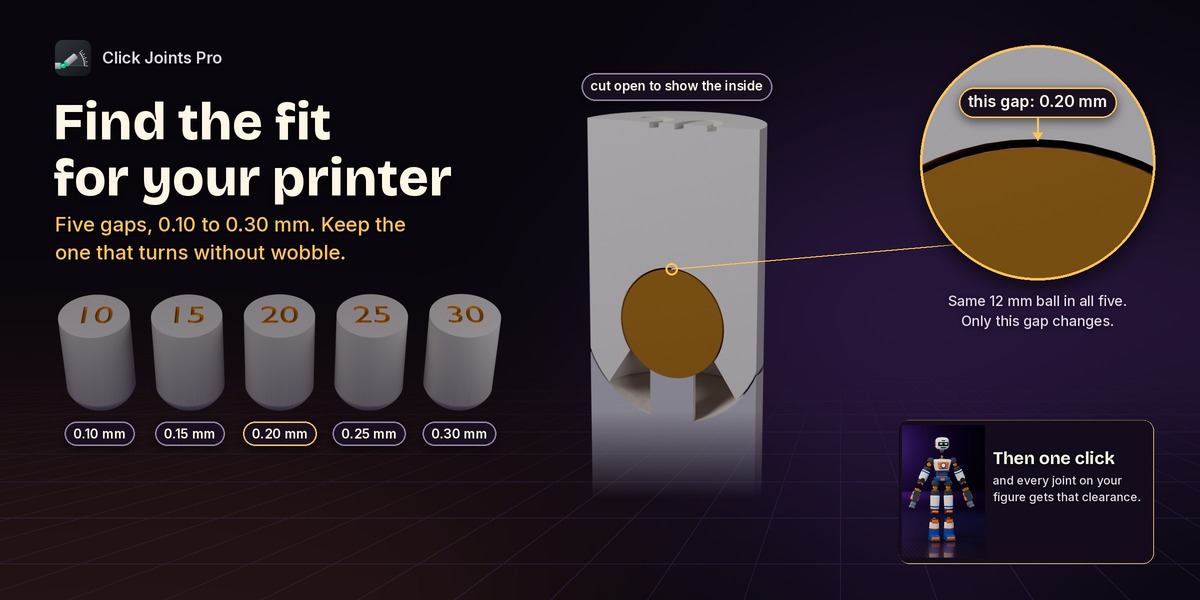
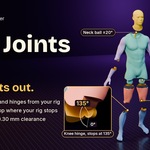
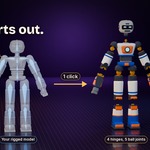
Press one button and your rigged character becomes a printable, poseable figure: a hinge at every elbow and knee that stops where your rig stops, and a ball joint at the shoulders, hips and neck, with the clearance you set in millimetres. You see how far each joint bends, in degrees, before you print, and the Fit test strip tells you which gap fits your printer. No rig? Put the 3D cursor on a knee and Click Joints Pro adds the joint right there.
Try it free first: the free Click Joints on Blender Extensions makes ball and pin joints, one at a time, and shows how far each ball joint bends. Hinges with end stops, Figure from rig and the Fit test strip are in Pro only. https://extensions.blender.org/add-ons/click-joints/
New in Pro 1.2.8
- "More bones" now gives ankles, also on blocky feet like a robot (Blender 5.2 and newer).
- Shift + right click on the skin now works with Knee, Elbow, Ankle and the hinge buttons.
- A knee with a kneecap, like the robot's, now gets a good fit in the middle of the knee.
- Tested on Blender 4.2 LTS, 5.2 LTS and 5.3.
Also new in 1.2
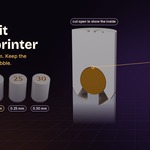
- Fit test strip: print this first. Five joints from 0.10 to 0.30 mm clearance, each with its number, so you know which gap fits your printer.
- Figure from rig now places elbows on rigs where the elbow would otherwise bend upward, for example Quaternius characters (Blender 4.5 and newer).
From rig to a figure that moves.
Rigged your character already? Then the hard part is done. Figure from rig reads the bones you made, puts a hinge at every elbow and knee and a ball joint at shoulders, hips and neck, and gives each hinge the limit your rig sets, where it sets one. One button, then you check the list.
Split with anything. Make it move.
Already split your model into printable parts with another tool? Keep those parts. Open one, put the 3D cursor on the knee or elbow, and Click Joints Pro cuts a hinge or a ball joint right there, with the clearance you set and the range in degrees. Splitting makes it fit on the bed. Click Joints makes it move.
Why not a ball joint by hand?
You can. A sphere, a boolean and some offset get you a joint. What you only find out after the print is that the knee bends backwards, the wall next to the socket is 0.4 mm thin, or the ball is stuck. Click Joints shows all three before you print: an end stop on every hinge, the wall and clearance as a number, and the range in degrees.
What you get
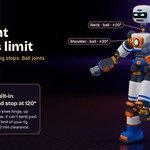
- Figure from rig. One button reads your armature. Elbows and knees become hinges with an end stop, shoulders, hips and neck become ball joints. Ankles via "More bones".
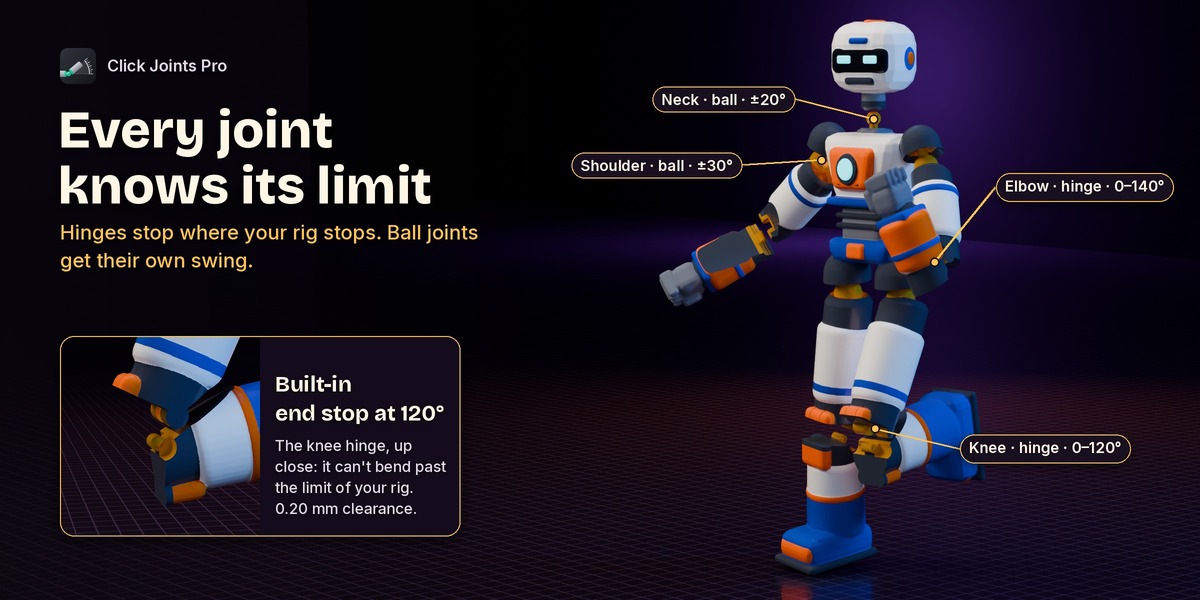
- The end stop comes from your rig. If a bone has a Limit Rotation constraint, the hinge stops at that angle (30° to 150°). No limit on one side? It takes the other side (mirrored). No limit at all: a preset per body part.
- Every range in one view. A small degree arc at each joint with its number, and a list in the panel: name, type, range and where the range came from (from rig, mirror or preset).
- Honest when it can not. A joint that does not fit is skipped, and the list tells you why and what to try.
- Recognises common bone names: Rigify, Mixamo, Auto-Rig Pro, Unreal, Character Creator, VRoid, 3ds Max Biped and Daz.
- No rig? Six presets: Shoulder, Hip, Neck, Elbow, Knee and Ankle, each with its own icon. Place the 3D cursor and click the body part.
- Everything from Pro 1.0: hinge with end stop and pose slider, red where parts hit past the stop, green fit band, spacing checks, ball joints with a fit colour, split into parts, export to STL or 3MF.
Good to know
- Works best on figures with separate arms and legs, at about 200 mm tall or more. On a realistic figure at 150 mm the arms are too thin for a hinge; the list says so.
- On figures where the legs touch (trousers, tunic), hips are skipped with a reason; knees still work.
- Best in Blender 4.5 and newer. In Blender 4.2 it works, but some joints may need to be placed by hand (the list tells you which).
- Tested in Blender 4.2, 5.2 and 5.3 on a MakeHuman figure, a Rigify metarig and three more test figures. Print the Fit test strip first: every printer is different.
- Clearance 0.2 mm by default.
- The free Click Joints (Blender Extensions) and Pro can not be enabled at the same time. Disable the free one first; your settings stay in the .blend file.
- Already bought Pro? 1.2 is a free update: download it from your Orders page on Superhive, or update it inside Blender if you added Superhive as a repository.
- Includes 12 months of updates. Every version you download is yours to keep. After a year you can extend updates for 25% of the price; it is never required.
- Support: the "Contact the creator" link on this page (your Superhive inbox), https://github.com/thijsduinhouwer2002-coder/click-joints/issues or [email protected]
Versions
Personal is for one person. Studio is for a team of up to 5 people. Same download.
Update log
- 1.2.8 (25 Nov 2026): "More bones" now gives ankles on human figures and blocky feet (Blender 5.2+). Shift + right click on the skin now works with Knee, Elbow, Ankle and the hinge buttons. A knee with a kneecap now gets a good fit in the middle. Clearer reason when Figure from rig cannot cut a joint. Figure from rig needs far less memory on Blender 4.2.
- 1.2.3 (24 Nov 2026): Figure from rig is more reliable on arms and legs close to the body; when it skips a joint, the list says why.
- 1.2.2 (23 Nov 2026): Fit test strip; Figure from rig places elbows on rigs where they would bend upward (Blender 4.5 and newer).
- 1.1.0 (20 Nov 2026): Figure from rig, end stop from your rig, degree arc and joint list, six body-part presets.
- 1.0.1 (Nov 2026): first release: hinge with end stop, pose slider, red past the stop, green fit band.
