Cloudify
 Mark Kingsnorth




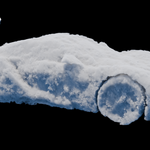
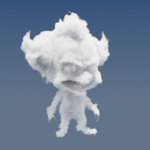
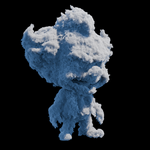

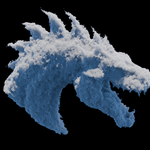

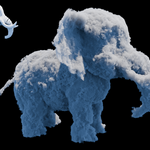
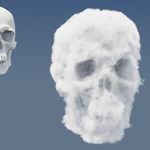
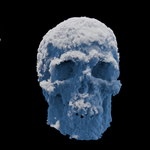
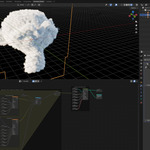
Volumetric displacement involves manipulating dense voxel grids, which can be computationally intensive.
Performance depends heavily on:
- Voxel size (smaller = exponentially more voxels)
- RAM capacity
- GPU strength
- Scene scale
If you experience sluggish preview or long bake times, try:
- Increasing voxel size
- Working at half resolution and refining later
- Using Cycles with Viewport Denoising active
- Systems with 32 GB+ RAM and an RTX-class GPU will see the best performance.
Yes.
Cloudify includes a built-in Bake node that outputs a VDB file suitable for use in Houdini, Unreal Engine, Blender’s own Volume Object, or any VFX/compositing tool that supports OpenVDB.
A few reliable best practices:
- Scale your object to 2–10 metres
- Apply scale (Ctrl+A) before adding Cloudify
- Start with larger voxel sizes, then refine
- Use meshes with clean topology and consistent thickness
- Switch your viewport to Rendered mode early to evaluate density transitions
This usually happens when the density range becomes too low or the displacement pushes voxels outside the mesh bounds. Try:
- Increasing base density
- Reducing displacement amplitude
- Resetting the noise seed
- Ensuring the object is properly scaled
Common causes:
- Voxel size is too large
- Displacement strength is too high
- Noise scale is too low
- Mesh scale is too small
- The mesh isn't watertight
- Adjust voxel size first: it resolves 80% of issues.
Yes. All parameters can be animated, allowing you to create evolving cloud shapes, dissolving effects, or stylised volumetric transformations.
Note: Baking to VDB is recommended for heavy animation pipelines.
Any solid, closed mesh works, but you’ll get the cleanest results with:
- Stylised or simplified shapes
- Characters/creatures with consistent surface thickness
- Primitive-based forms
- Hard-surface silhouettes
- Highly detailed meshes may require coarser voxel sizes to avoid excessive memory use.
You can email me anytime: 📩 [email protected]
I'm always happy to help or hear suggestions.
Full documentation and walkthrough: 📘 https://cloudify.readthedocs.io
Tutorial video: 🎥 https://youtu.be/1wtgED5sqFs
Have questions about this product?
Login to message
| Sales | 100+ |
| Dev Fund Contributor | |
| Published | 11 months ago |
| Blender Version | 5.0 - 5.2 |
| License | Royalty Free |
Discover more products like this
Sci-fi Effects blender modifier blender 5 density grid clouds dissolving effect volumetric-clouds cloudify volumetrics 3d clouds cloud generator cloud effects VFX geometry nodes mesh to volume cloud modifier