Cma's Tools
 Christian Aufderheide





- Added an exponential fog
- Added a filter so Irrelevant objects inside the blend file, which the add-on references won't show up.
- Added an override button to geometry node preset saving
- I added the preset tab to the modifier panel so it's no longer just in the 3D viewport.
- Added search box to geometry node presets panel.
- Added built-in presets.
- Added buttons to open the preset files and folders. Added Grass Striper!! Add any mowed grass pattern you want. Along with Mow lines around objects and edges of yards. It also has a adjustable checker boarding pattern!! Has simple, realistic, and realistic cut grass assets built in, along with the ability to choose your own grass assets to scatter. Comes with a bunch of real world mower based patterns\presets. from 20" to 105" mower decks sizes. It even emulates wheel pressure. Added search box to geometry node presets panel. Added built-in presets. Added buttons to open the preset files and folders.
It even emulates wheel pressure.
Comes with a bunch of real world mower based patterns\presets. from 20" to 105" mower decks sizes.
Has simple, realistic, and realistic cut grass assets built in, along with the ability to choose your own grass assets to scatter.
Add any mowed grass pattern you want. Along with Mow lines around objects and edges of yards. It also has a adjustable checker boarding pattern!!
- Added Grass Striper!!
- Added Grass Striper!!
Add any mowed grass pattern you want. Along with Mow lines around objects and edges of yards. It also has a adjustable checker boarding pattern!!
Has simple, realistic, and realistic cut grass assets built in, along with the ability to choose your own grass assets to scatter.
Comes with a bunch of real world mower based patterns\presets. from 20" to 105" mower decks sizes.
It even emulates wheel pressure.
- Added search box to geometry node presets panel.
- Added built-in presets.
- Added buttons to open the preset files and folders.
- Fixed extreme lag when using add-on in a heavy scene.
Geometry node preset Saving and loading!!!
Inside of the viewport side panel, on the CMA's tools tab There is a all new GN presets section.
While selecting any geometry nodes group, you can save the values in any sockets and load them later. This works with any geometry node group and not just the ones in the add-on. So if you have your own geometry node groups that you would like to have presets for, you can save them and use them later.
I've been wanting something like this for a while now.
Camera optimization node.
- Added a camera culling geometry node with
- thrustum culling and
- distance culling.
You can choose between points, faces, and instances to delete. You can also add padding for the culling planes. along with an angle for increasing the FOV that it culls.
The distance calling is just a simple value to adjust when it will cull, along with a dither slider to make the transition less abrupt.
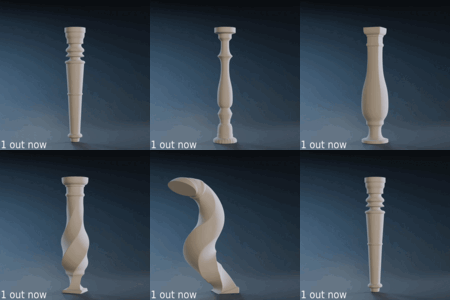
Plane Remesher
- Added a simple plane remesher.
- you can either choose a resolution manually or
- Choose a grid size for the resolution.
Suitable for landscapes with minimal overhangs. I typically use this for quickly remeshing a sculpted landscape or for having further out landscape meshes at a low resolution.
updates
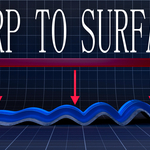
- updated warp to surface to have a object offset amount. You can either offset along the axis you're warping or along the normal of the surface being warped to.
- Added a search box for the geometry node groups.
- Reorganized many settings and added more descriptive names to them.
-
$1
Commercial License with ALL assets and features
Have questions about this product?
Login to message
| Sales | 20+ |
| Dev Fund Contributor | |
| Published | 10 months ago |
| Blender Version | 4.4 - 5.1 |
| Extension Type | N/A |
| Render Engine Used | Cycles, Eevee |
| License | GPL |
Discover more products like this
3d_hard_surface bend auto snapping 3dprintable helper #BlenderUtility advanced geometry nodes addons blender 3DDecals Procedural Generators 3d-mesh-wrapping