 H3LB4
H3LB4



Keep every low-poly on budget while you model
Collection Polycount shows live tris / faces / verts for the collections you watch, right in the 3D Viewport. Watch your high-poly and low-poly sets side by side and see the numbers change as you work. One right-click to start. No sidebar tab.
Built for low-poly work
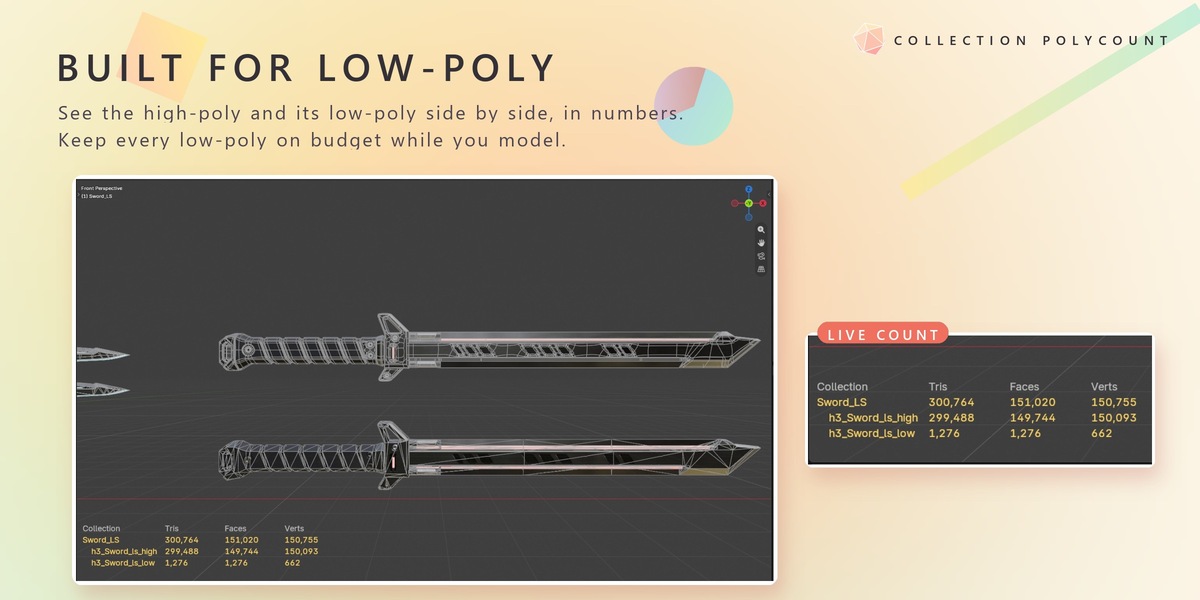
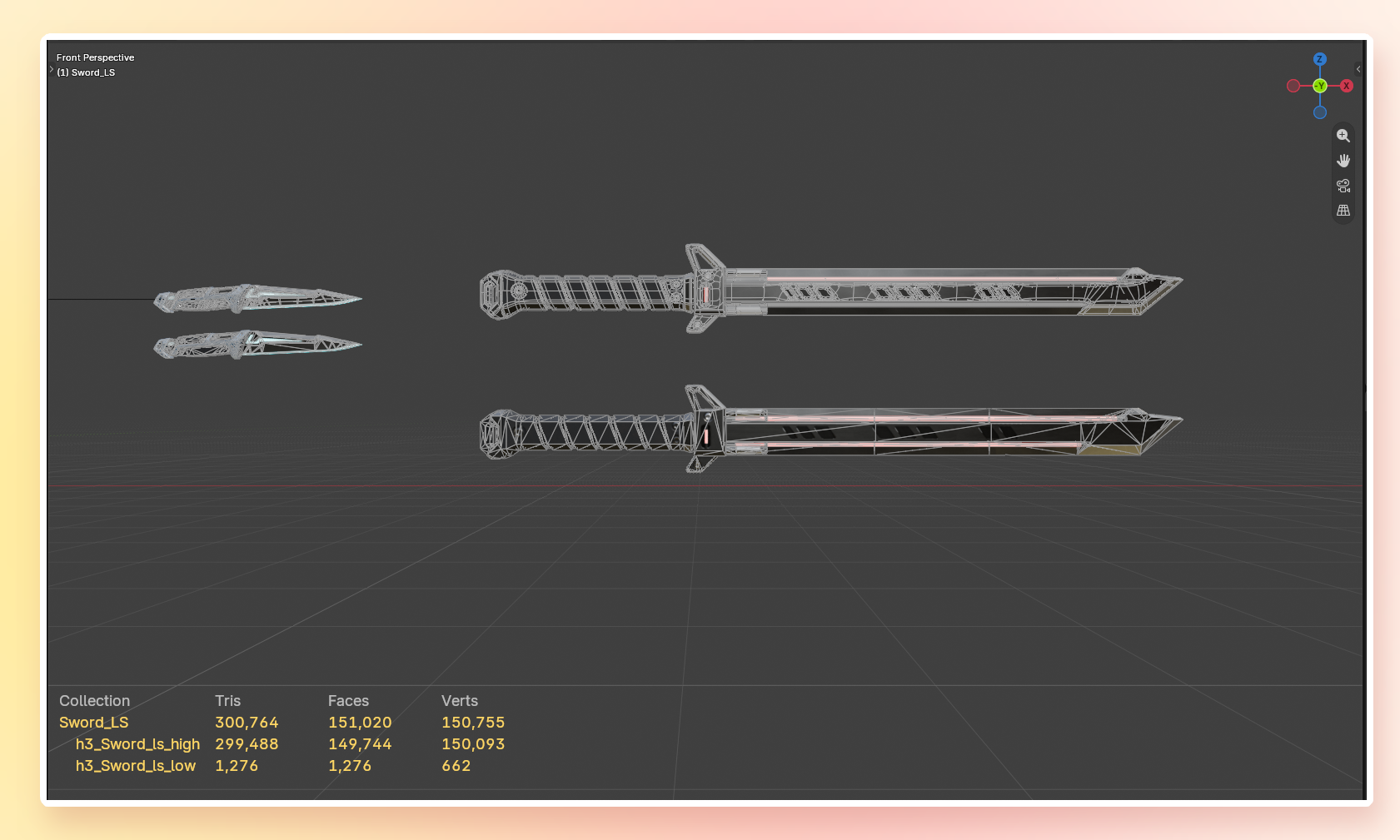
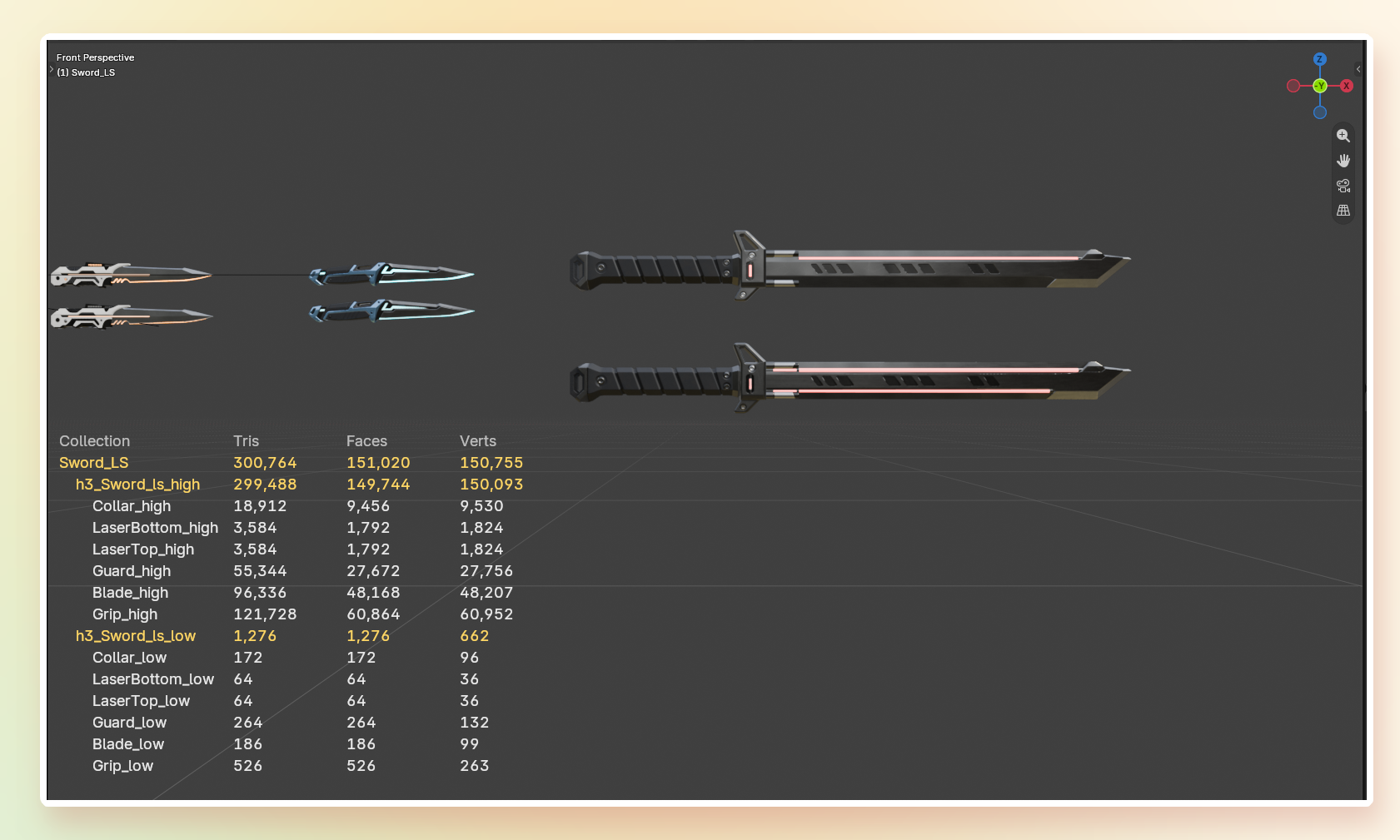
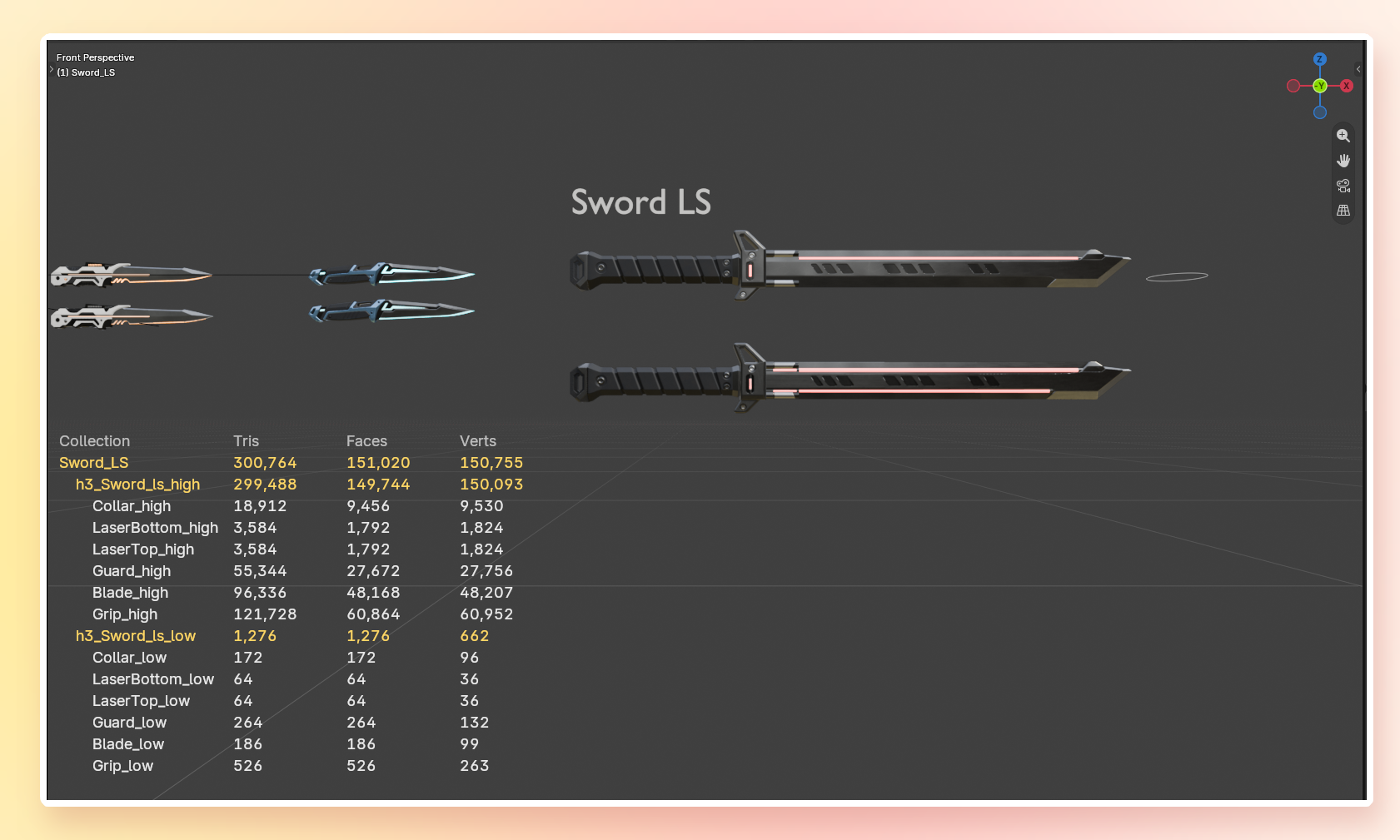
Put a high-poly and its low-poly next to each other and compare them in numbers. In the example above the high-poly sword has 299,488 tris and its low-poly 1,276 tris.
One right-click to watch
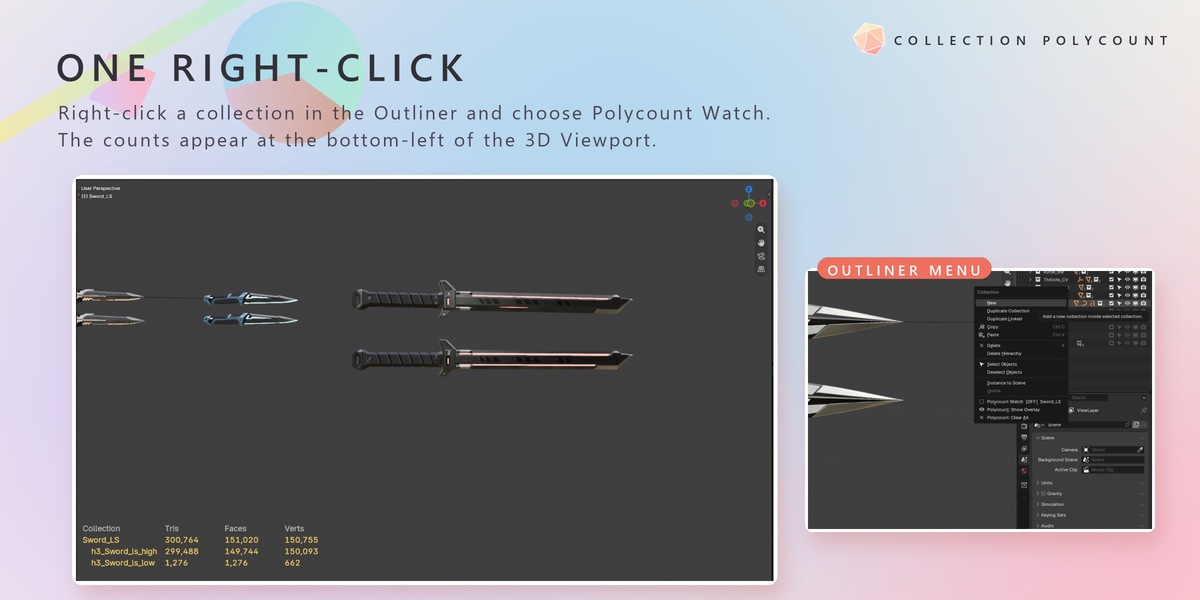
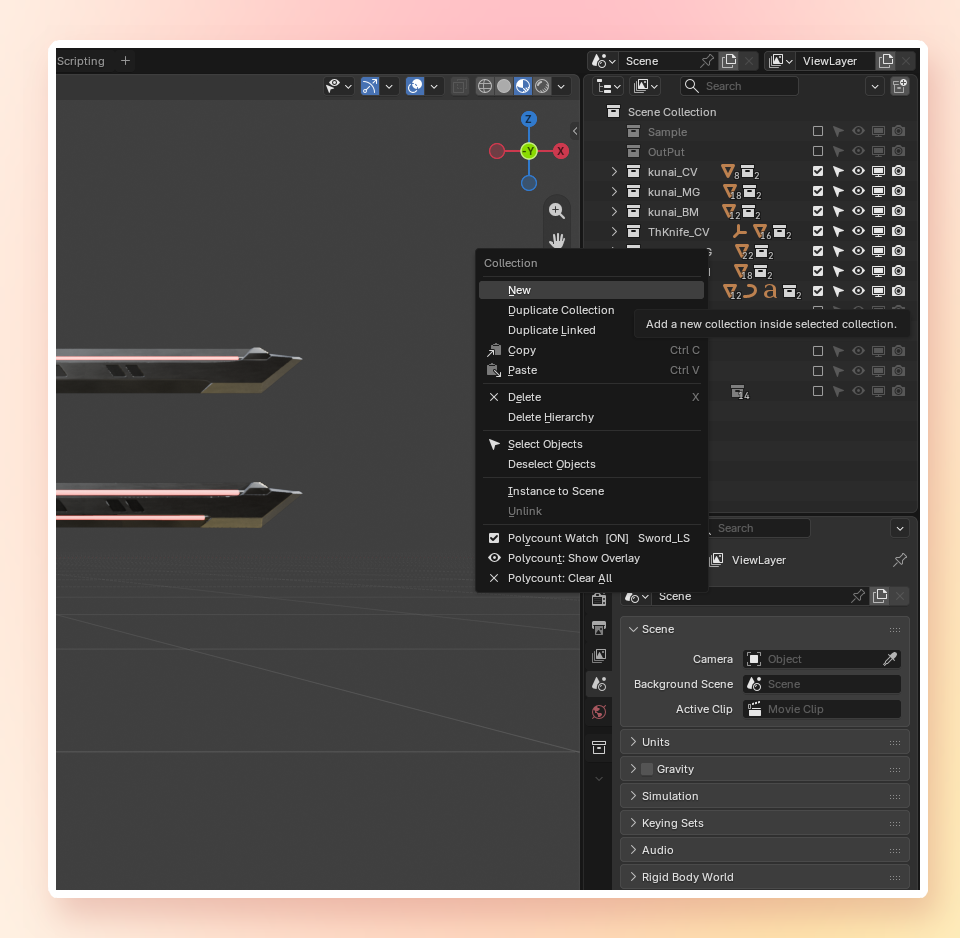
Right-click a collection in the Outliner and choose Polycount Watch. Select several collections to switch them on or off together. The same menu has Polycount: Show Overlay and Polycount: Clear All.
Live in the 3D Viewport
The counts appear at the bottom-left of the 3D Viewport, with the collection hierarchy. A collection's total counts every object once, even when an object is linked into several sub-collections.
Every budget at a glance
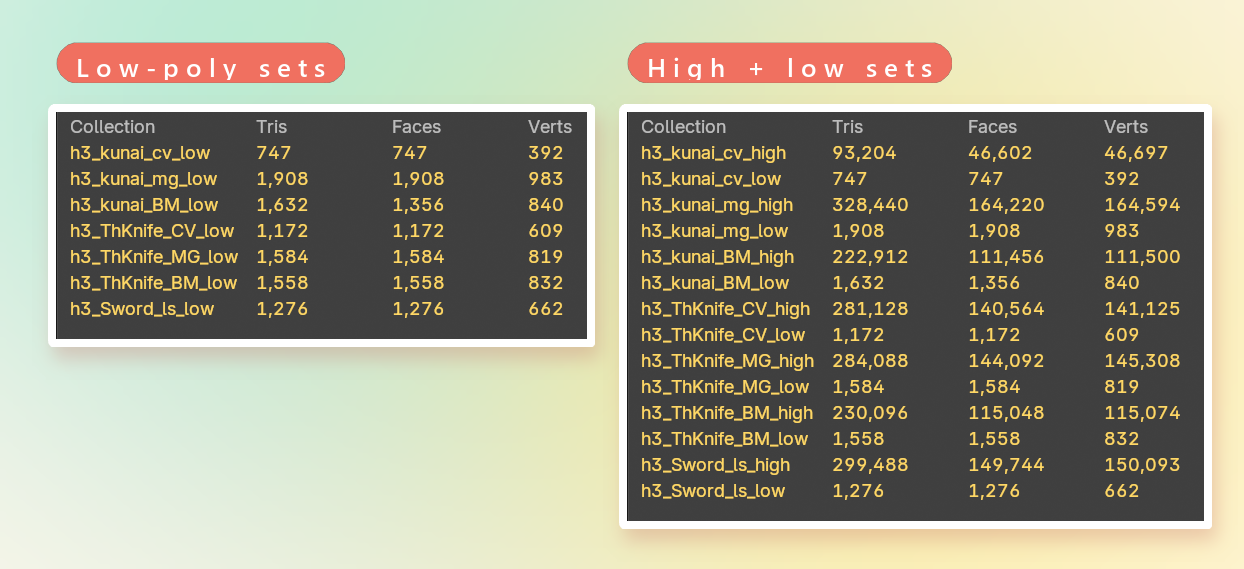
Watch as many collections as you like — for example all your low-poly sets, or every high and low set of a project.
Totals only, or every object
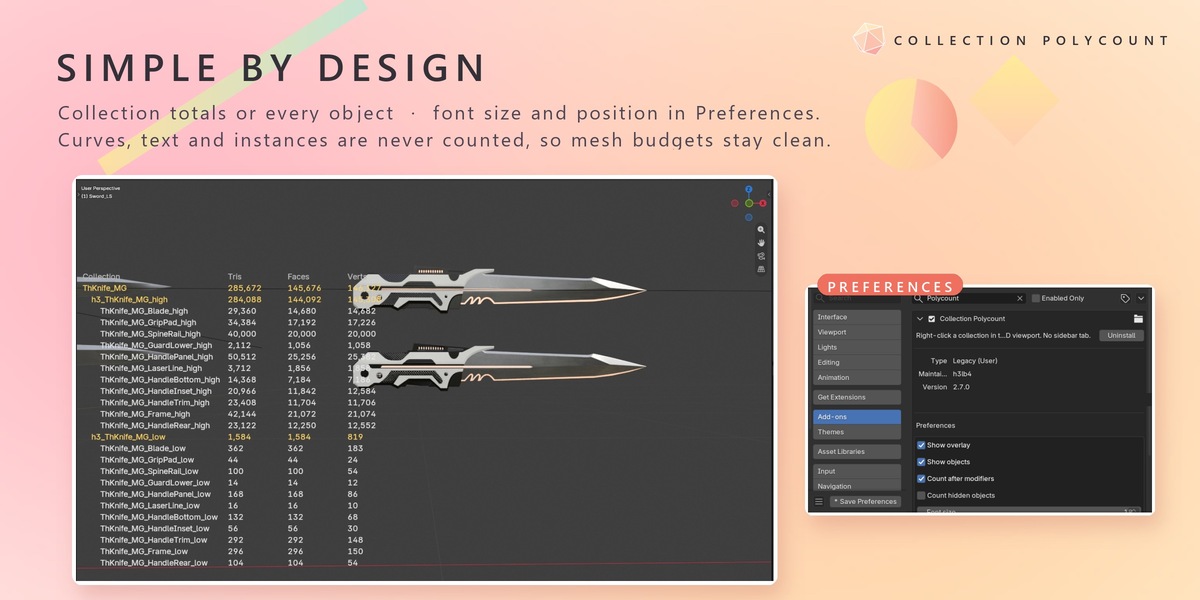
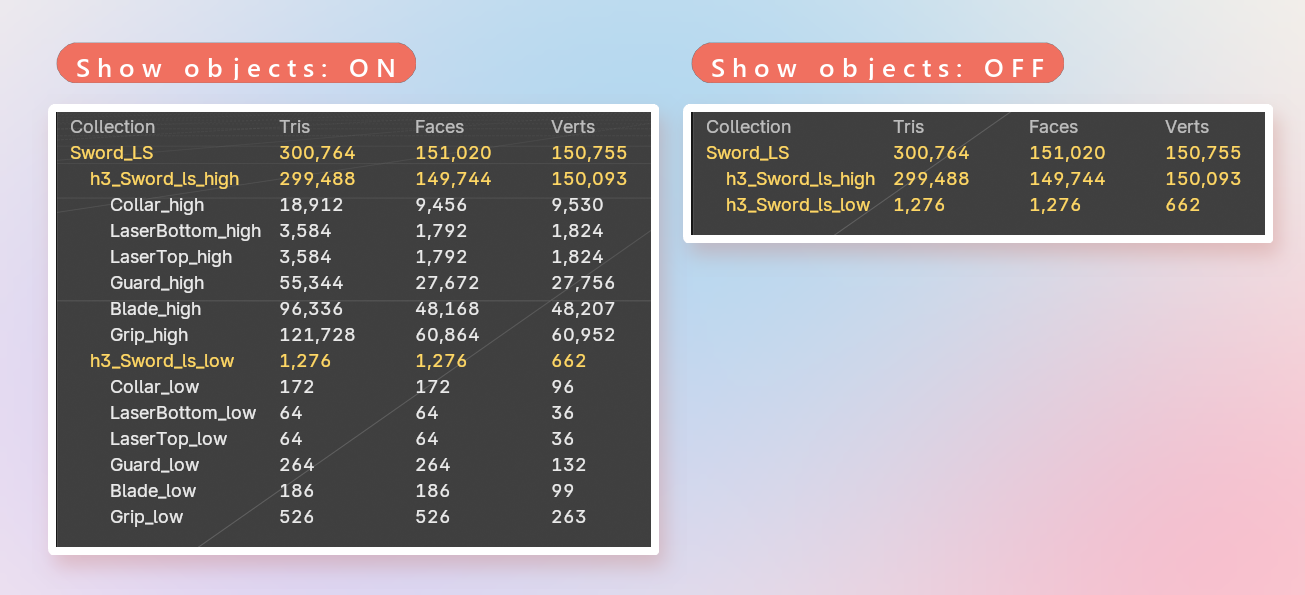
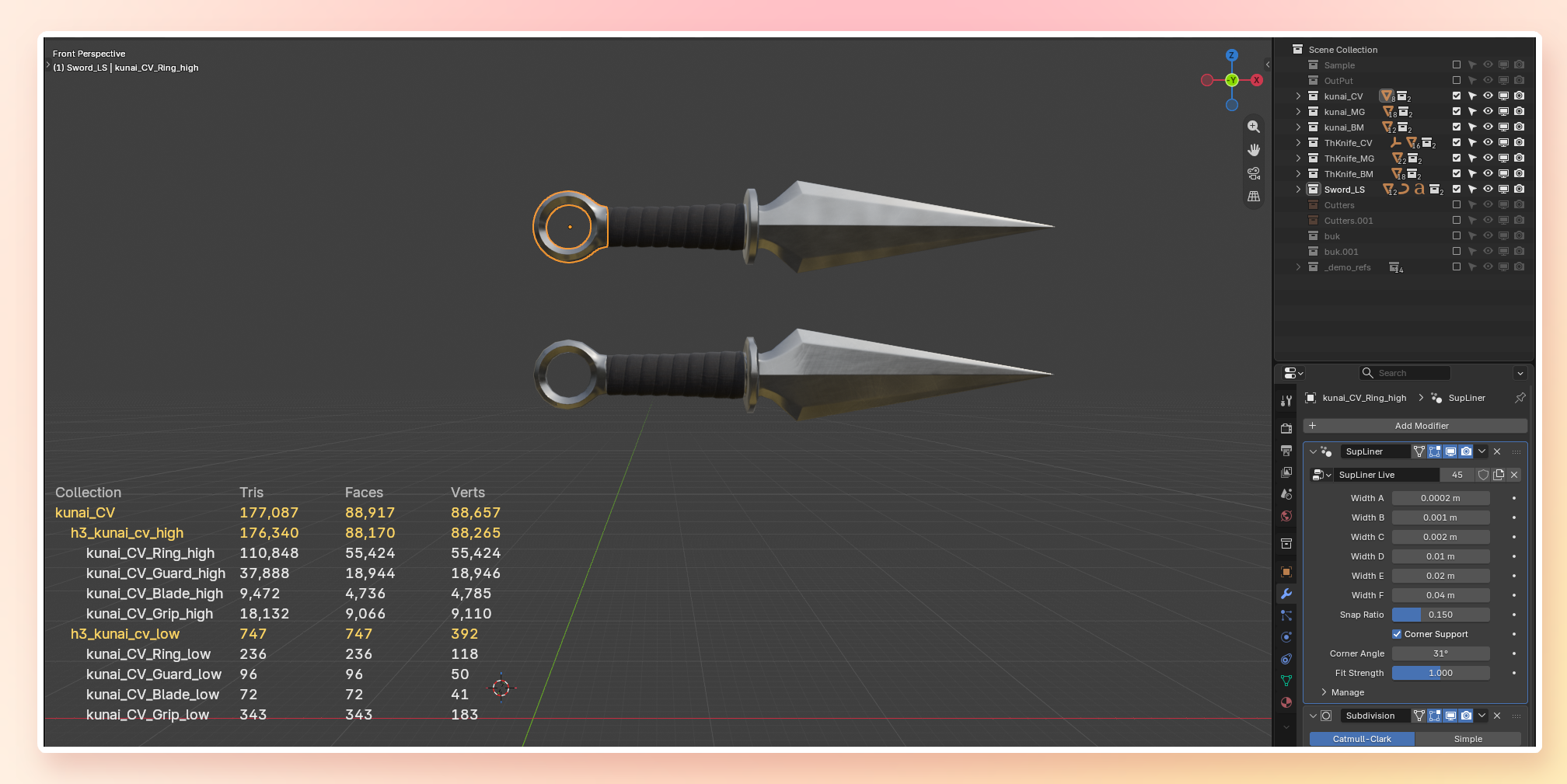
Turn Show objects off to see collection totals only, or on to list every object inside.
Modifiers counted live
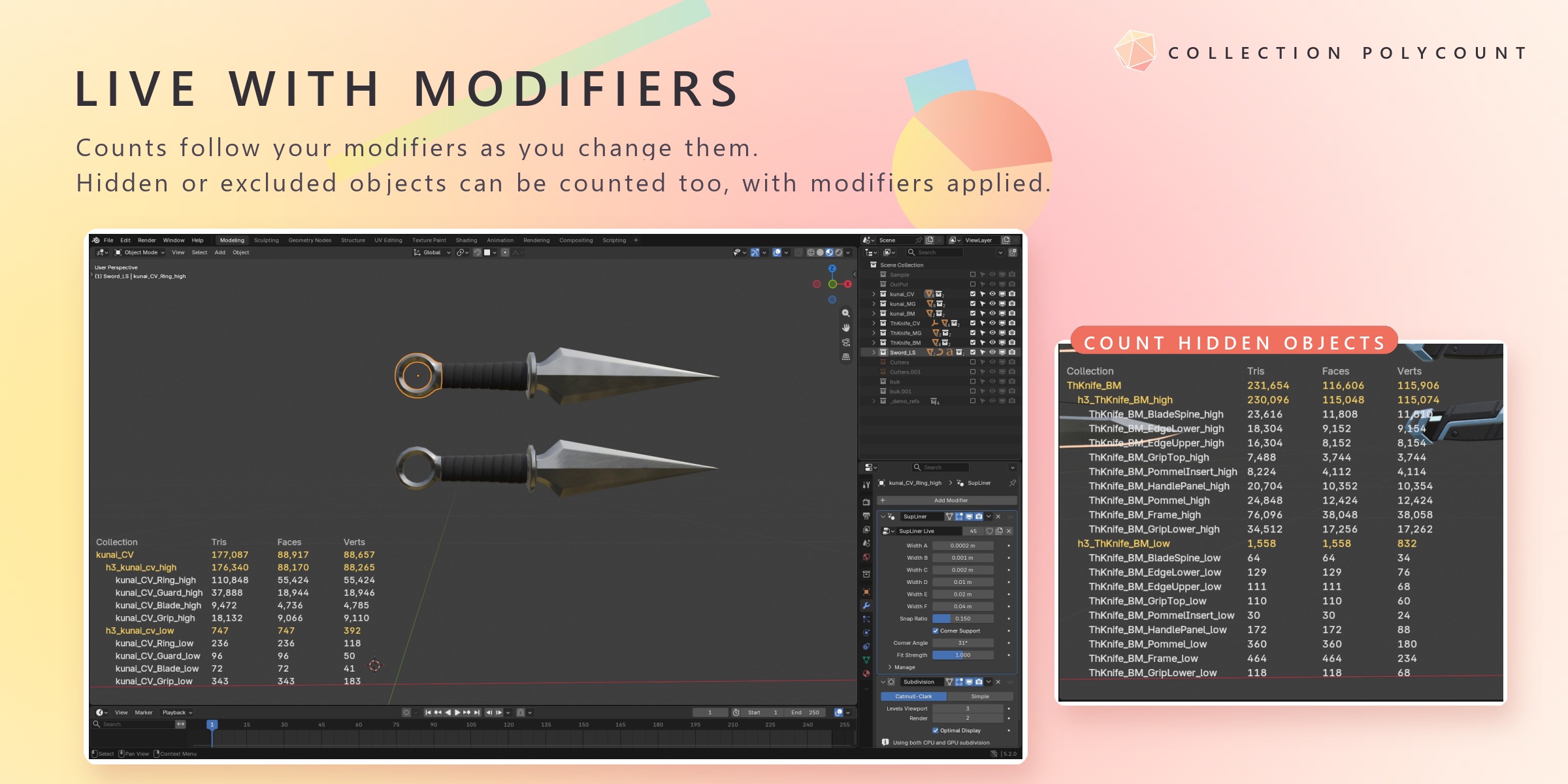
Counts include your modifiers (Subdivision and more) and update as you change them. Turn Count after modifiers off to see the base mesh instead.
Hidden objects, when you want them
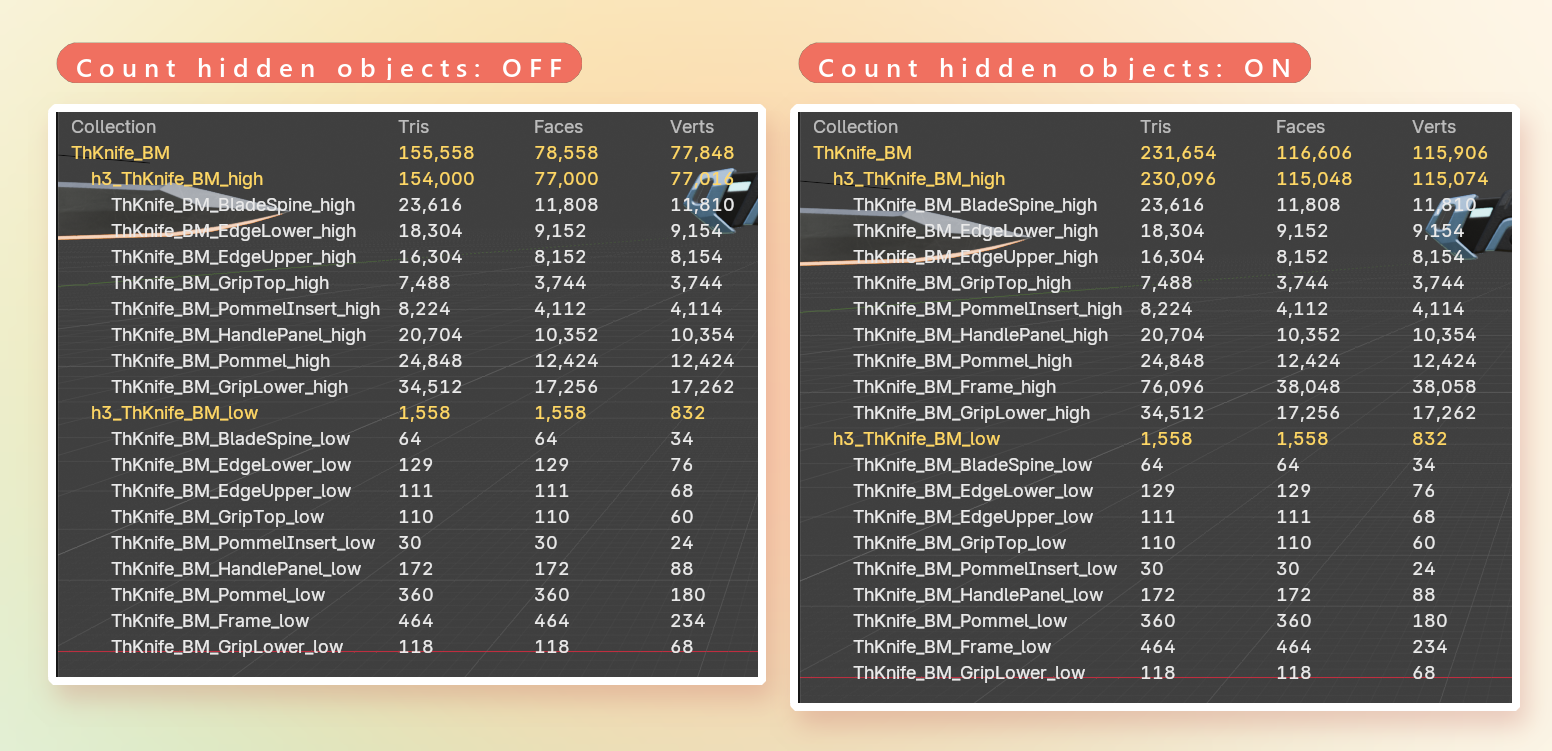
With Count hidden objects on, objects that are hidden, disabled in viewports, in excluded collections or outside local view are counted too — with their modifiers applied.
Edit Mode, live
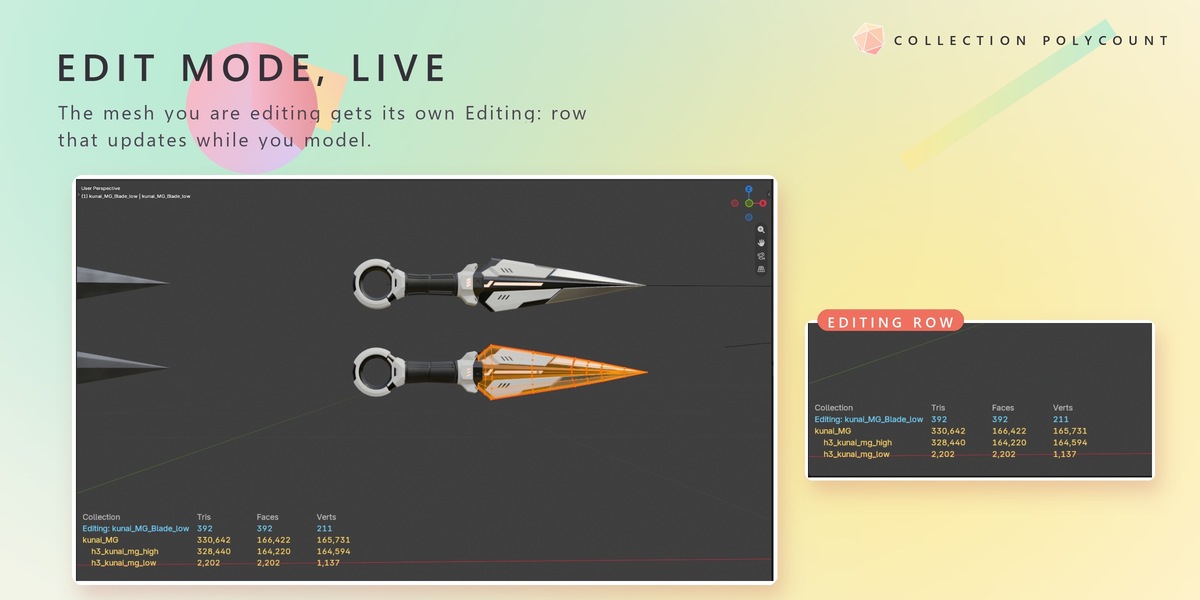
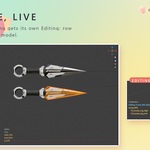
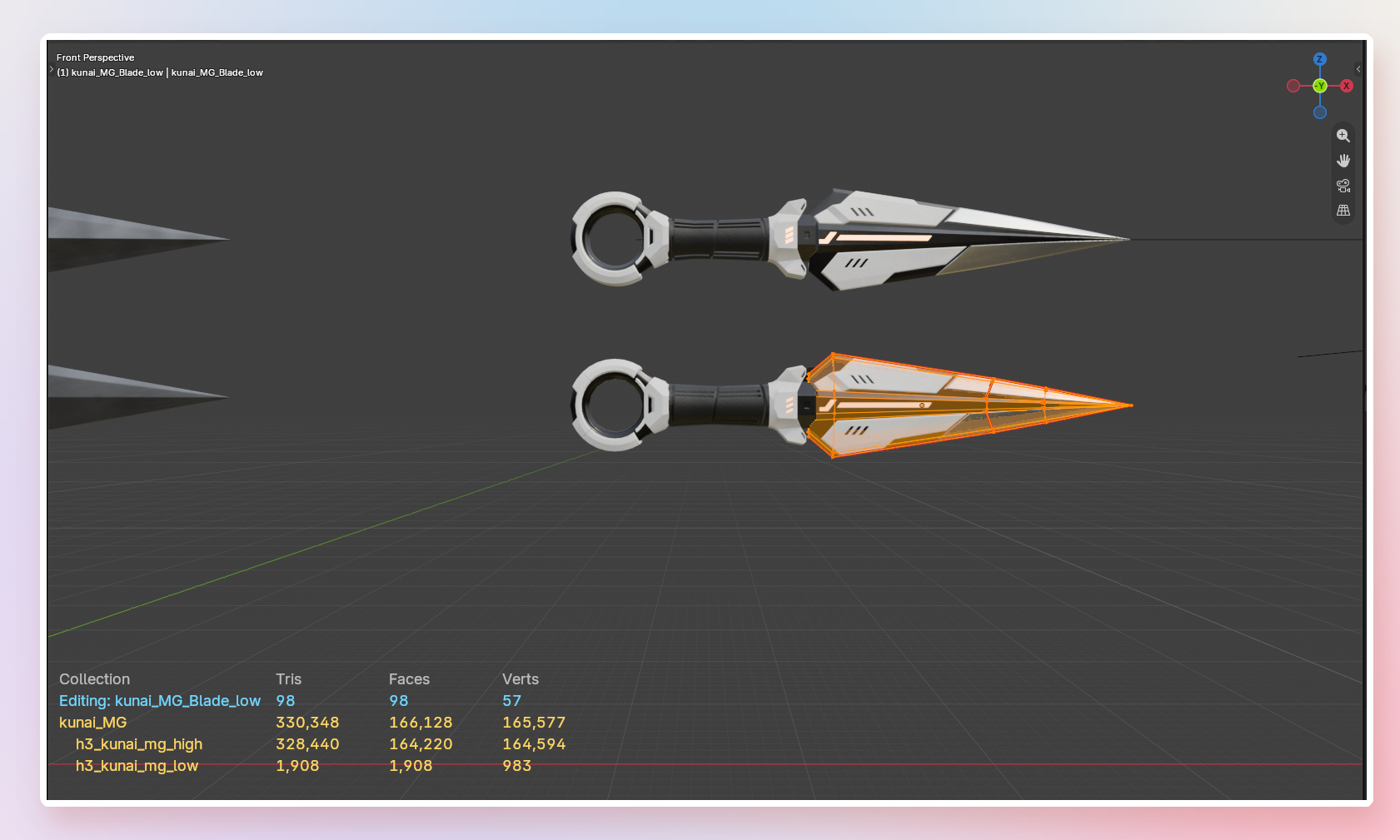
The mesh you are editing gets its own Editing: row at the top, updated while you model.
Mesh only, by design
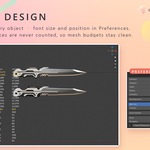
Curves, text, collection instances and Geometry Nodes instances are not counted, so your mesh budgets stay clean.
Simple settings
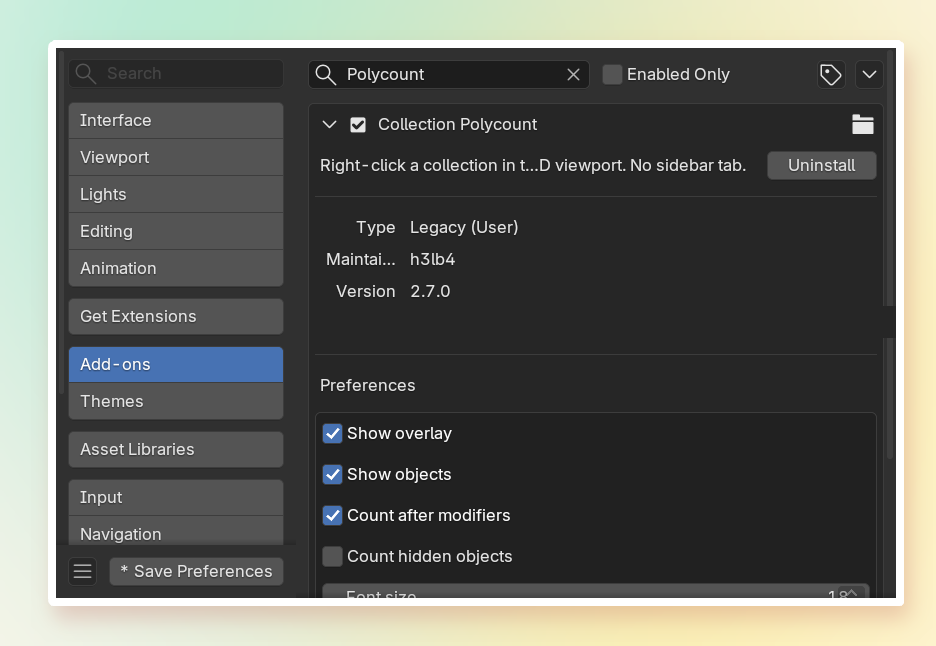
Everything lives in the add-on's Preferences: Show overlay, Show objects, Count after modifiers, Count hidden objects, Font size (8–60), Left offset and Bottom offset.
Compatibility
Tested with Blender 5.2.