Collision Wizard
 Piano Man's Shop


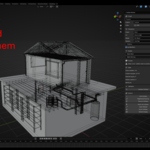
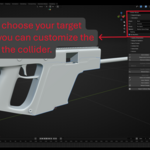
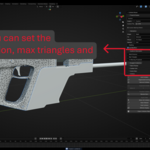
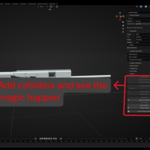
Installation
Blender requires a **single top-level folder** inside the ZIP, with **no spaces** in that folder name.
1. The ZIP must contain **only** one top-level folder named exactly: `collider_wizard` (lowercase, underscore).
2. Inside that folder, **`__init__.py`** and **`collider_wizard.py`** must sit in the **same** directory. Do **not** nest `collider_wizard/collider_wizard/`.
3. **Wrong:** ZIP with only loose `.py` files and no folder. **Wrong:** top folder named `Collider Wizard` (space breaks import).
4. In Blender: **Edit → Preferences → Add-ons → Install…** (Blender 5.x: **Install Legacy Add-on** from the **▼** menu if shown). Select the ZIP. Enable **Collider Wizard**.
If install failed earlier: disable the add-on, **Remove** it, delete any leftover `collider_wizard` folder under your Blender scripts `addons` path, then reinstall from a ZIP built from the correct inner folder.
---
## Where to find it
| Location | Details |
|----------|---------|
| **Sidebar** | 3D Viewport → **N** panel → tab **Collider Wizard** |
| **Pie menu** | Default: **Ctrl+Shift+C** (configurable in Preferences) |
Sub-panels include **Preset & Engine**, **Generation**, **Quality & Decimation**, **Budget & Validation**, **Name Preview**, **Collider Info**, **Scene Stats**, and **Actions**.
---
## Quick start
1. Switch to **Object Mode**.
2. Select one or more **mesh** objects you want collision for (Collider Wizard ignores objects it already treats as colliders).
3. Open the **Collider Wizard** sidebar.
4. Choose a **Preset** or set **Engine**, **Shape**, and options manually.
5. Click **Add Colliders**.
New colliders are **wireframe**, **hidden from render**, and by default **parented** to the target mesh so they move with the asset. Use **Name Preview** to see the next generated name before you run **Add Colliders**.
---
## Presets
| Preset | Typical use |
|--------|-------------|
| **Custom** | Keeps your current settings. |
| **UE Simple** | Unreal: convex hull, oriented fit, per object, replace same shape, modifiers on. |
| **UE Box** | Unreal: oriented box workflow. |
| **UE Complex** | Unreal: mesh collider, world-axis fit, per object. |
| **Unity Primitive** | Unity: box primitive naming and workflow. |
| **Unity Mesh** | Unity: mesh collider workflow. |
Choosing a preset other than **Custom** overwrites the relevant scene properties to match that workflow.
---
## Target engines and naming
### Unreal Engine
Prefixes follow common static-mesh collision naming:
- **UBX_** — Box
- **USP_** — Sphere
- **UCP_** — Capsule
- **UCX_** — Convex
- **UCY_** — Cylinder
- **UMX_** — Complex mesh
Names end with a two-digit index: `_00`, `_01`, …
### Unity
- **COL_** primitives with shape suffixes: `_Box`, `_Sphere`, `_Capsule`, `_Convex`, `_Cylinder`
- **MC_** for mesh colliders
### Custom
Set **Custom Prefix** (sanitized to letters, numbers, underscores; default idea: `COL`). Optional **Custom Naming Pattern** uses tokens:
`{PREFIX}` `{NAME}` `{SHAPE}` `{ENGINE}` `{INDEX}`
Default pattern example: `{PREFIX}_{NAME}_{INDEX}`
---
## Collider shapes
| Shape | Description |
|-------|-------------|
| **Box** | Bounding box; **Oriented** (tight to object) or **World Axis**; optional **Padding**. |
| **Sphere** | UV sphere; radius from half of the largest bound extent. |
| **Capsule** | Longest axis (or manual X/Y/Z); hemispheres + barrel. |
| **Cylinder** | Same axis logic as capsule; capped cone mesh. |
| **Convex** | Convex hull from geometry; optional weld and vertex cap. |
| **Mesh** | Triangle mesh from geometry; optional weld and **Max Triangles** decimation. |
**Auto-Suggest Shape** analyzes the active mesh bounds and vertex count and sets a recommended shape (with a short reason in the status line).
---
## Generation options
| Option | Meaning |
|--------|---------|
| **Fit Mode** | **Oriented** — fit to the object’s local orientation (good for single meshes). **World Axis** — axis-aligned in world space (useful for merged multi-object hulls). |
| **Merge Mode** | **Per Object** — one collider per selected mesh. **Merged** — one collider for the whole selection (name derived from active/first target). |
| **Replace Mode** | **Add** — keep existing child colliders. **Replace Same Shape** — remove child colliders of the **same** shape before adding. **Replace All** — remove all child colliders. |
| **Padding** | Extra size around the computed bounds (box-oriented path). |
| **Use Modifiers** | When on, convex/mesh generation uses the **evaluated** mesh (modifiers applied). |
---
## Quality and decimation
Shape-specific controls appear under **Quality & Decimation**:
- **Sphere:** segments, rings.
- **Capsule / Cylinder:** segments (and rings for capsule), axis (Auto or X/Y/Z).
- **Convex:** weld distance, max vertices (0 = unlimited; hull may be decimated toward the cap).
- **Mesh:** weld distance, max triangles (0 = unlimited), **Tri Warning Threshold** for validation.
---
## Actions and operators
| Action | Purpose |
|--------|---------|
| **Add Colliders** | Generate from current settings for the selection. |
| **Regenerate Existing** | Rebuild **selected** collider objects from stored metadata and source mesh. |
| **Remove Colliders** | Delete selected collider objects (and unused mesh data). |
| **Duplicate Collider** | Copy active collider mesh with incremented index. |
| **Mirror X / Y / Z** | Mirror active collider across an axis; new object, new index. |
| **Transfer Colliders** | Active mesh = template; copies child colliders to other selected meshes (optional replace existing). Dialog: **Replace Existing**. |
| **Rename Sync** | For selected **parent** meshes: rename child colliders so names match the current parent (after you rename the mesh). |
| **Apply Scale** | Bake scale into collider mesh data for selected colliders (helps clear non-uniform scale warnings). |
| **Select All Colliders** | Select every collider in the scene (for this add-on’s detection rules). |
| **Select Related** | Select colliders parented under selected meshes. |
| **Hide / Show Colliders** | Toggle viewport hide for all colliders. |
| **Refresh Display** | Re-apply wireframe / color styling. |
| **Export Collision Report** | Save a `.txt` report (default next to the `.blend` if saved). |
| **Validate Colliders** | Run checks; results in **Budget & Validation**. |
**Pie menu** (default **Ctrl+Shift+C**): Add, Remove, Select Related, Hide/Show, Regenerate, Validate, Rename Sync.
---
## Validation and budgets
**Validate Colliders** reports:
- Duplicate collider names
- Parenting (orphans or wrong parent type, depending on **Auto-Parent** preference)
- Non-uniform scale on colliders
- Zero-volume colliders
- Heavy mesh colliders vs **Tri Warning Threshold**
- Optional **Per-Object Tri Budget** (one warning per parent when total child collider triangles exceed the budget)
- Hints: e.g. overlapping bounds for colliders sharing a parent; Unreal **Complex as Simple** info for mesh colliders
- Stored target name vs parent name (**Rename Sync** suggested)
**Scene Stats** summarizes collider counts, triangles, vertices, and breakdowns by shape and engine.
---
## Add-on preferences
**Edit → Preferences → Add-ons → Collider Wizard**
| Setting | Description |
|---------|-------------|
| **Default Engine** | Reference default (sidebar still drives the active scene). |
| **Color by Shape** | Wireframe object color by shape instead of by engine. |
| **Auto-Parent** | Parent new colliders to the target mesh. If off, world transform is kept but validation allows unparented colliders. |
| **Pie Menu Key** | Key for **Ctrl+Shift+Key** (C, W, X, Q, or backtick). |
---
## Naming Convention Enforcer
If you use **Naming Convention Enforcer (NCE)**:
- Collider Wizard tags colliders so NCE does not fight generated names.
- Enable both add-ons; enable order rarely matters.
$10
Have questions about this product?
Login to message
| Dev Fund Contributor | |
| Published | 5 months ago |
| Blender Version | 5.0 |
| Extension Type | N/A |
| Render Engine Used | Cycles |
| License | GPL |
Discover more products like this
Game ready Coliders assembly line production mesh collider Blender_and_UE5 Blender3DWorkflow collider