 3DMAGIC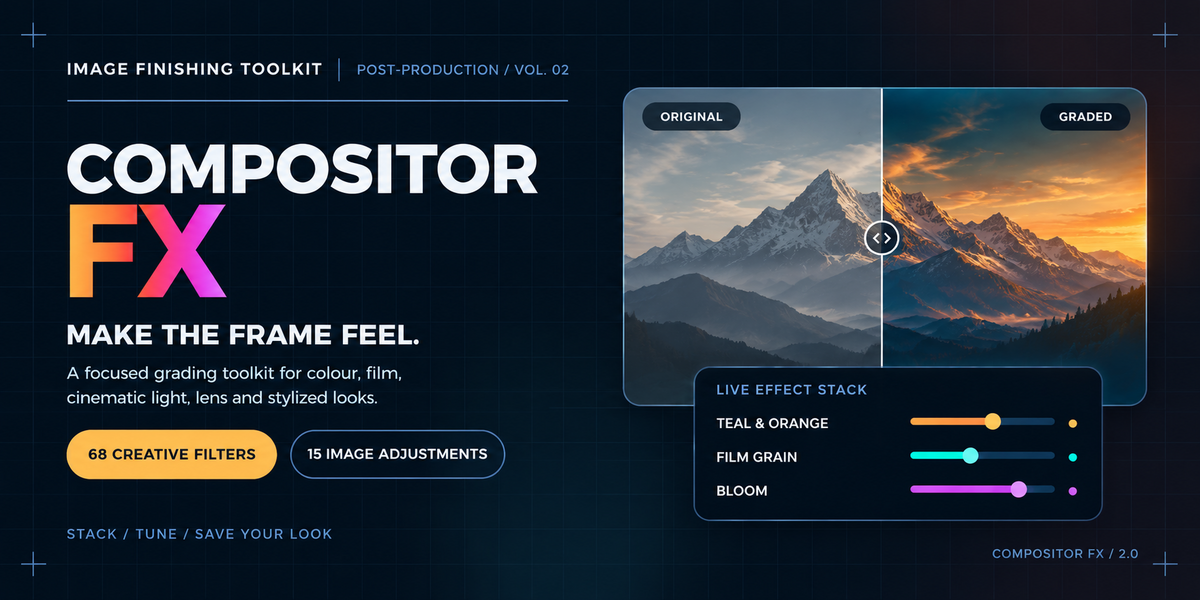
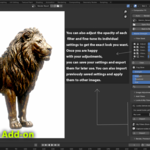
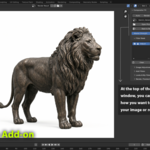
Compositor FX
A powerful Blender compositor toolkit designed to help artists build, refine and reuse professional image looks without rebuilding complex node setups by hand.
What is Compositor FX?
Compositor FX is a complete compositor workflow for Blender artists who want fast access to color grading, cinematic effects, film looks, lens effects, detail processing, stylization and practical image adjustments.
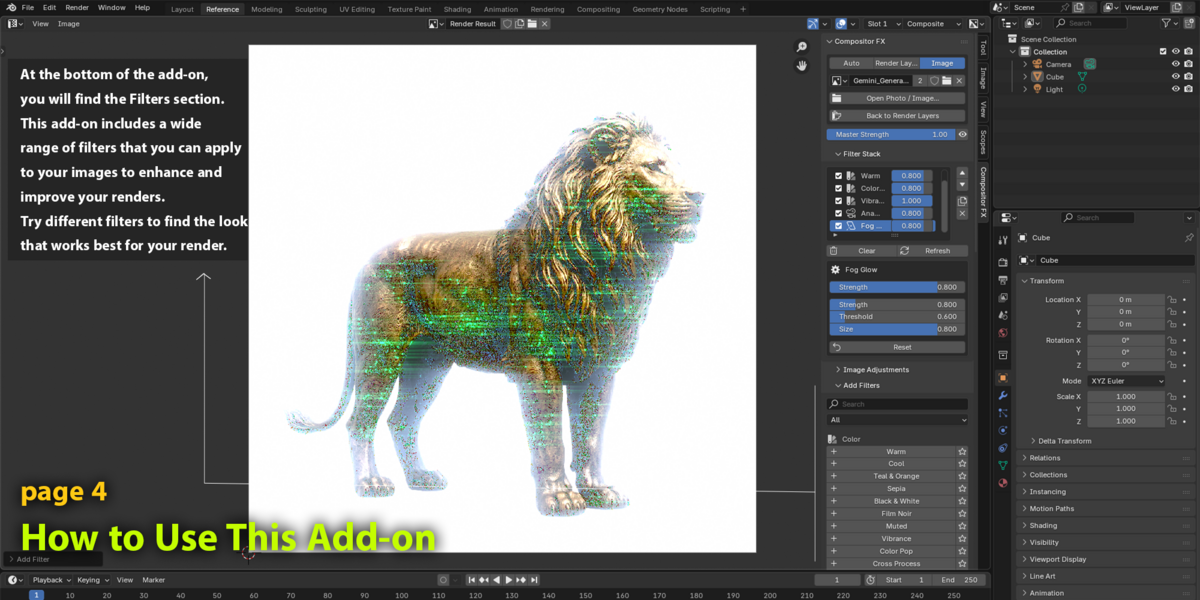
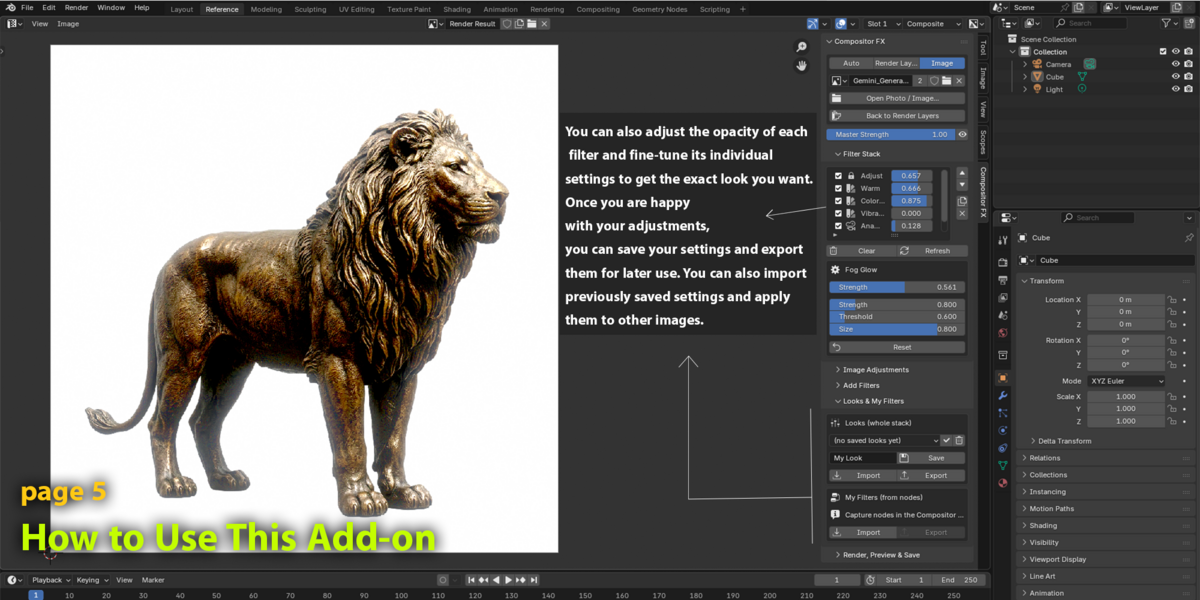
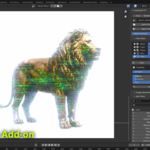
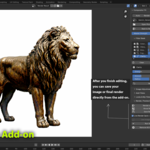
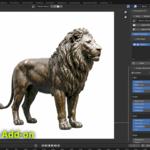
Instead of manually rebuilding node setups for every project, you can browse effects, add them to a stack, adjust their parameters, reorder them, enable or bypass individual effects, and save the complete result as a reusable Look.
Core Features
- 68 ready-to-use compositor filters
- 15 dedicated image adjustment controls
- Searchable filter browser
- Filter categories and favorites
- Recently used filters
- Adjustable Strength for individual effects
- Master Strength for the complete stack
- Enable / bypass individual effects
- Reorder, duplicate, reset and remove effects
- Create custom filters from selected compositor nodes
- Save complete effect stacks as reusable Looks
- Import and export Looks as JSON
- Share custom filters as JSON
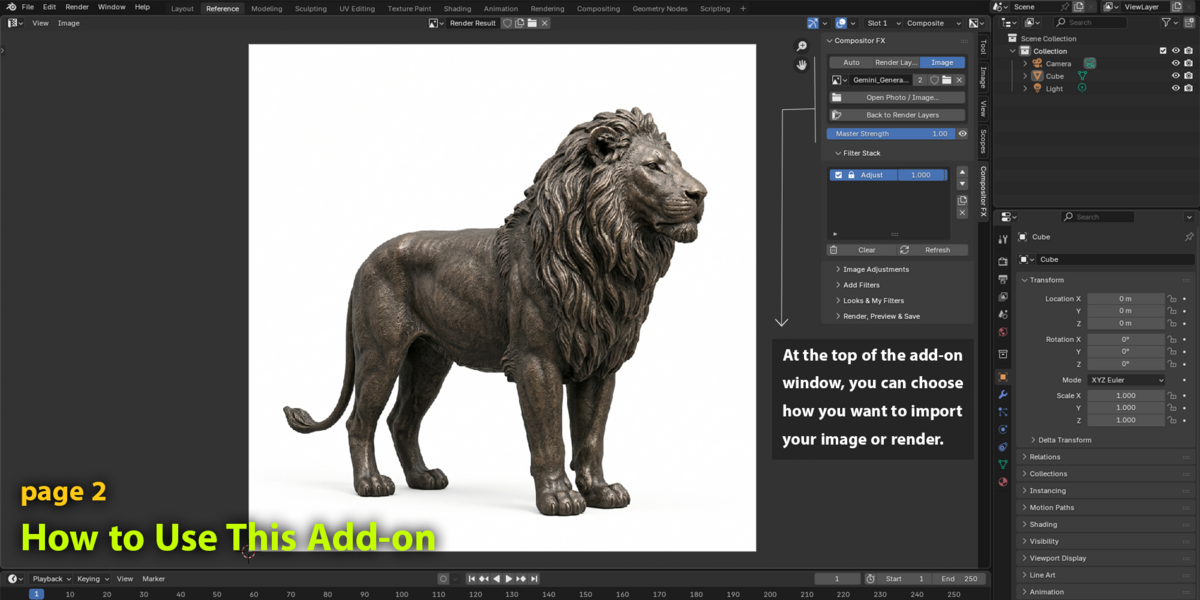
- Scene render and still-image workflow
15 Image Adjustments
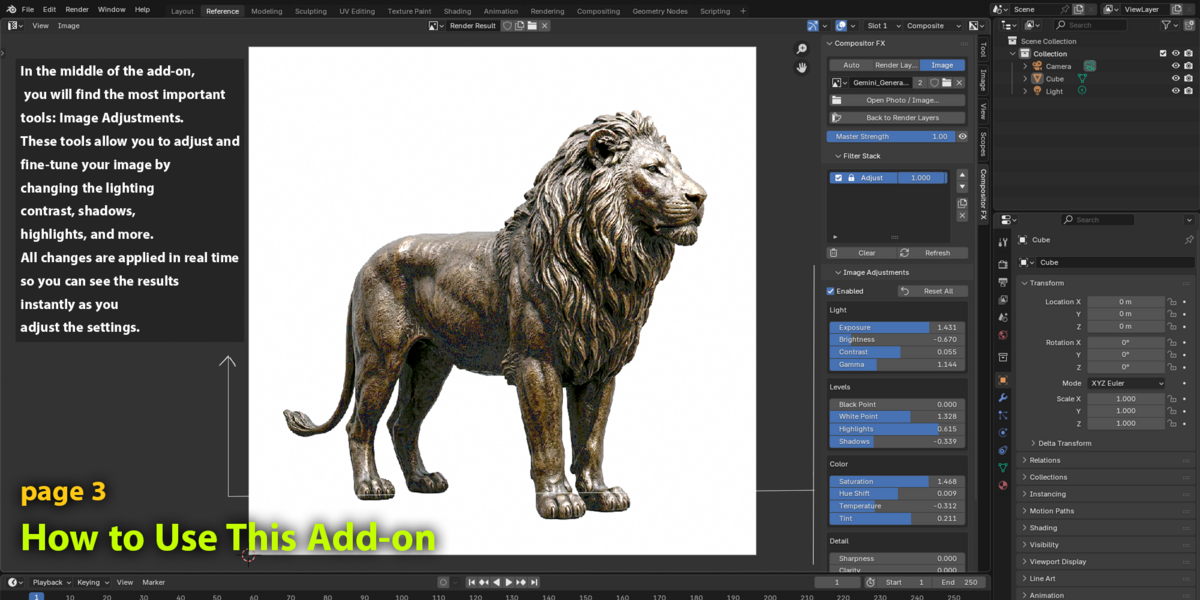
The dedicated Adjust stage provides 15 practical controls for quickly refining the final image. These controls are separate from the 68 filters in the browser.
01 — Light
- Exposure — Adjust photographic exposure in stops.
- Brightness — Control overall image brightness.
- Contrast — Increase or reduce tonal contrast.
- Gamma — Adjust midtone brightness.
02 — Levels
- Black Point — Set the input black point.
- White Point — Set the input white point.
- Highlights — Refine brighter image areas.
- Shadows — Refine darker image areas.
03 — Color
- Saturation — Control overall color intensity.
- Hue Shift — Rotate the image hue.
- Temperature — Shift the image from cool to warm.
- Tint — Shift the image from green toward magenta.
04 — Detail
- Sharpness — Enhance fine image detail.
- Clarity — Increase local contrast and texture.
- Blur — Apply Gaussian-style softening.
68 Filter Library
Compositor FX includes 68 effects organized into seven filter families. Each browser filter includes its own Strength control, while many effects also expose additional parameters.
01 — Color · 21 Filters
- Warm — Warm yellow-orange bias. Warmth
- Cool — Cool blue color bias. Coolness
- Teal & Orange — Teal shadows and orange highlights. Split, Saturation
- Sepia — Warm brown monochrome print. Tone, Contrast
- Black & White — Grayscale with tonal control. Contrast, Brightness
- Film Noir — Dark monochrome and crushed shadows. Shadow Crush, Contrast
- Muted — Subdued, lower-saturation color. Saturation
- Vibrance — Boost subdued color more than vivid tones. Amount
- Color Pop — Punchy saturation and contrast. Saturation, Contrast
- Cross Process — Stylized cool shadows and warm highlights. Amount
- Bleach Bypass — Silvery contrast with restrained color. Saturation
- Faded Matte — Lifted dark tones and soft color. Fade, Saturation
- Cyberpunk — Saturated magenta/cyan night grade. Amount, Saturation
- Golden Hour — Warm low-sun color with highlight glow. Amount, Glow
- Moonlight — Dark, cool, desaturated day-for-night. Darkness, Blue
- Gradient Map — Map brightness to three custom colors. Shadows, Midtones, Highlights
- Color Tint — Single-color soft-light wash. Color
- Split Toning — Color shadows and highlights separately. Shadow Color, Highlight Color, Amount
- Hue Shift — Rotate hue and tune saturation. Shift, Saturation
- Soft Portrait Film — Warm, gentle portrait treatment. Amount
- Vivid Slide Film — Saturated color for landscape imagery. Amount
02 — Cinematic · 8 Filters
- Cinematic Dark — Cool grade with deeper contrast. Contrast, Saturation
- Hollywood — Bright polished color with a gentle glow. Glow, Saturation
- Blockbuster — Teal/orange split, contrast and bloom. Split, Bloom, Contrast
- Letterbox Bars — Black bars for a chosen wide aspect ratio. Aspect Ratio
- Anamorphic Streaks — Tinted horizontal streaks from highlights. Strength, Threshold, Length, Tint
- Dreamy Glow — Soft haze and diffusion. Glow, Threshold
- Neon Glow — Saturated bloom around bright lights. Strength, Threshold, Saturation
- Filmic Punch — Rich midtones and S-curve-like contrast. Contrast, Richness
03 — Film · 7 Filters
- Film Grain — Generated analog-style grain with no texture file. Amount, Grain Size
- Vintage Film — Fade, warmth, reduced color and grain. Fade, Warmth, Grain
- Old Photograph — Sepia print with vignette and grain. Vignette, Grain, Tone
- Halation — Red-orange glow bleeding around highlights. Strength, Threshold, Radius
- Tungsten Night — Teal shadows and warm highlight halation. Amount, Halation
- Light Leak — Soft colored light placed in the frame. Position X/Y, Size, Color
- VHS Tape — Channel bleed, softness and grain. Color Bleed, Noise, Softness
04 — Lens · 10 Filters
- Vignette — Darken the edges and guide focus inward. Size, Feather, Roundness
- Bloom — Soft glow from bright highlights. Strength, Threshold, Size
- Soft Focus — Diffuse the image for a soft finish. Radius
- Chromatic Aberration — Color fringing from lens dispersion. Amount
- Lens Distortion — Barrel or pincushion image warp. Amount
- Tilt-Shift — Sharp horizontal band with blur above and below. Blur, Focus Height, Position, Feather
- Fog Glow — Wide atmospheric highlight glow. Strength, Threshold, Size
- Star Glare — Cross-shaped streaks on bright lights. Strength, Threshold, Rays, Length, Rotation
- Atmospheric Haze — Blend in a light haze color. Amount, Color
- Lens Ghosts — Internal-reflection-style flare. Strength, Threshold
05 — Detail · 7 Filters
- Unsharp Mask — Radius-controlled image sharpening. Amount, Radius
- Clarity — Mid-size local contrast and texture. Amount, Radius
- Denoise — Blender's built-in compositor denoising node. No exposed parameters
- Smooth Skin — Edge-preserving bilateral smoothing. Size, Edge Protect
- Despeckle — Reduce isolated bright/dark speckles. Threshold, Neighbor
- HDR Tone — Compress dynamic range and tune adaptation. Key, Contrast, Adaptation
- Soften — Light Gaussian softening. Radius
06 — Stylize · 10 Filters
- Posterize — Reduce the number of tonal steps. Steps
- Pixelate — Build a chunky pixel look. Pixel Size
- Oil Paint — Kuwahara-based painterly surface. Brush Size, Sharpness
- Pencil Sketch — Dark edge drawing on a light field. Line Strength, Detail
- Emboss — Create a raised-relief treatment. No exposed parameters
- Invert — Photographic negative. No exposed parameters
- Threshold — Convert brightness to black or white. Level
- RGB Split Glitch — Offset red and blue channels. Shift, Direction
- Cartoon — Flatten color, posterize and add outlines. Color Levels, Outline, Smoothing
- Duotone Poster — Map brightness to two selected colors. Dark, Light
07 — Utility · 5 Filters
- Exposure — Adjust photographic exposure in stops. Stops
- Gamma — Adjust midtone brightness. Gamma
- RGB Curves — Edit tonal response in Blender's curve editor. Curve Mapping
- Flip / Mirror — Flip horizontally and/or vertically. Flip X, Flip Y
- Zoom / Rotate — Scale, rotate and offset the image. Zoom, Rotation, Offset X/Y
Workflow
01 — Choose Your Source
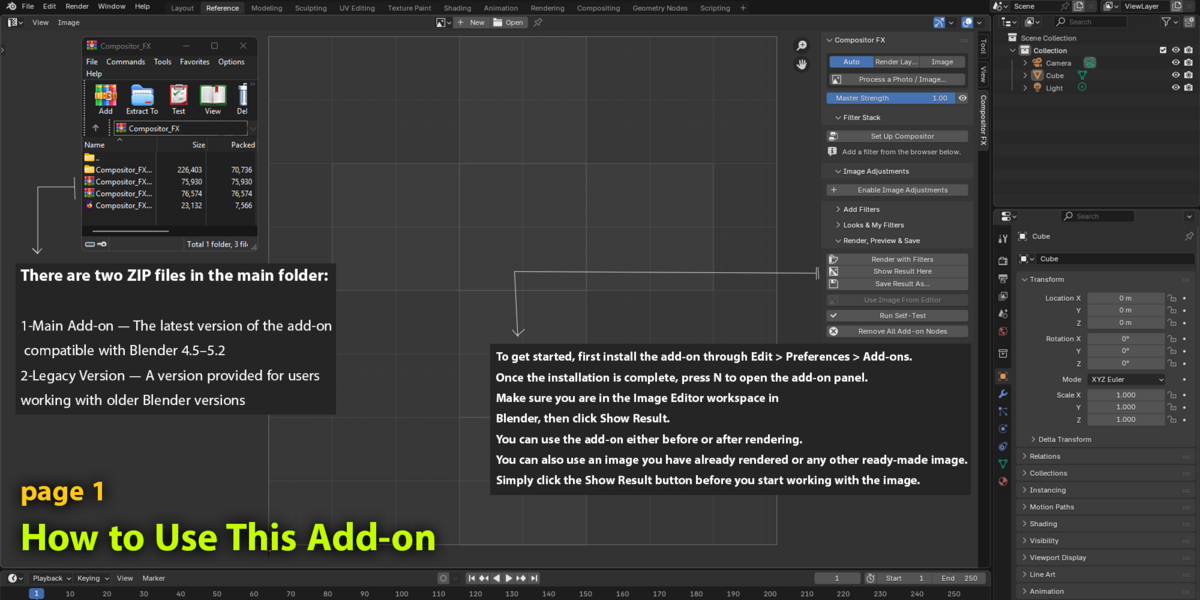
Start from the current scene render or load a still image for grading and export.
02 — Build & Refine
Search for a filter, add it to the stack, tune its parameters and compare the result using Master Strength.
03 — Preview & Save
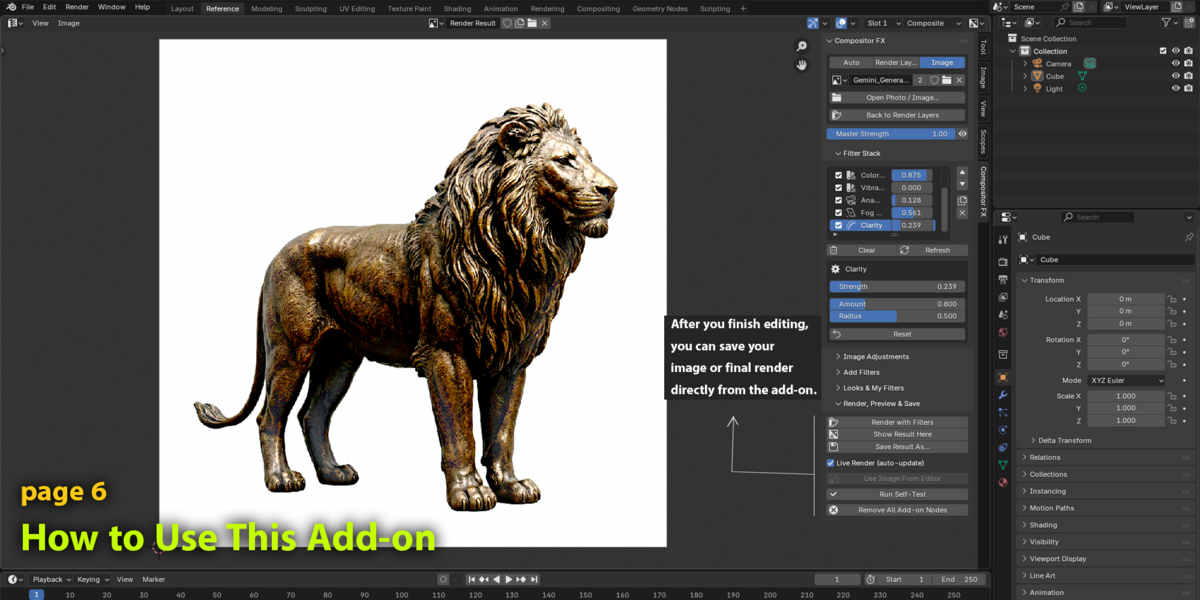
Preview or render the result, save the image and export a Look to reuse the complete recipe later.
Custom Filters
Create your own reusable filters from selected compositor nodes. Exposed node inputs can be adjusted directly from the panel, allowing you to turn your personal node setups into reusable tools.
Custom filters can also be shared as JSON, making it easier to move your custom setups between projects or share them with other artists.
Looks & Presets
Save a complete effect stack as a Look, including effect order, enabled states, Strength values and parameters. Looks can be exported and imported as JSON for reuse.
Compatibility & Important Notes
Blender Versions:
The add-on is designed for Blender 4.0–5.2. The Extension package requires Blender 4.2 or newer. A separate Legacy package is included for Blender 4.0–4.1.
The supplied code notes test runs on Blender 4.2.23, 4.5.14 and 5.0.1. Blender 4.0/4.1 and 5.1/5.2 were not verified in that environment. Run the included Self-Test before production use on an unverified version.
Performance:
Blender versions before 4.5 are limited to 8 active browser filters per stack. Blender 4.5+ has no fixed cap, but larger stacks and higher resolutions can take longer to process.
A filter whose required node is unavailable is reported and skipped without blocking the rest of the stack.
Other Notes:
Film Grain uses a generated static noise tile. Denoise uses Blender's built-in compositor node. Results may vary depending on source image, resolution, available Blender nodes and color management.