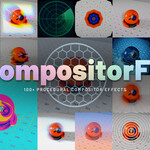
Compositorfx
 kunemann



Do I get updates and support?
Yes. Updates are free for the life of the product, and you can reach out any time through the Superhive message system for help.
Can I edit the effects to make my own variants?
Yes. Append a preset (instead of linking) and you have the full internal node tree to customize. Many effects also carry a mode selector that gives several distinct looks from a single node before you ever open it up.
Can I limit an effect to part of the frame?
Yes. Every effect has a Mask input — connect any mask and the effect applies only inside it. Turn on Mask Input Image to also clip the output's alpha so the result is transparent outside the mask and ready to overlay.
Can I combine several effects in one shot?
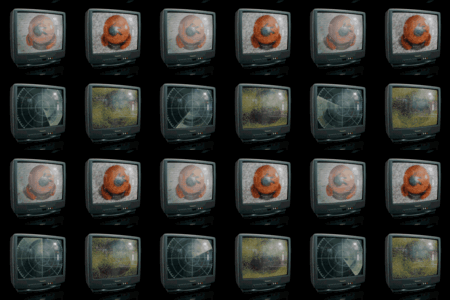
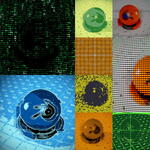
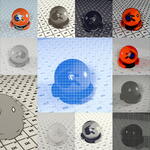
Absolutely. Each effect is a node group, so you chain them by feeding one output into the next. Mix and match across all 9 categories and grade between them with standard color nodes.
How do the depth and UV options work?
Enable the Z (Depth) or UV pass in your View Layer, wire it into the effect's Depth / UV input, and switch on the matching toggle. Depth gives distance-aware results like focus pull and fog; UV locks the look to your surfaces so it sticks to objects as the camera moves. Without a connected pass the effect runs in flat 2D.
Can I animate the effects?
Yes. Every parameter is keyframeable. Animated effects ship with a Speed control and a universal Reverse toggle, and their loops are built to tile cleanly for seamless playback.
Do these work with EEVEE and Cycles?
Yes. The effects run in the compositor on whatever image you feed them, so they work with EEVEE, Cycles, or imported video and image sequences alike.
Which Blender version do I need?
Blender 5.1 or newer. The effects use the current compositor node system and were built and tested on 5.1.2. They are not compatible with the legacy 4.x compositor.
Do I need to install an add-on or plugin?
No. CompositorFX is a standard Blender asset library. Add the .blend file as an asset library in Preferences and every effect appears in the Asset Browser — nothing to enable, nothing to update separately.
$32
Have questions about this product?
Login to message
| Dev Fund Contributor | |
| Published | 3 months ago |
| Blender Version | 5.1 - 5.2 |
| Render Engine Used | Arnold, Cycles, Eevee, Luxrender, Mental-Ray, Octane |
| License | Creative Commons |