 Tony
Tony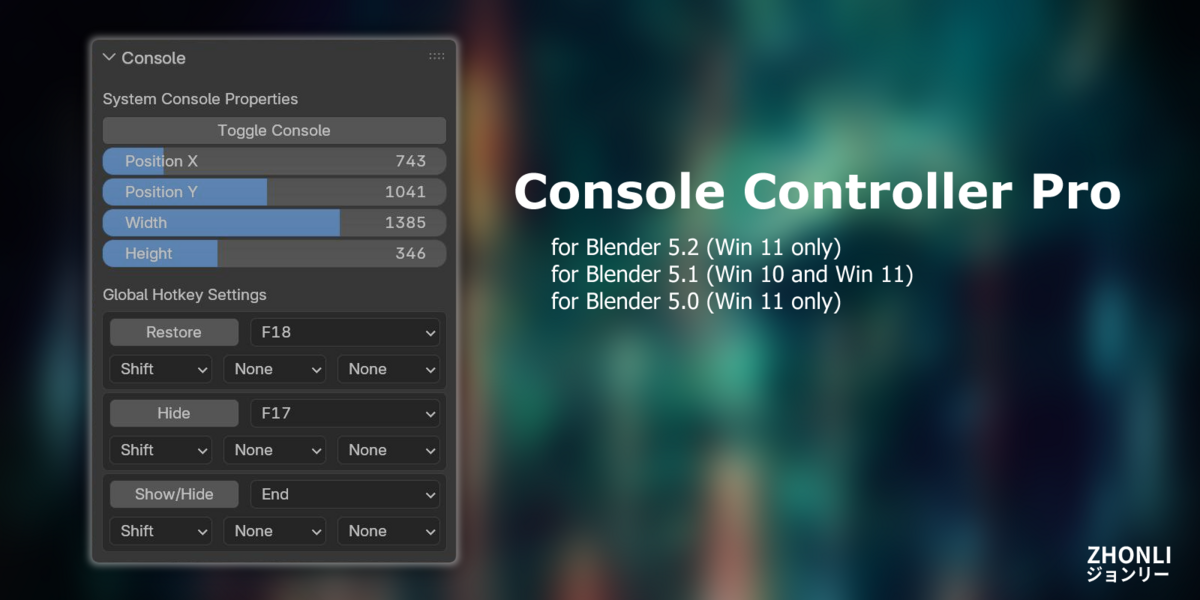


Online Document >> LINK
How to install:
- Download [ maz_console_controller-5.x.0.zip ] from superhivemarket.
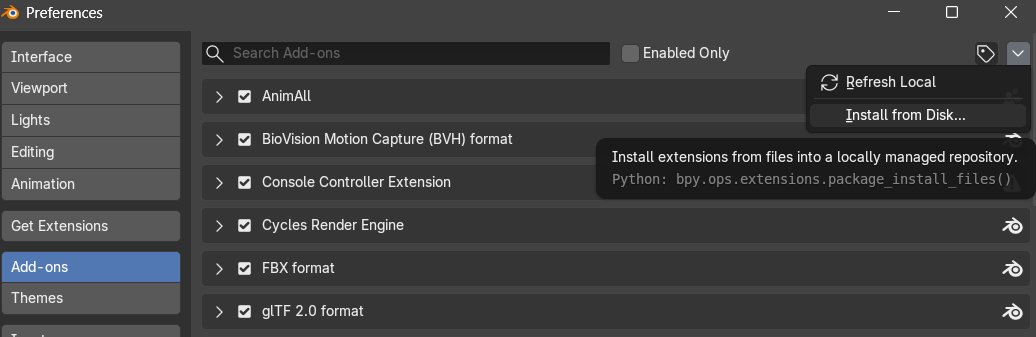
- Install maz_console_controller-5.x.0.zip by [ Install from Disk ] in Add-ons.
 e
e
How to use:
[1] Ensure you are in the [ Scripting ] workspace

[2] The interface looks:
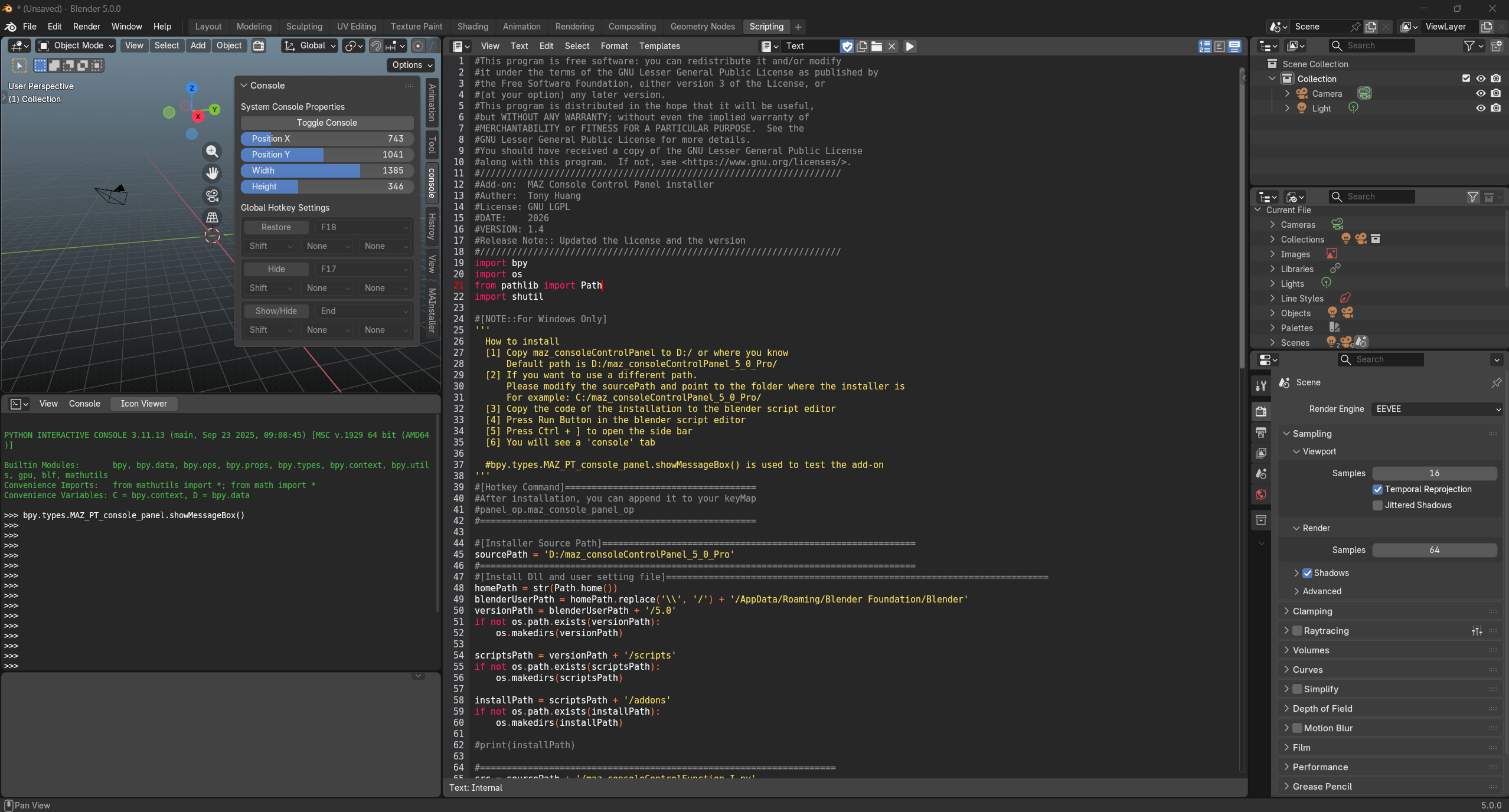
[3] Press the hotkey in the 3D Viewport,
[Blender] n
[Blender 2.7x] n
[Industry Compatible] Ctrl + ]
, to show the side bar
[2] Click the tab "console".
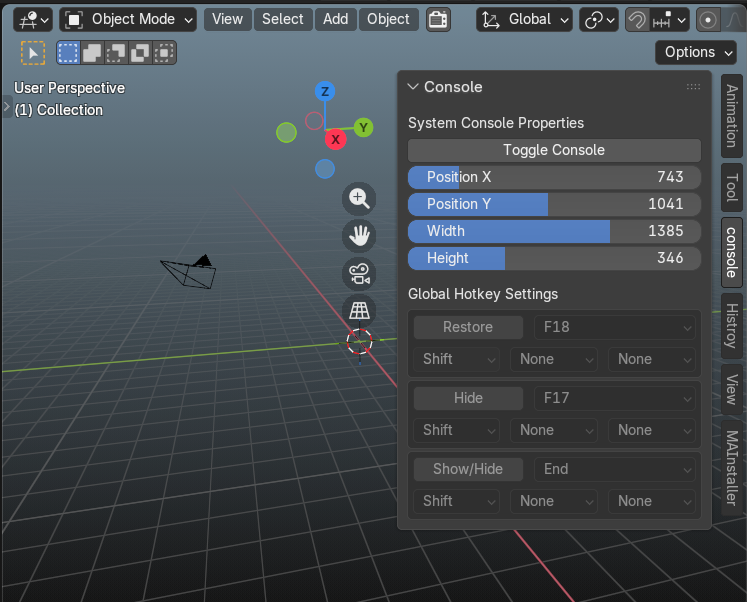
[3] You will see the interface.
[4]The global hotkey settings panel is disable when Blender is just opened.
[5]You can click “Toggle Console” or use your hotkey to open the Blender console.
[6]After the console pops up, the global hotkey settings panel becomes available.
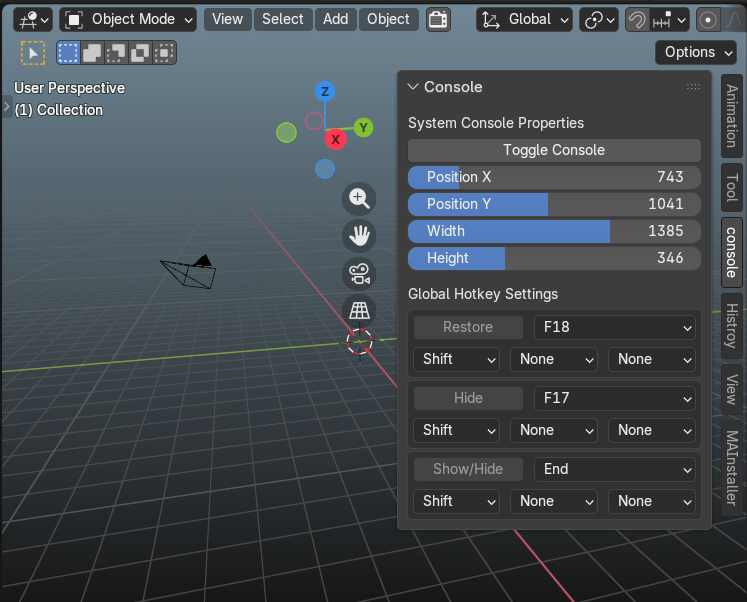
Now, you can set global hotkeys. For more details, please read How to set a global hotkey
NOTE:: You can’t use Windows’ Global hotkeys, like Win + E.
Have questions about this product?
Login to message
| Blender Extension Compatible | Yes |
| Published | 10 months ago |
| Blender Version | 5.0 - 5.2 |
| Extension Type | Add-on |
| Render Engine Used | Cycles, Eevee |
| License | GPL |
